Create Workspaces
You'll create Databricks workspaces with dedicated VPC/VNet isolation in ~15 to 30 min per workspace.
Prereqs: Cloud Tenant ready
The big picture
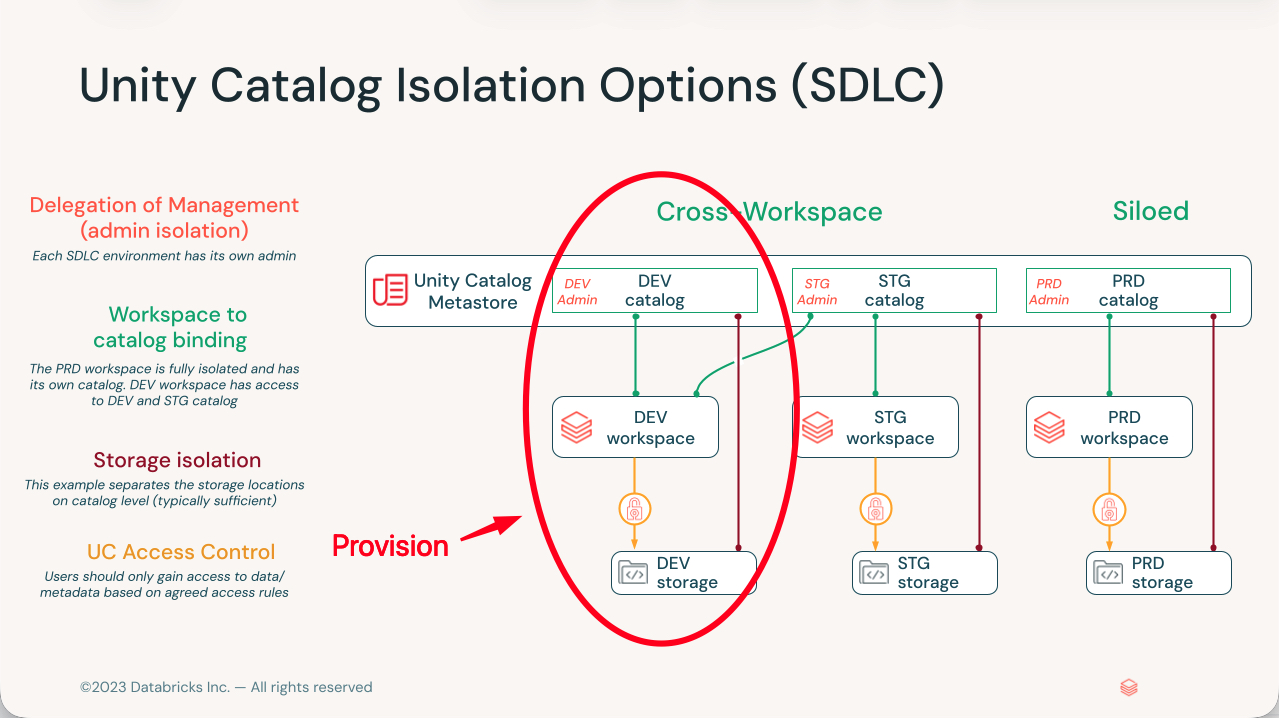
Build three workspaces, one each for development, staging, and production, and give each its own network. That is the layout most teams land on, and it is much cheaper to set up that way now than to untangle later. A workspace is the compute and collaboration boundary in Databricks, and it cannot move regions or merge with another once it exists. The choices you make in the creation wizard are the choices you live with.
Each workspace runs inside its own VPC on AWS, VNet on Azure, or VPC on GCP. That network boundary is what keeps a runaway experiment in dev from reaching production data, and it lets you apply different access rules per environment without them leaking into each other.
The three-workspace layout
Think of the three workspaces as the three rooms a change passes through before it ships:
- Development is where engineers write and test code.
- Staging is integration testing and user acceptance before anything goes live.
- Production is the stable workloads the business depends on.
Keep them isolated at the network level, not just by folder or permission. The whole point is that a mistake in one room stays in that room.
For more on isolation choices, see Governance for medium-large organizations. For the workspace mental model, see Workspace foundations.
Serverless or Hybrid
Every cloud gives you two ways to deploy. Decide between them by asking one question: do you want Databricks to handle the setup for you?
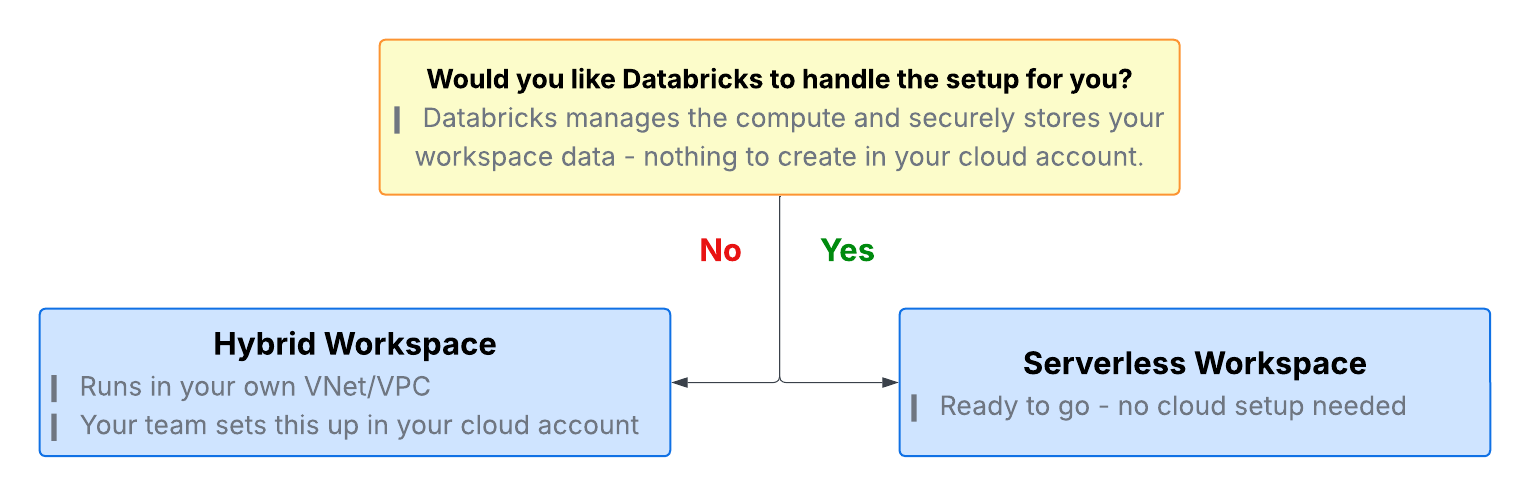
Serverless is the preferred choice. You create the workspace from the account console, and Databricks runs the compute and securely stores your workspace data. You do not need to decide on cluster types or manage sophisticated network infrastructure, and you keep security and scalability. Start here for your first workspace and for most new deployments.
Choose Hybrid when the workspace must run inside your own VPC or VNet with the network under your control, when it must also allow you to create clusters inside your own cloud network (classic compute), or when your workload is not supported by serverless (check the serverless limitations for your cloud to learn more). Your team sets it up in your cloud account, deployed from Terraform so it is repeatable across environments with a record of what changed. Private Link and the Security Reference Architecture (SRA) defaults are a hardened variant of the hybrid path, for when traffic must stay off the public internet.
Serverless end-to-end deployments are supported with the latest Network Connectivity Configuration (NCC) and Private Link releases, so you can lock down a serverless workspace without falling back to a hybrid one.
Choose your approach
| Method | AWS | Azure | GCP |
|---|---|---|---|
| Serverless | AWS | Azure | GCP |
| Hybrid | BYOVPC | VNet injection | BYOVPC |
Next
- Learn why: Workspace foundations
- Reference: Databricks workspace administration