Genie Agents
You'll create and share the Bakehouse Sales Assistant, a natural-language agent on your metric view, in ~15 min.
Prereqs: Dashboards
The big picture
A dashboard answers the questions you anticipated. A Genie Agent answers the ones you didn't. Point it at the same franchise_sales_metrics metric view, and business users can ask in plain English, "which franchise sells the most?", and get the same numbers the dashboard shows.
| Continuation of | What carries forward |
|---|---|
| Metric Views | The same governed franchise_sales_metrics definition answers natural-language questions here. |
Build the agent
Create a Genie Agent on the metric view, tune it, validate an answer, and share it.
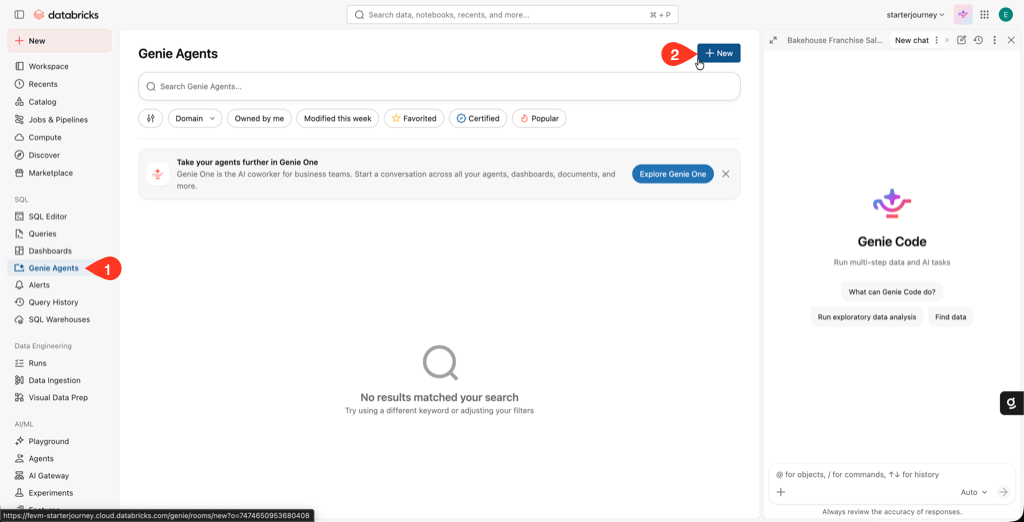
Click Genie Agents in the workspace sidebar, then New in the upper-right corner.
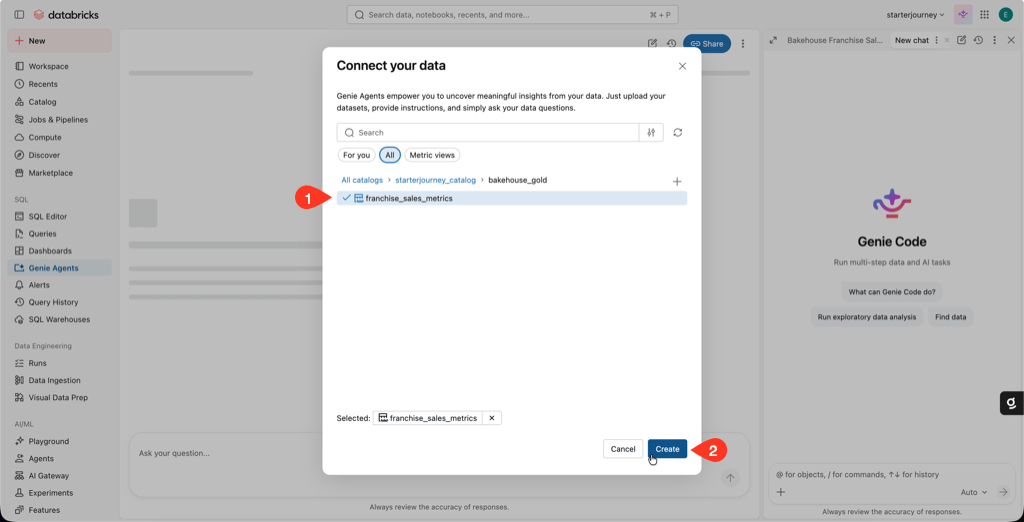
In the Connect your data dialog, browse to starterjourney_catalog > bakehouse_gold, select franchise_sales_metrics, then click Create.
The metric view already carries the join and the franchise field, so you don't need to add the silver tables separately.
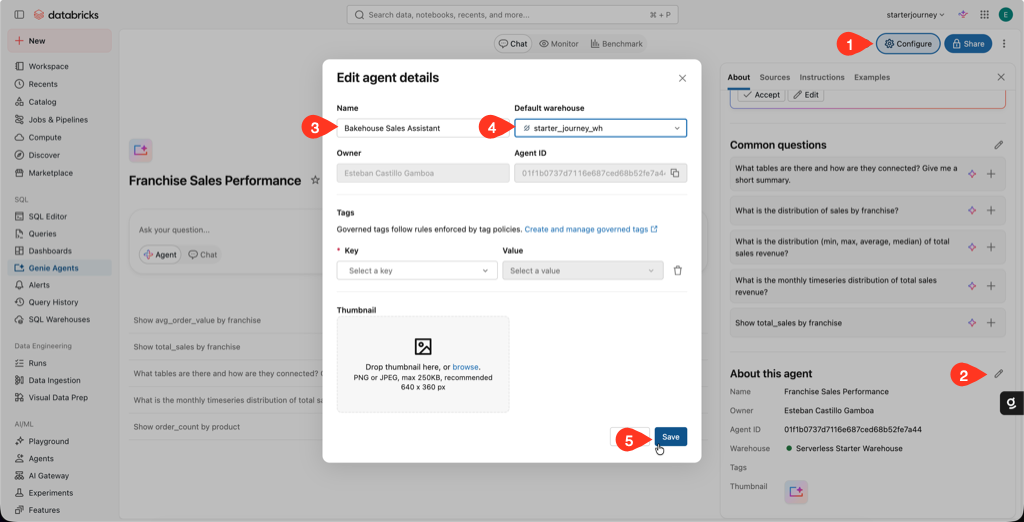
Click Configure, then edit the About this agent panel. Set the Name to Bakehouse Sales Assistant and the Default warehouse to starter_journey_wh, then click Save.
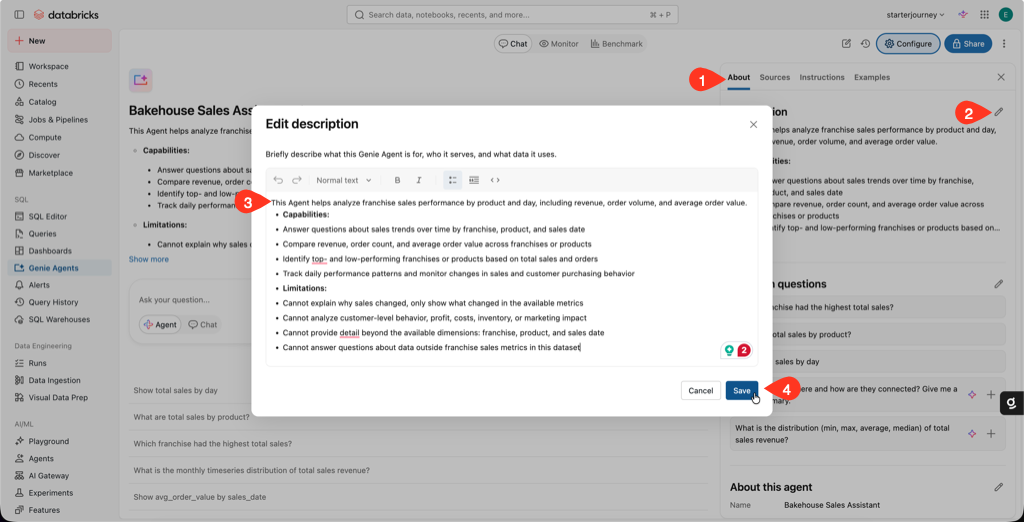
On the About tab, edit the Description to explain what the agent does, its capabilities, and its limitations, then click Save.
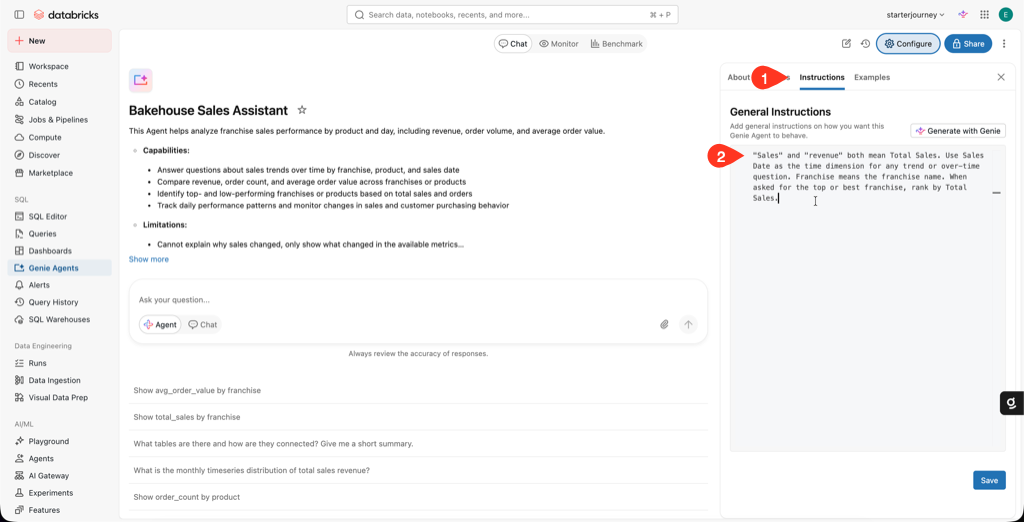
Open the Instructions tab and add general instructions so the agent speaks your business language. Paste this, then click Save:
"Sales" and "revenue" both mean Total Sales. Use Sales Date as the time dimension for any trend or over-time question. Franchise means the franchise name. When asked for the top or best franchise, rank by Total Sales.
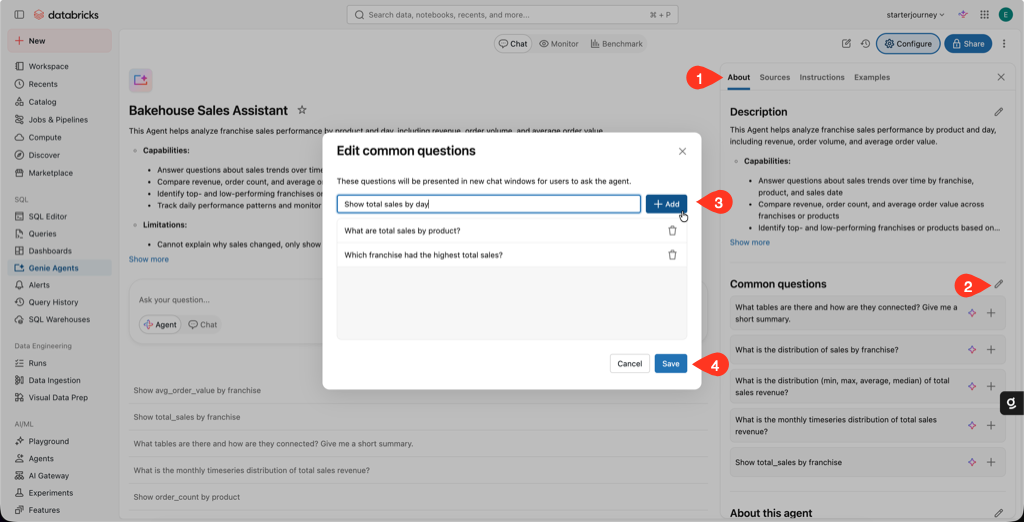
On the About tab, edit Common questions and add a few so users know what to ask:
- Which franchise had the highest total sales?
- What are total sales by product?
- Show total sales by day.
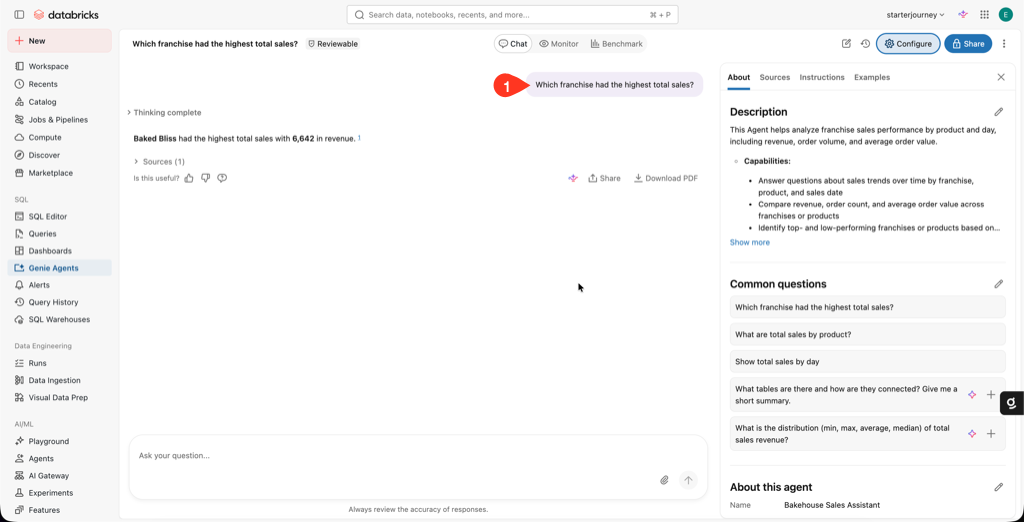
Ask a validation question in the chat: Which franchise had the highest total sales? Confirm the top franchise matches the bar chart on your dashboard.
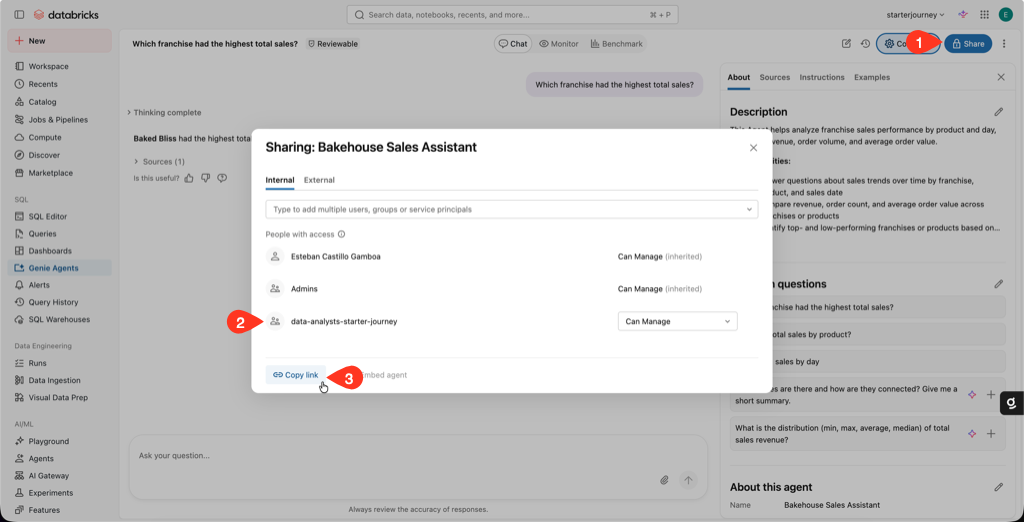
Click Share. Add your audience (for example the data-analysts-starter-journey group), set a permission level of at least CAN RUN, and copy the link.
Genie Agents are workspace objects. There is no separate publish button: sharing is how you release the agent.
Reference: Create and manage a Genie Agent (Databricks docs)
Verify
- The validation answer names the same top franchise as the dashboard's franchise bar chart.
- A shared user with SELECT on the metric view can open the agent and get an answer, not an empty result.
Where people trip
Genie is unavailable or greyed out
Partner-powered AI features must be enabled at the account and workspace level. An account admin controls this.
A shared user gets an empty answer
Data access uses the viewer's own Unity Catalog identity. Grant them SELECT on franchise_sales_metrics and its source tables.
The answer disagrees with the dashboard
Both read the same metric view, so check the question's time window and any filters. Add an instruction if Genie keeps reaching for the wrong field.
Next
- Do next: Domains, subdomains, and pages
- Learn why: Genie Ontology
- Reference: Create and manage a Genie Agent