Domains, subdomains, and pages
You'll build a published Bakehouse ontology that routes overview questions to a dashboard and detailed questions to a Genie Agent in ~30 min.
Prereqs: Metric Views, Dashboards, and Genie Agents in this section
The big picture
You will create one domain with a direct dashboard page and a Sales Analytics subdomain with a Genie Agent page. After publishing the full tree, Genie One can choose the right page from the wording of a question.
| Continuation of | What carries forward |
|---|---|
| Metric Views | The governed sales metrics that dashboards and agents both read. |
| Dashboards | The Franchise Performance dashboard attached as a domain page. |
| Genie Agents | The Bakehouse Sales Assistant attached under the Sales Analytics subdomain. |
Create the domain
Create the Bakehouse Sales Operations domain and leave it unpublished while you add its routing tree.
In the workspace sidebar, click Discover. Click Create, then choose Create domain.
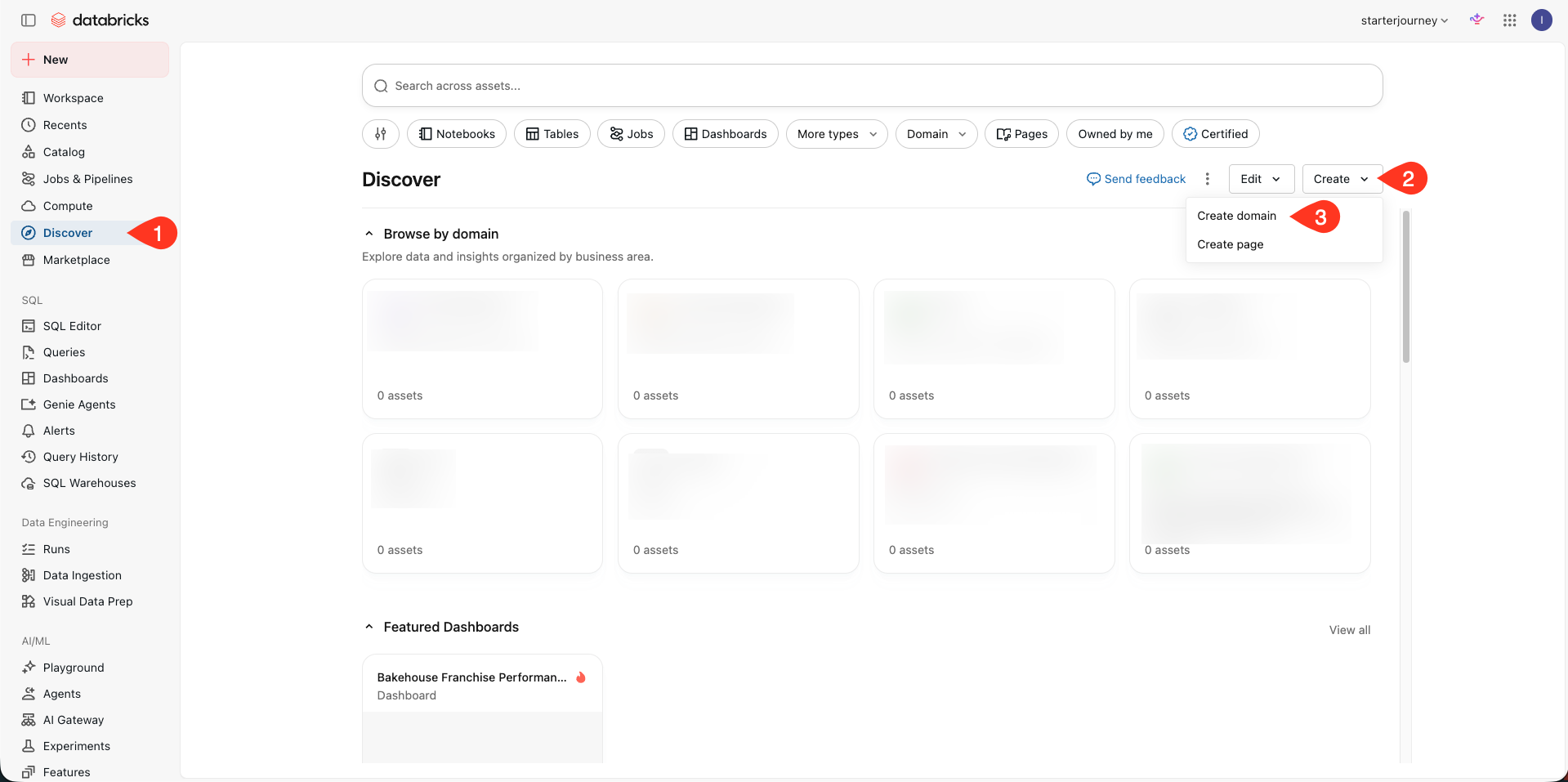
Complete the domain:
- Title:
Bakehouse Sales Operations - Subtitle:
Domain for Bakehouse Business Unit - Description:
Central domain for all Bakehouse franchise sales analytics. Covers revenue tracking, order volume, average order value, and performance comparisons across 46 franchise locations and 6 product lines. - Technical contacts: Select the Databricks engineers who maintain the domain and its assets.
- Business contacts: Select the target business users or downstream users.
Click Create.
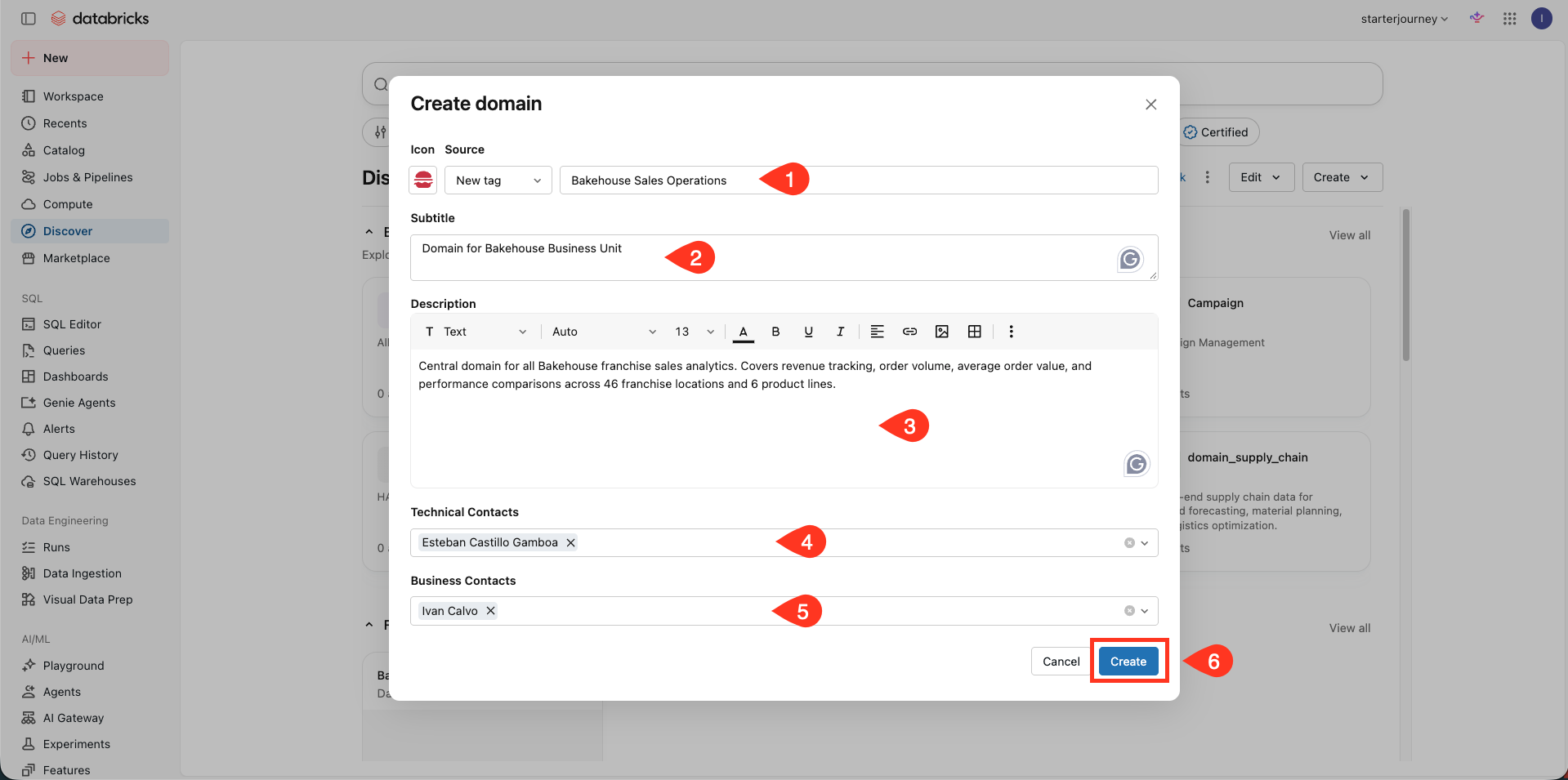
Confirm that the Bakehouse Sales Operations domain opens in a draft state. Do not publish it yet. Its pages and subdomain need to be in place before users can rely on the routing tree.
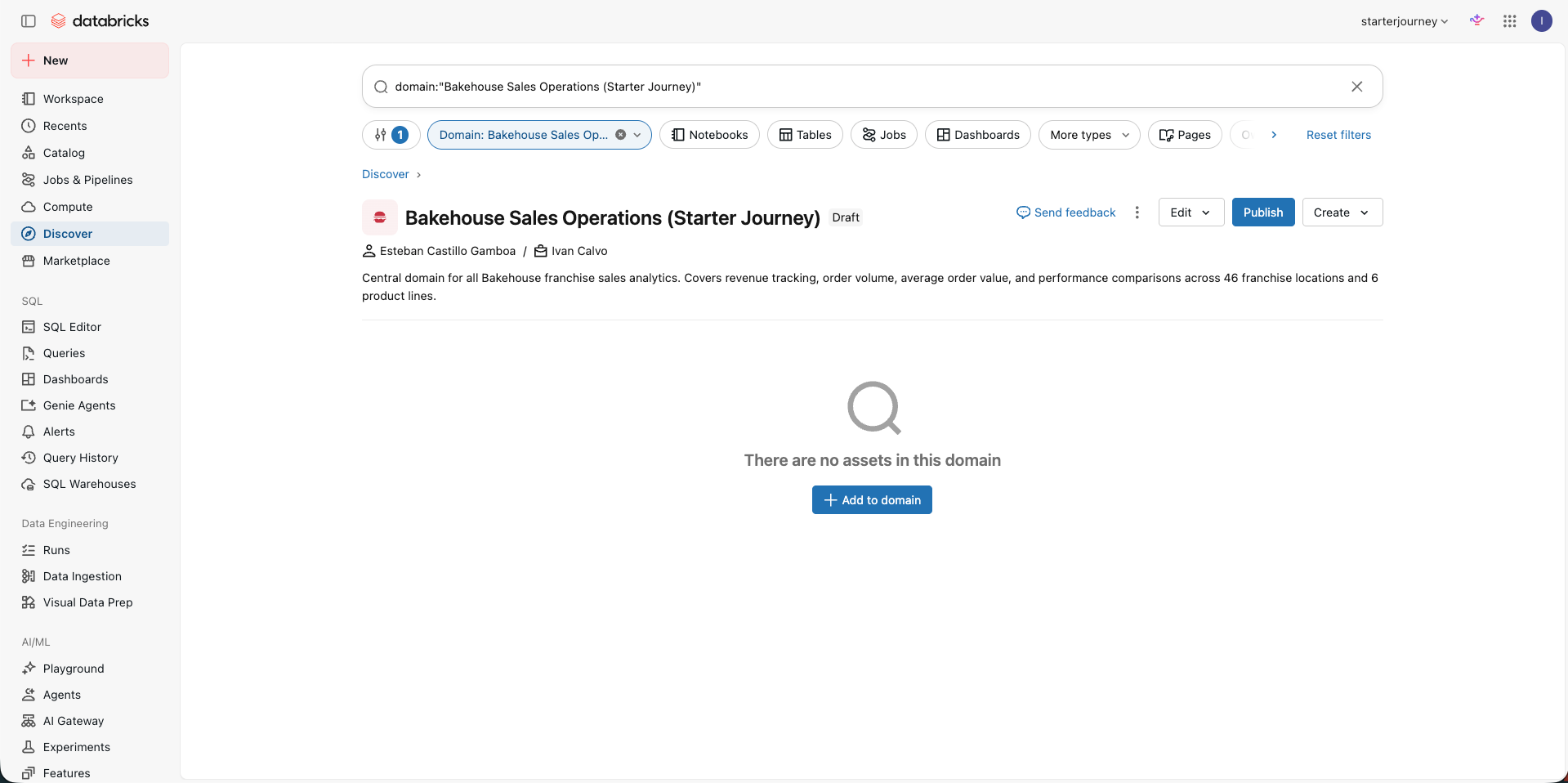
Create the domain page
Add a dashboard page for overview and snapshot questions.
Inside Bakehouse Sales Operations, click Create, then choose Create page.
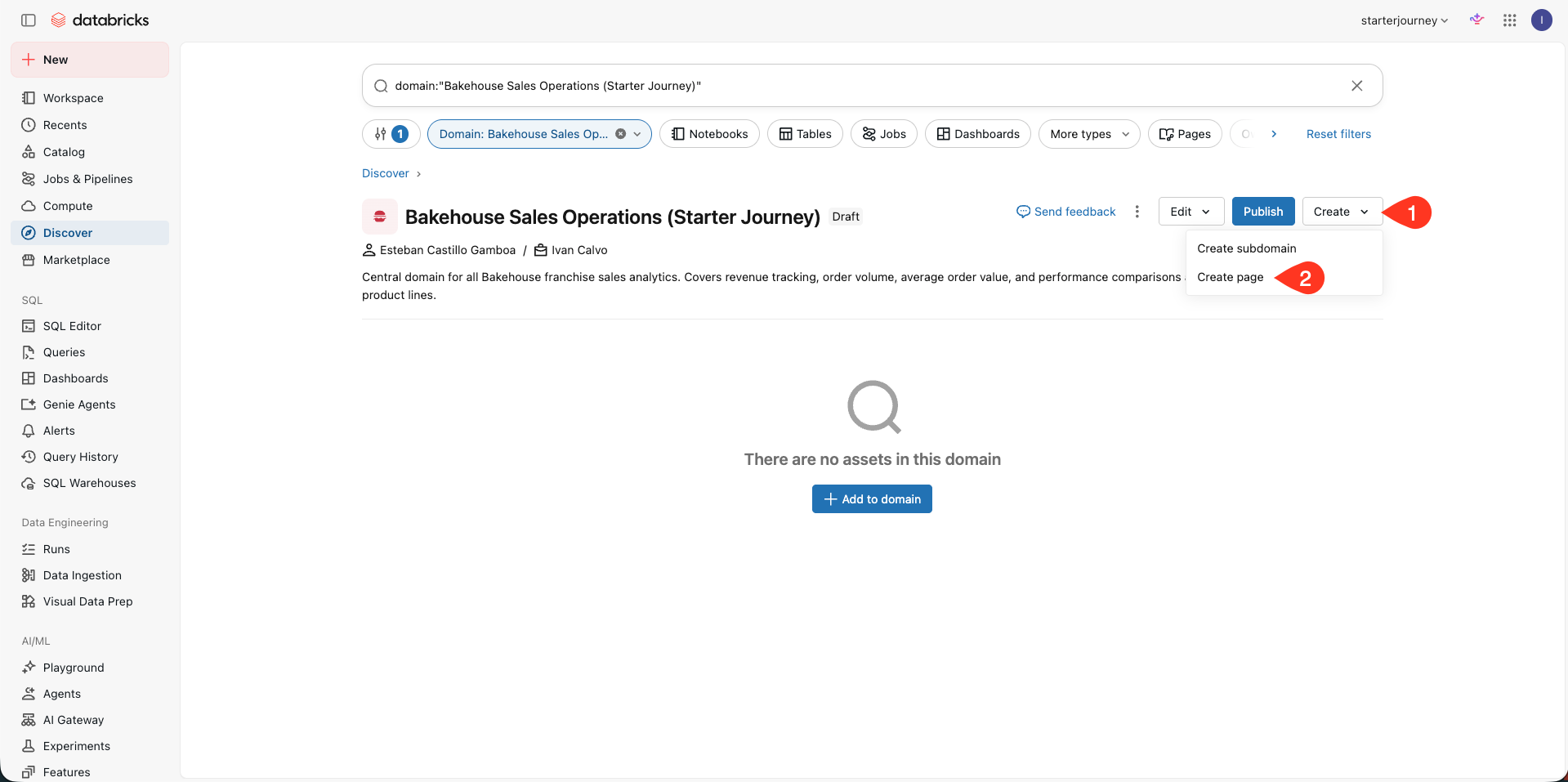
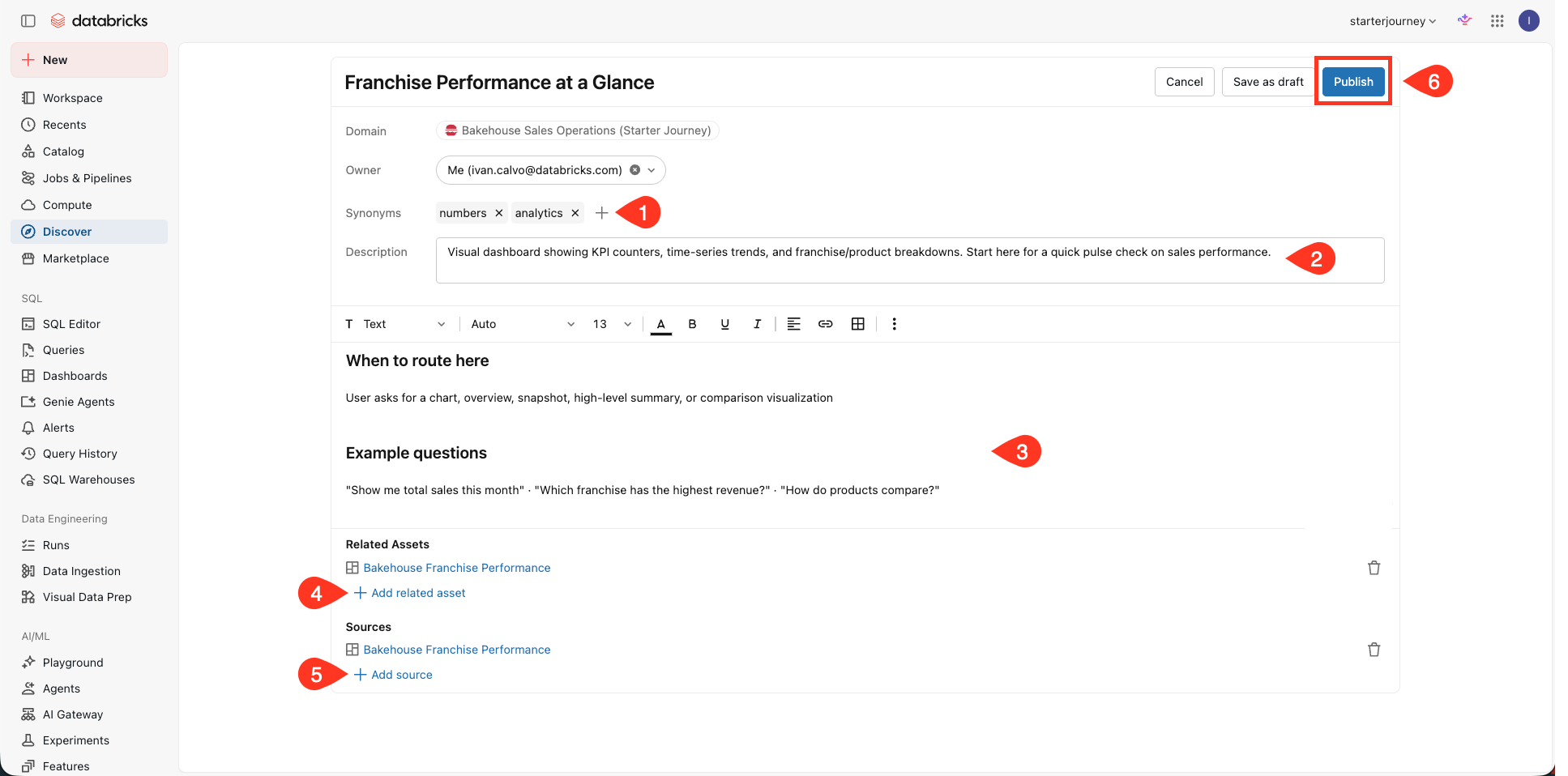
Name the page Franchise Performance at a Glance.
Add synonyms such as analytics and numbers.
Use this description:
Visual dashboard showing KPI counters, time-series trends, and franchise/product breakdowns. Start here for a quick pulse check on sales performance.
Keep the Markdown page body focused on routing, matching the screenshot:
## When to route here

User asks for a chart, overview, snapshot, high-level summary, or comparison visualization

## Example questions

"Show me total sales this month" · "Which franchise has the highest revenue?" · "How do products compare?"
Under Related Assets, add the existing Bakehouse Franchise Performance dashboard.
Add the same dashboard under Sources, then click Publish.
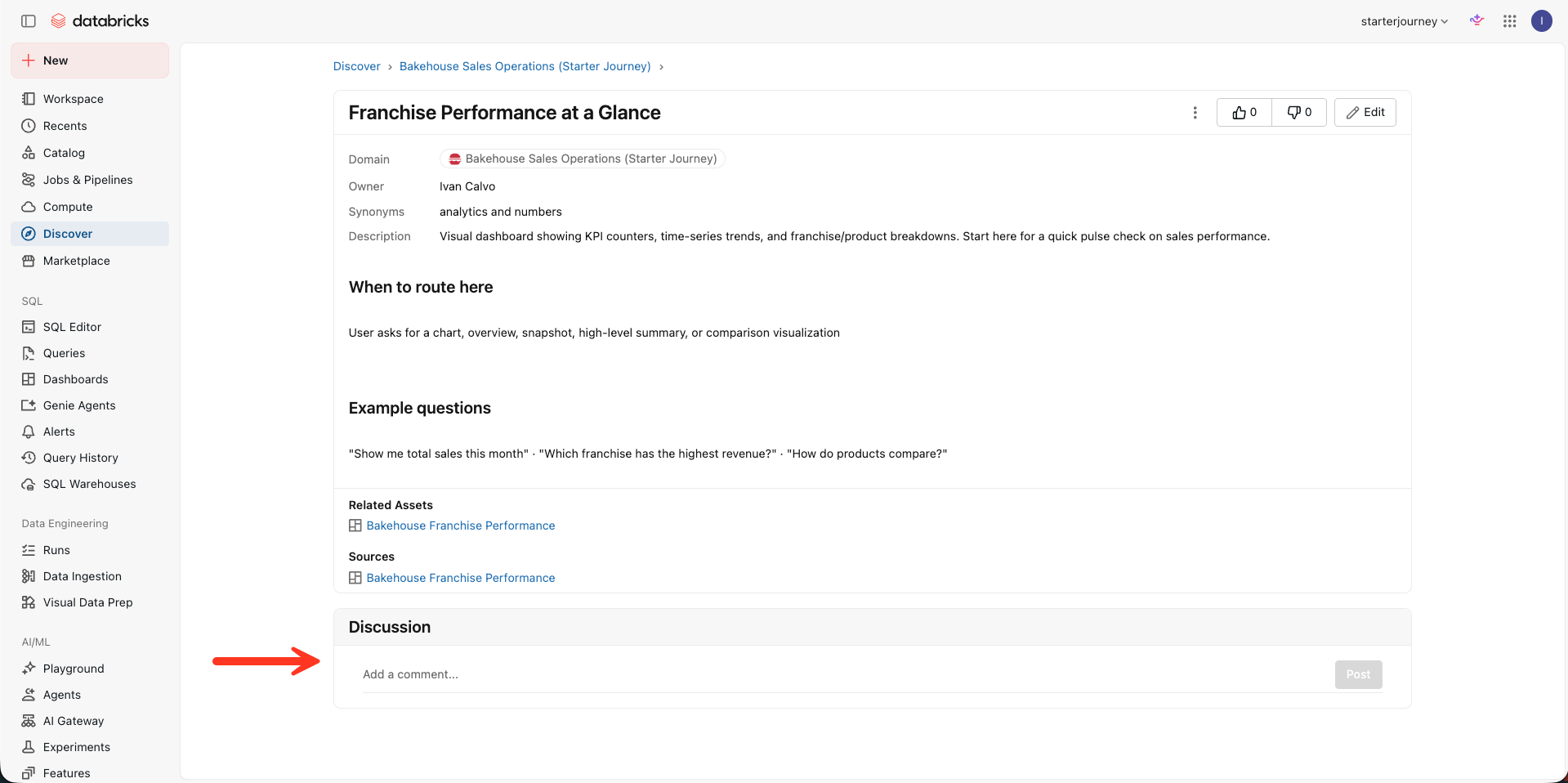
On the published page, find the Discussion area. Databricks engineers can use it to discuss whether content should be added, edited, or removed.
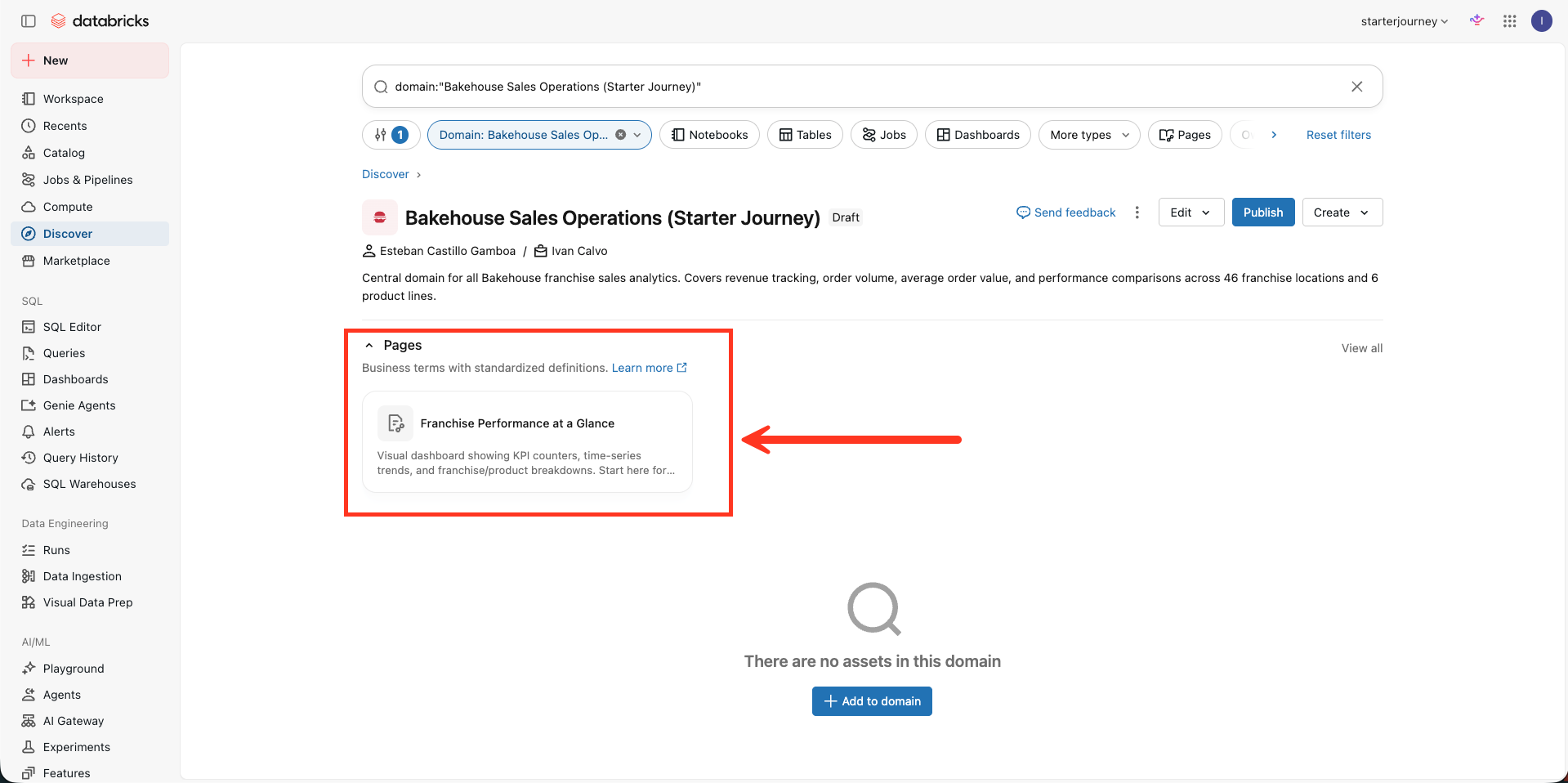
Return to Bakehouse Sales Operations and confirm that Franchise Performance at a Glance appears under Pages.
Create the subdomain
Add a Sales Analytics subdomain for detailed questions.
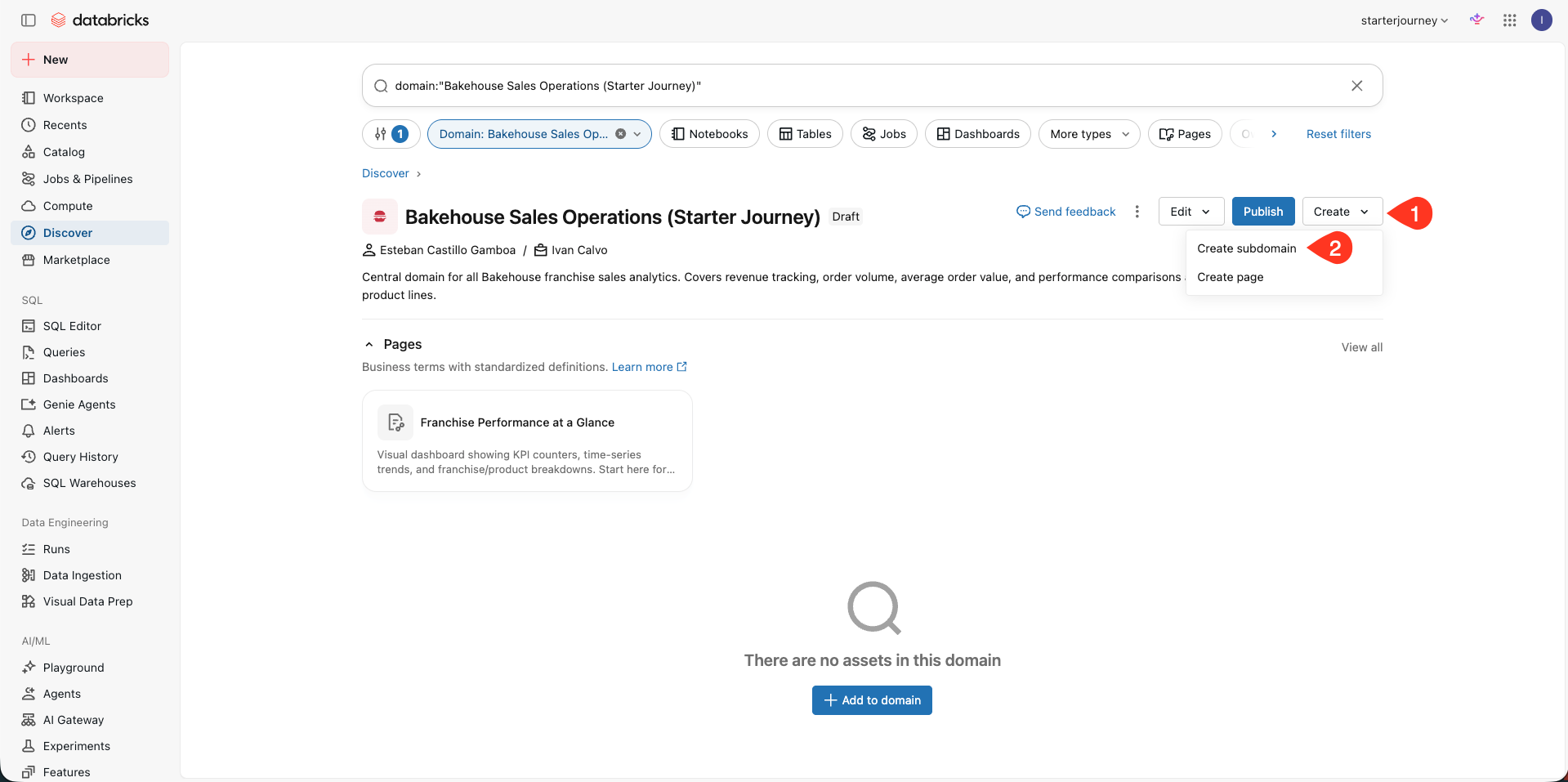
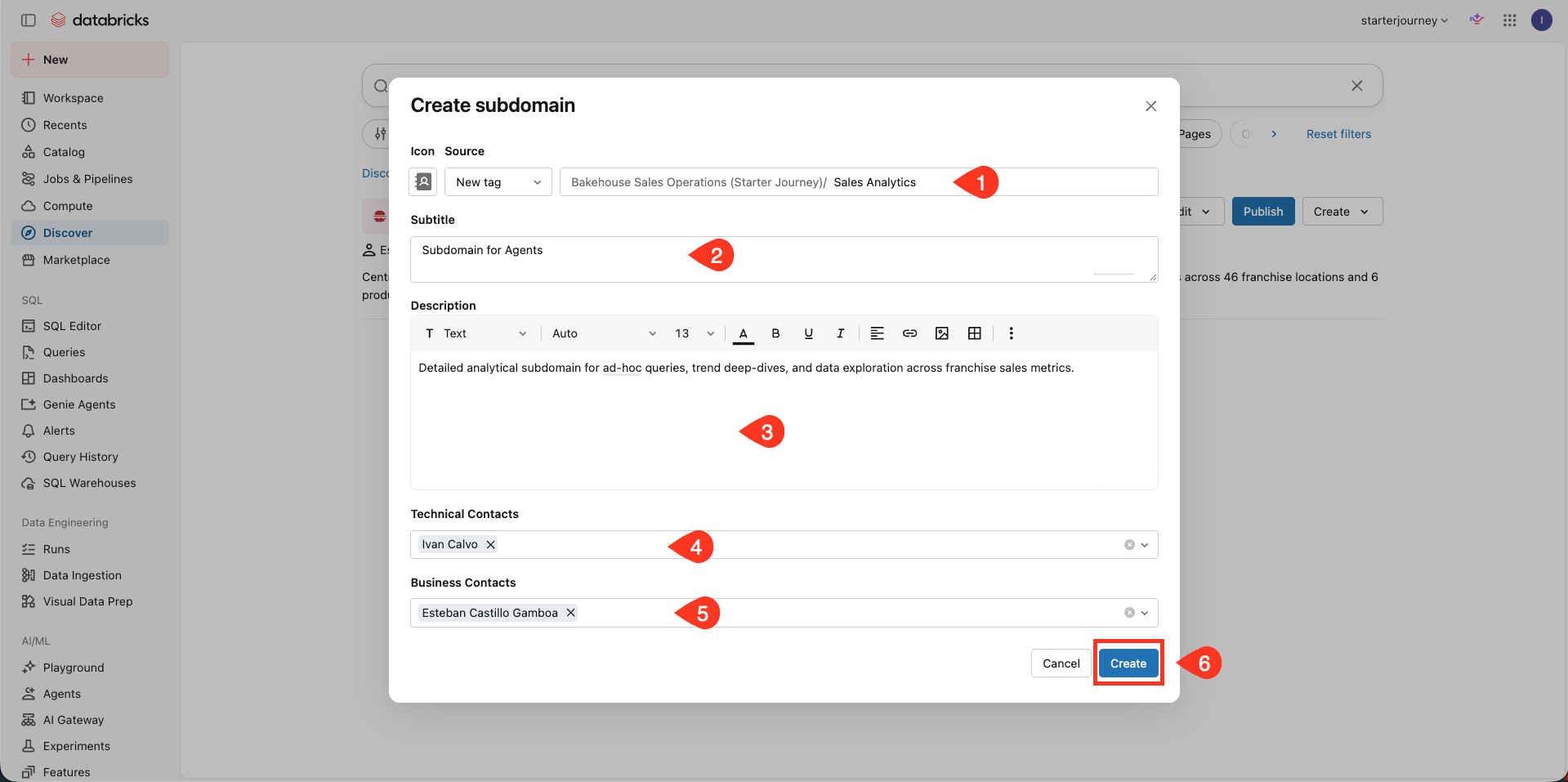
Inside Bakehouse Sales Operations, click Create, then choose Create subdomain.
Complete the subdomain:
- Title:
Sales Analytics - Subtitle:
Subdomain for Agents - Description:
Detailed analytical subdomain for ad-hoc queries, trend deep-dives, and data exploration across franchise sales metrics. - Technical contacts: Select the Databricks engineers who maintain the subdomain and its assets.
- Business contacts: Select the target business users or downstream users.
Click Create.
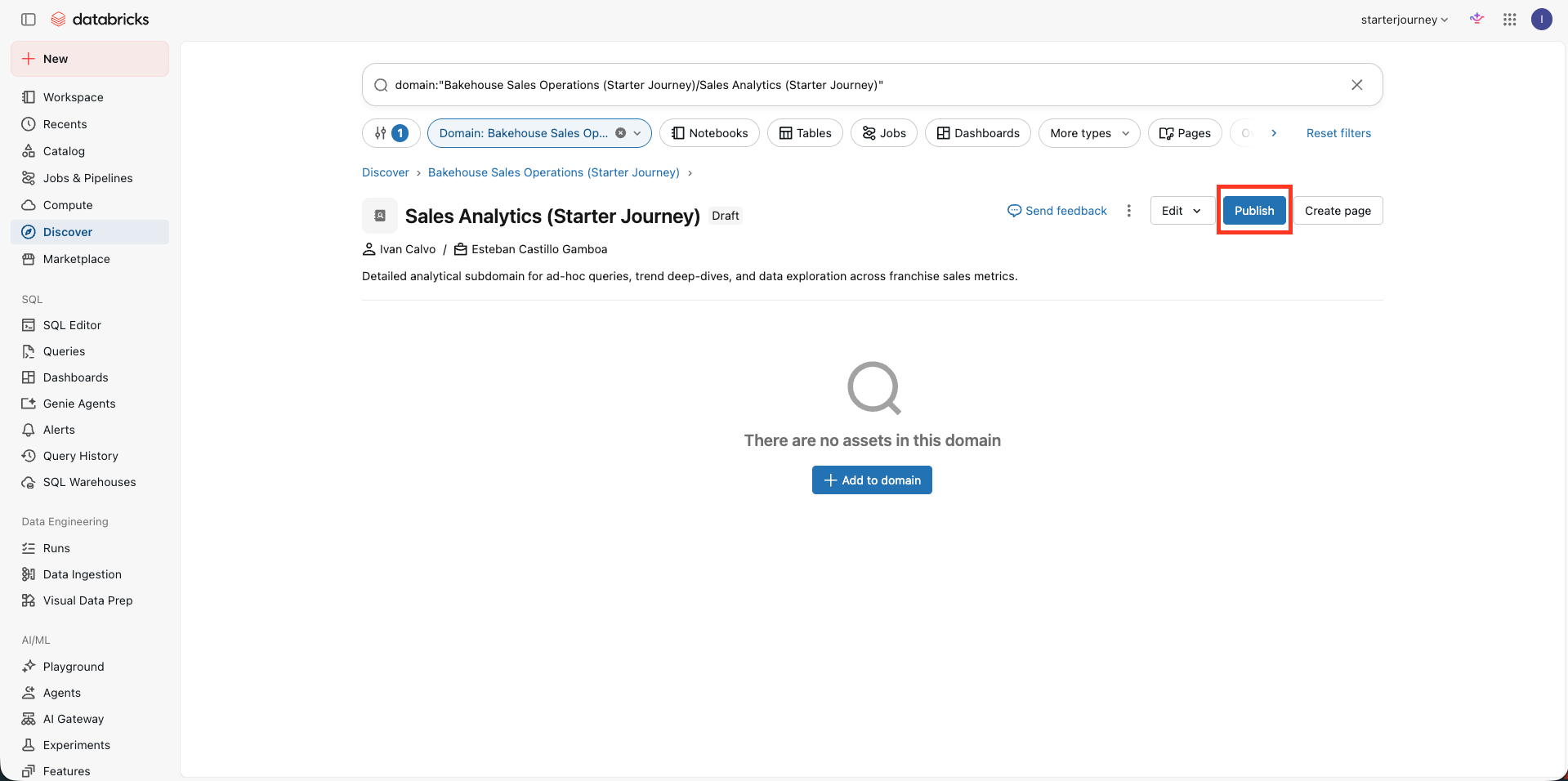
Open the new Sales Analytics subdomain. It still shows as Draft, so click Publish. The page you add next needs a published subdomain to route questions.
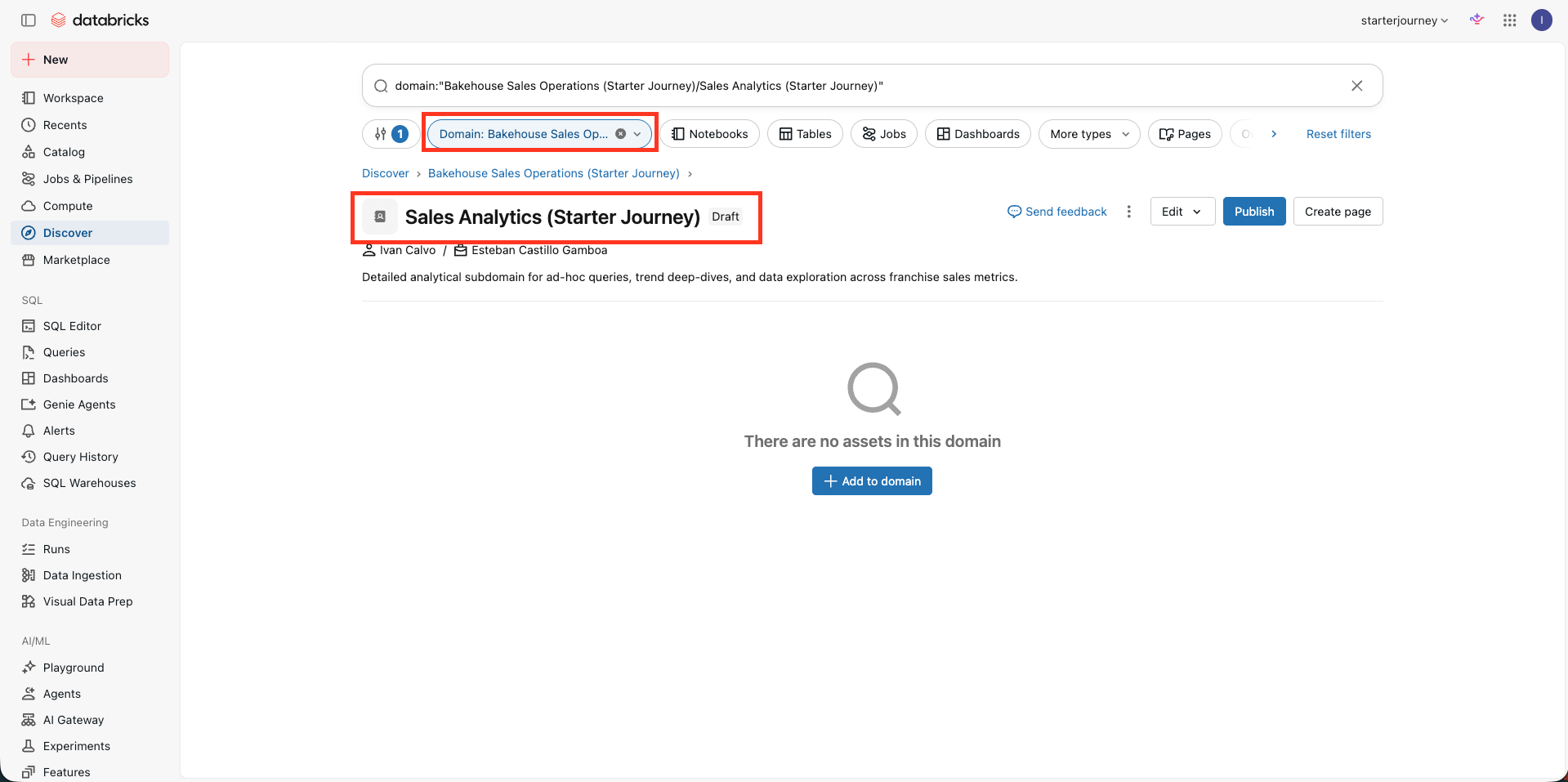
Confirm that the domain filter and breadcrumb both read Bakehouse Sales Operations, so the subdomain sits in the intended domain.
Create the subdomain page
Add a Genie Agent page for rankings, comparisons, and detailed analysis.
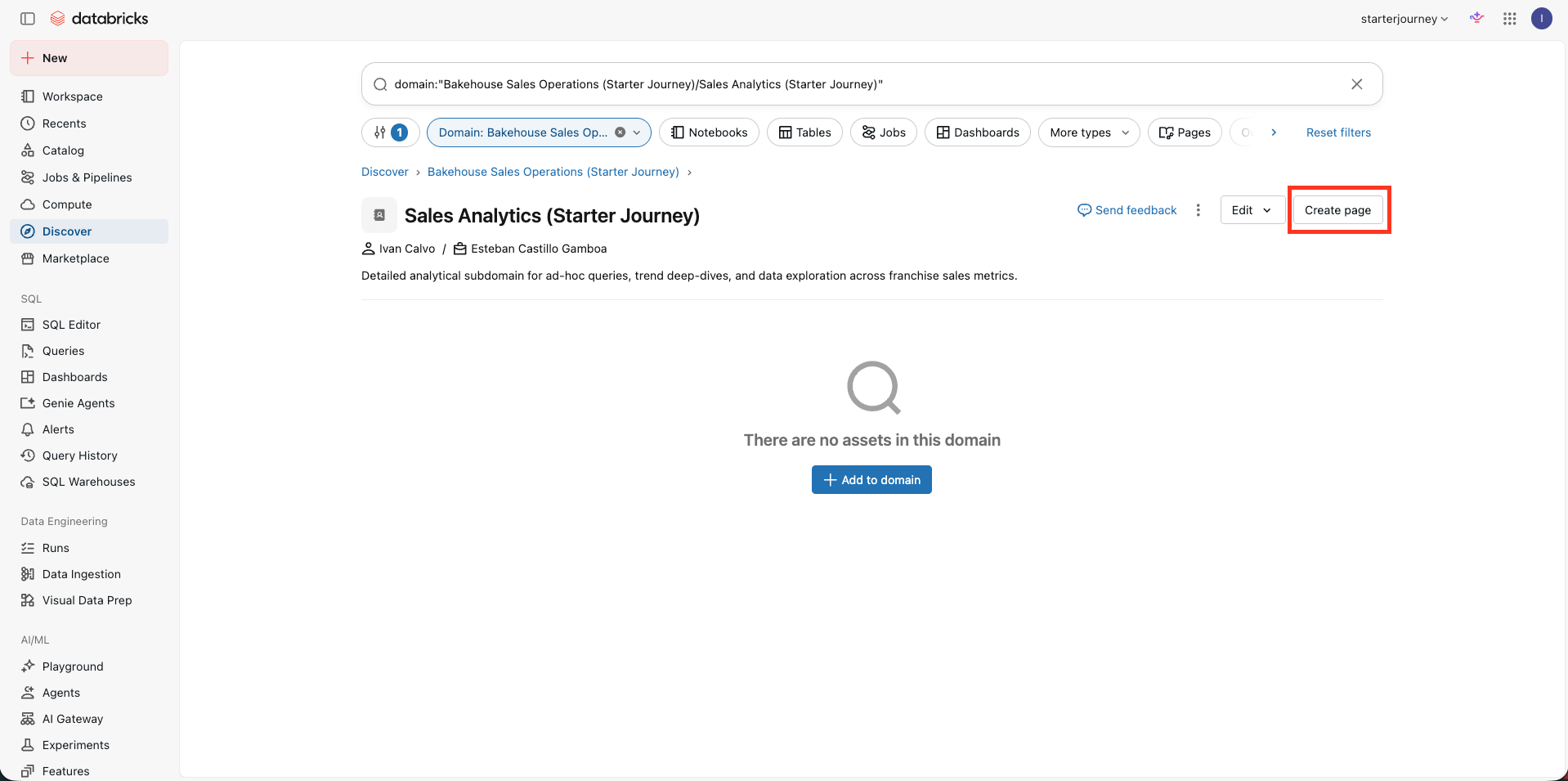
Inside Sales Analytics, click Create page.
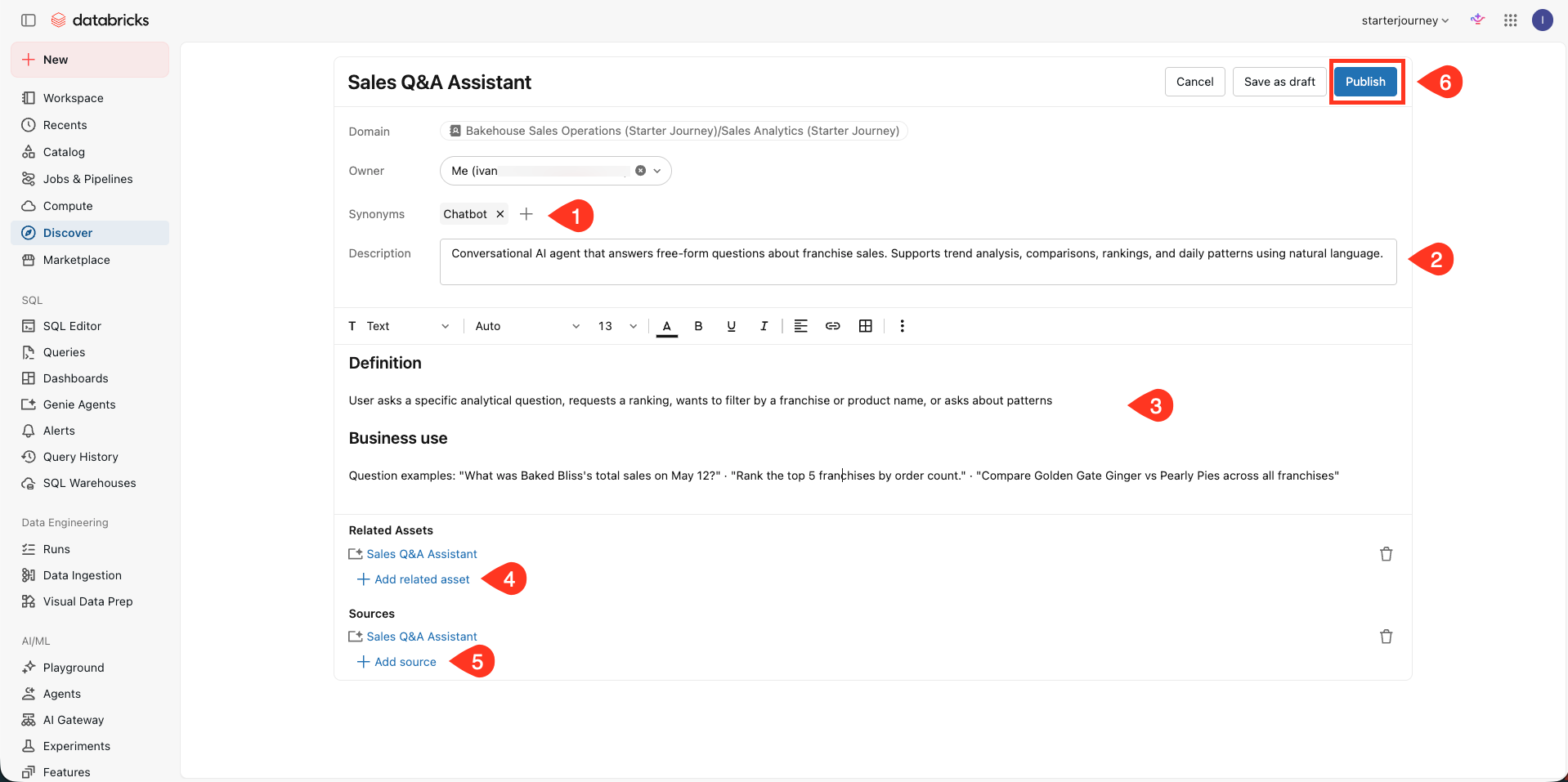
Name the page Sales Q&A Assistant.
Add a synonym such as Chatbot.
Use this description:
Conversational AI agent that answers free-form questions about franchise sales. Supports trend analysis, comparisons, rankings, and daily patterns using natural language.
Keep the Markdown page body focused on the questions this page handles, matching the screenshot:
## Definition

User asks a specific analytical question, requests a ranking, wants to filter by a franchise or product name, or asks about patterns

## Business use

Question examples: "What was Baked Bliss's total sales on May 12?" · "Rank the top 5 franchises by order count." · "Compare Golden Gate Ginger vs Pearly Pies across all franchises"
Under Related Assets, select Sales Q&A Assistant in Discover. Add the same asset under Sources, then click Publish. In Discover this asset is labeled Sales Q&A Assistant, and it points to the Bakehouse Sales Assistant Genie Agent you built earlier.
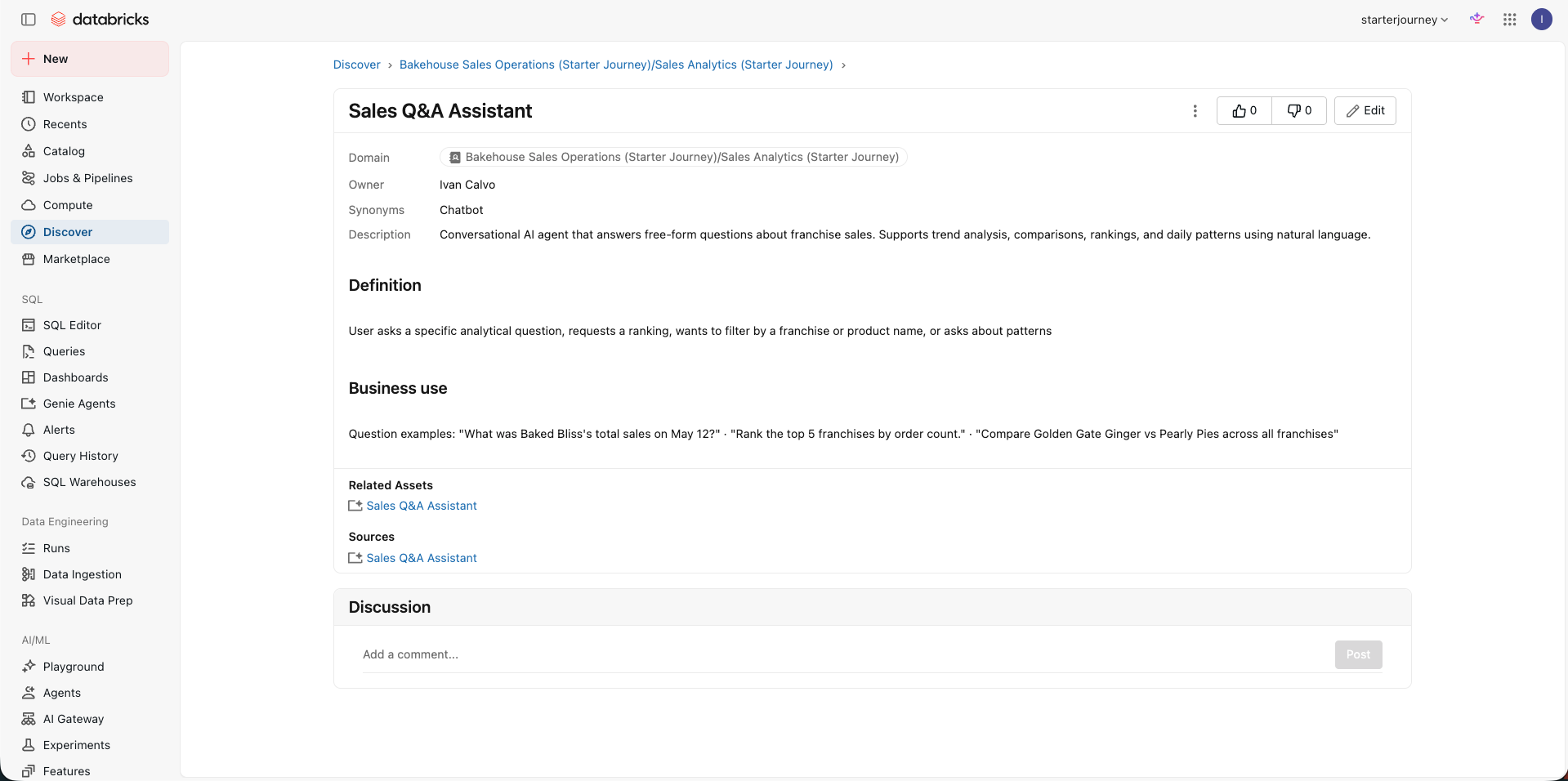
Confirm that the published Sales Q&A Assistant page shows the description, body, related asset, and source.
Publish and test the ontology
Publish the completed domain, then test the dashboard and agent routes in Genie One.
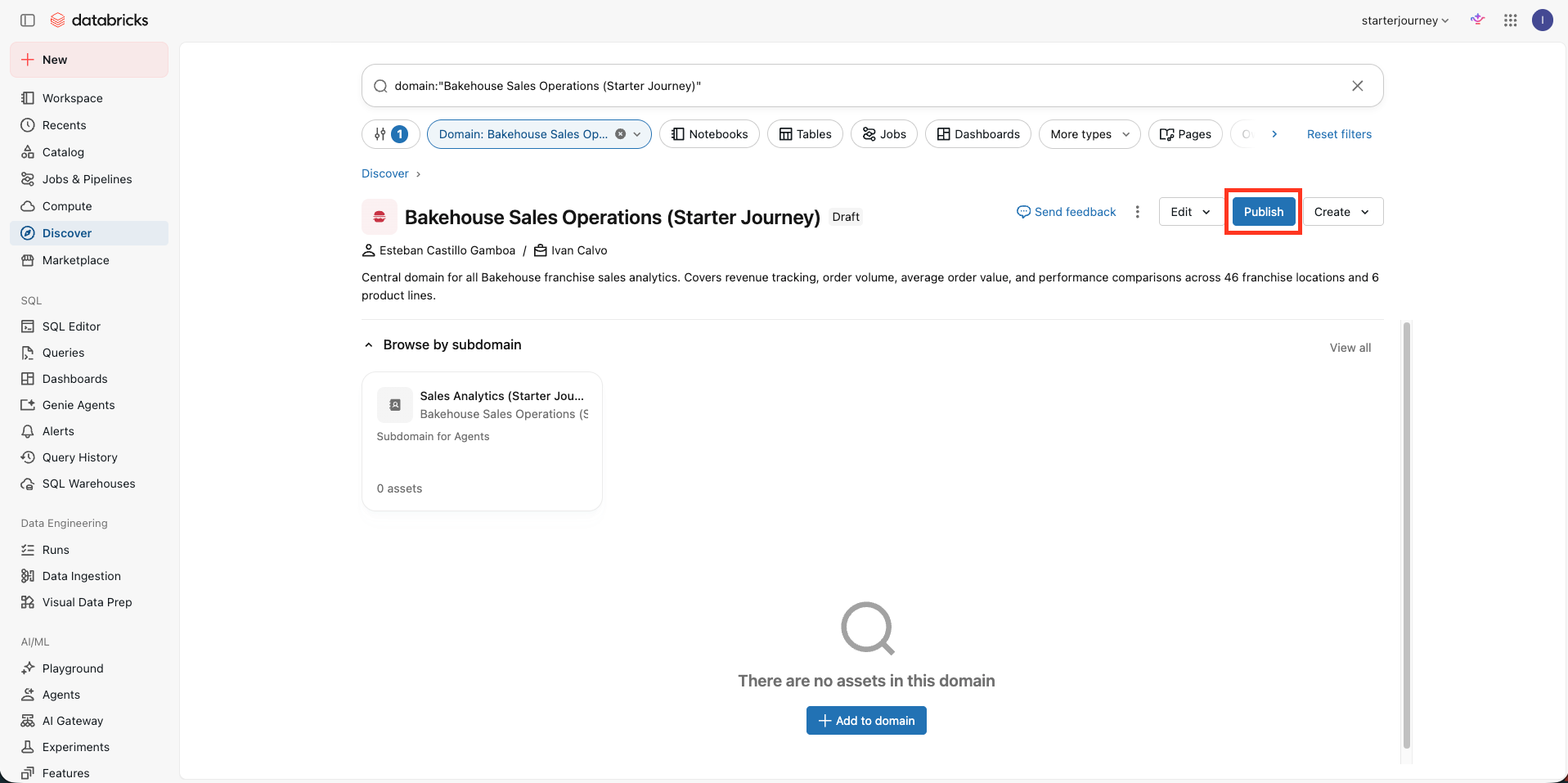
Return to Bakehouse Sales Operations. Confirm that the Sales Analytics subdomain appears under Browse by subdomain, then click Publish.
The domain stayed unpublished until now because its routing tree was incomplete.
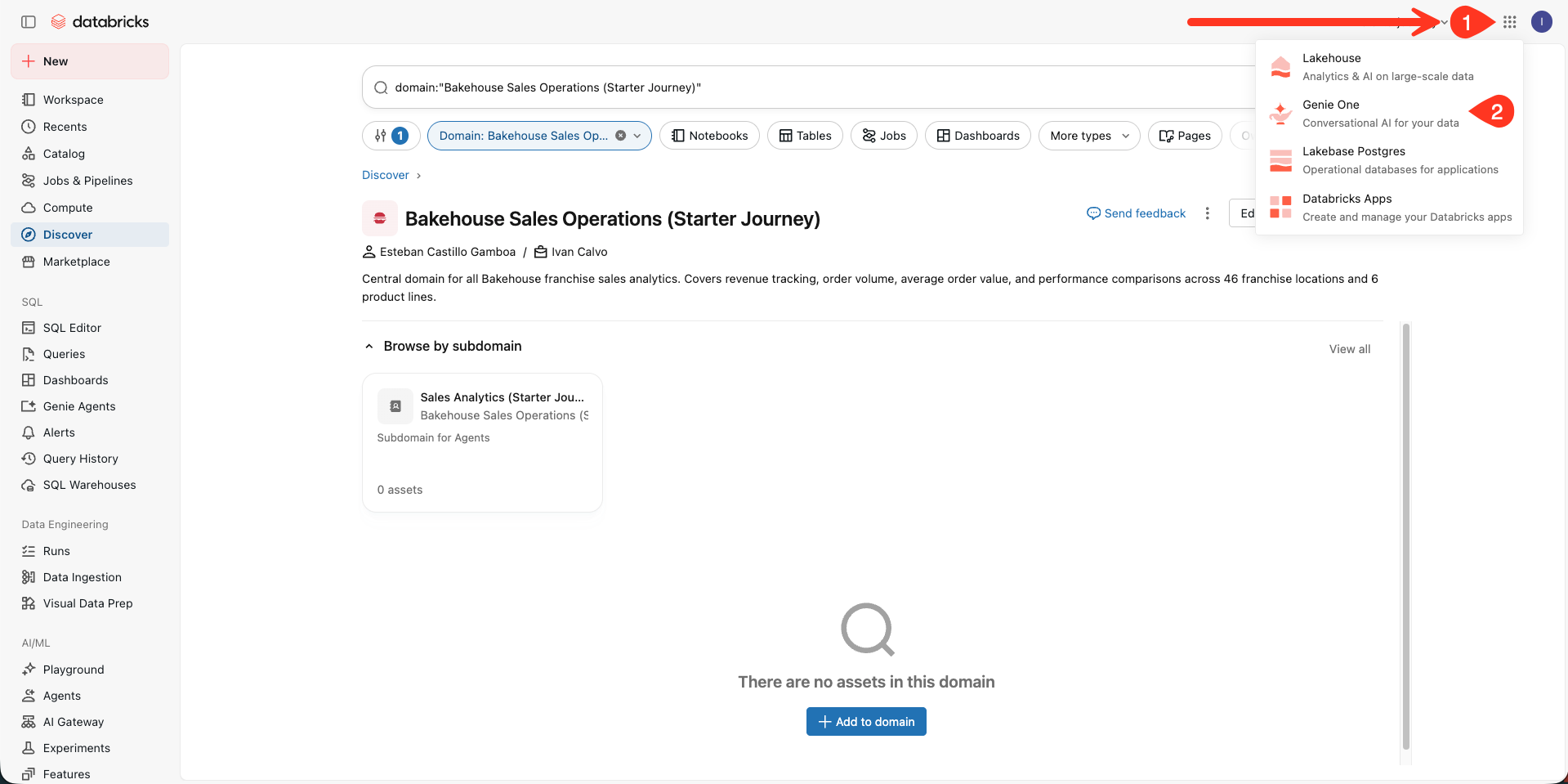
Open the app switcher in the upper-right corner and select Genie One.
Start from the Genie One prompt.
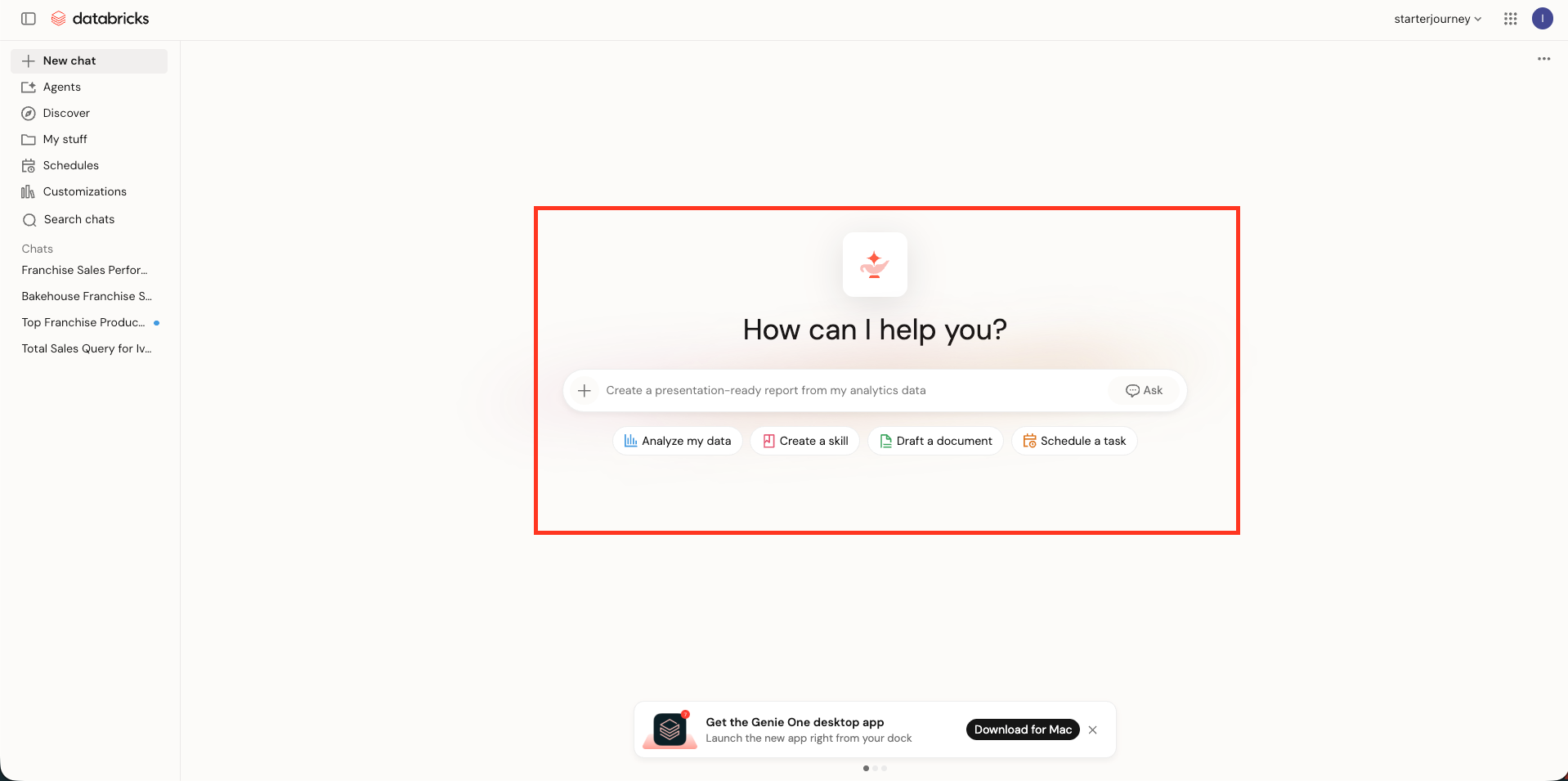
Paste the first test:
Show me a high-level snapshot of how our franchise sales are performing this month.
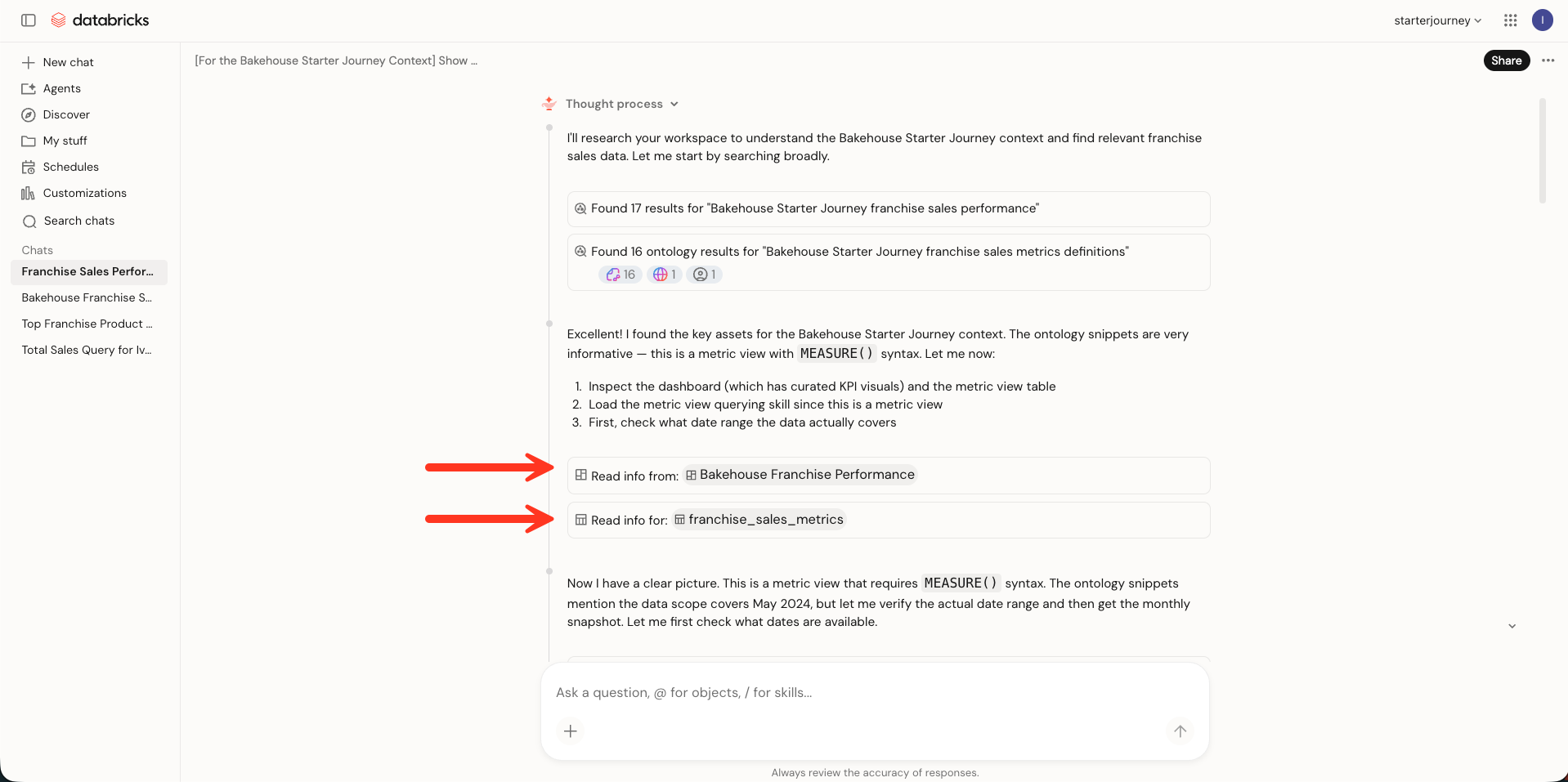
The words "high-level snapshot" route the question to the dashboard page, which is built for visual KPI summaries. During the response, Genie reads the Bakehouse Franchise Performance dashboard and the shared metric view.
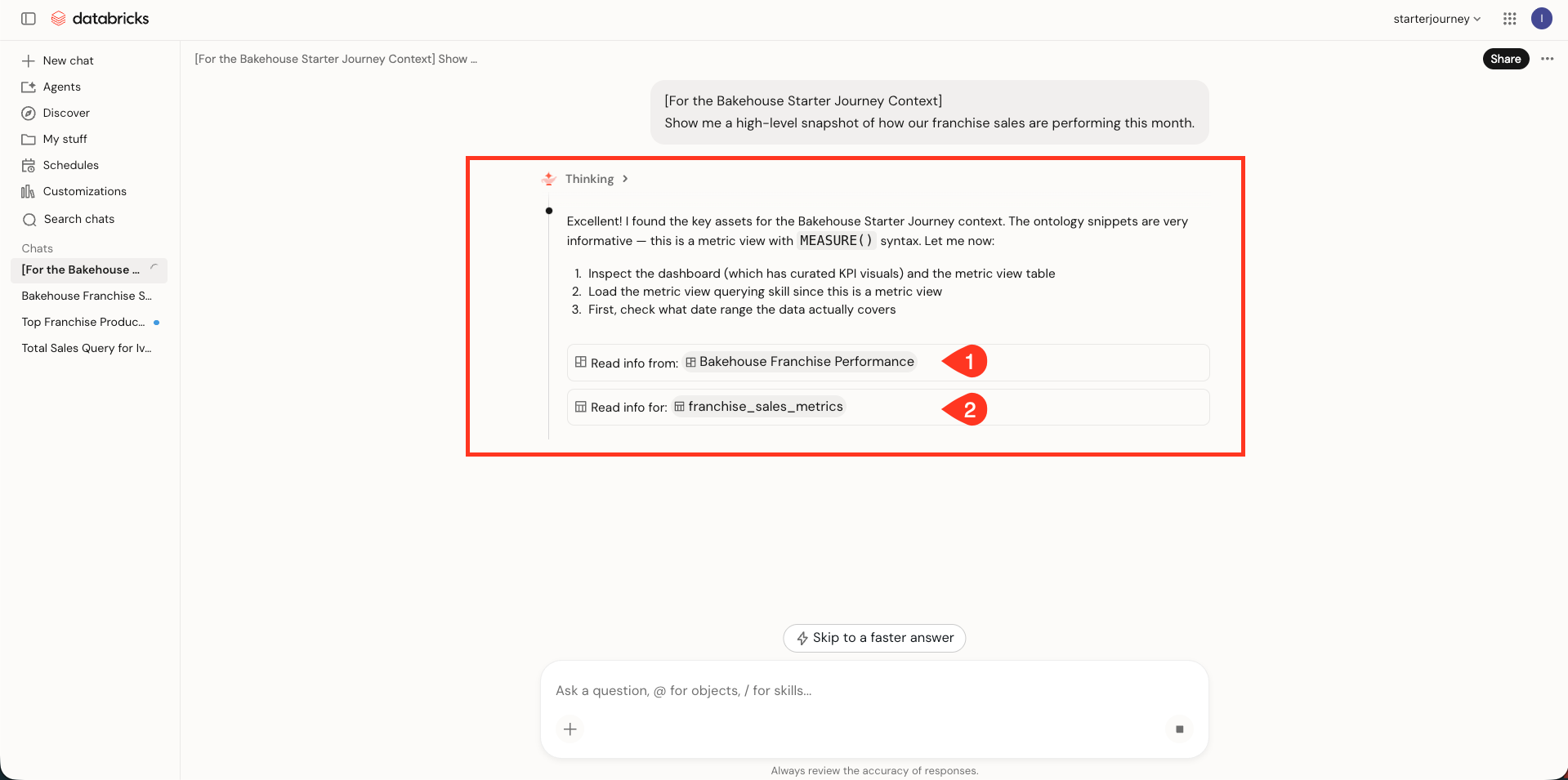
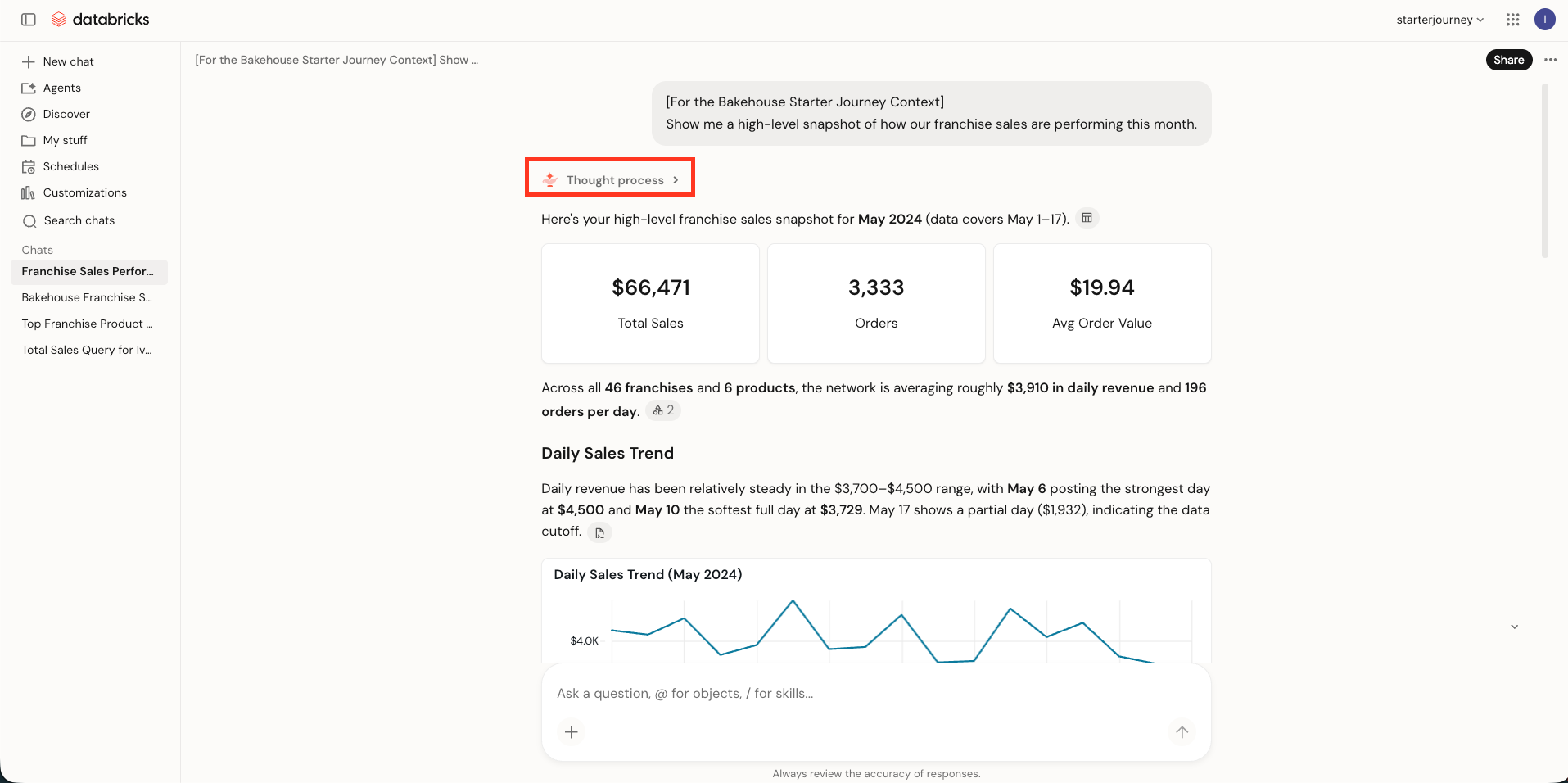
Review the dashboard-backed summary, then open Thought process.
The thought process shows the dashboard and franchise_sales_metrics as the selected sources.
Start a new chat and paste the second test:
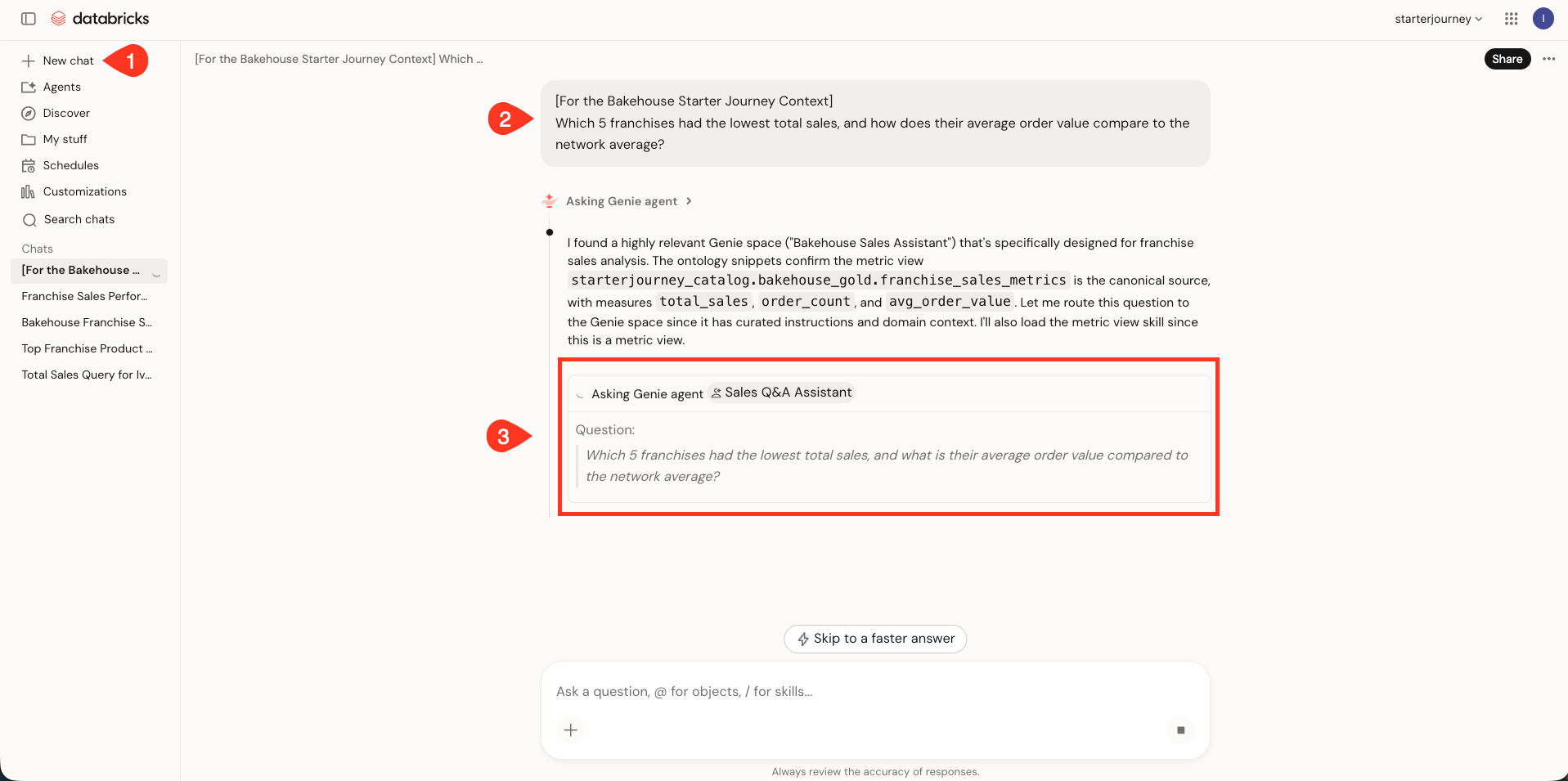
Which 5 franchises had the lowest total sales, and how does their average order value compare to the network average?
The ranking and computed comparison require an ad hoc query. Genie routes the question through Sales Analytics to the Bakehouse Sales Assistant Genie Agent.
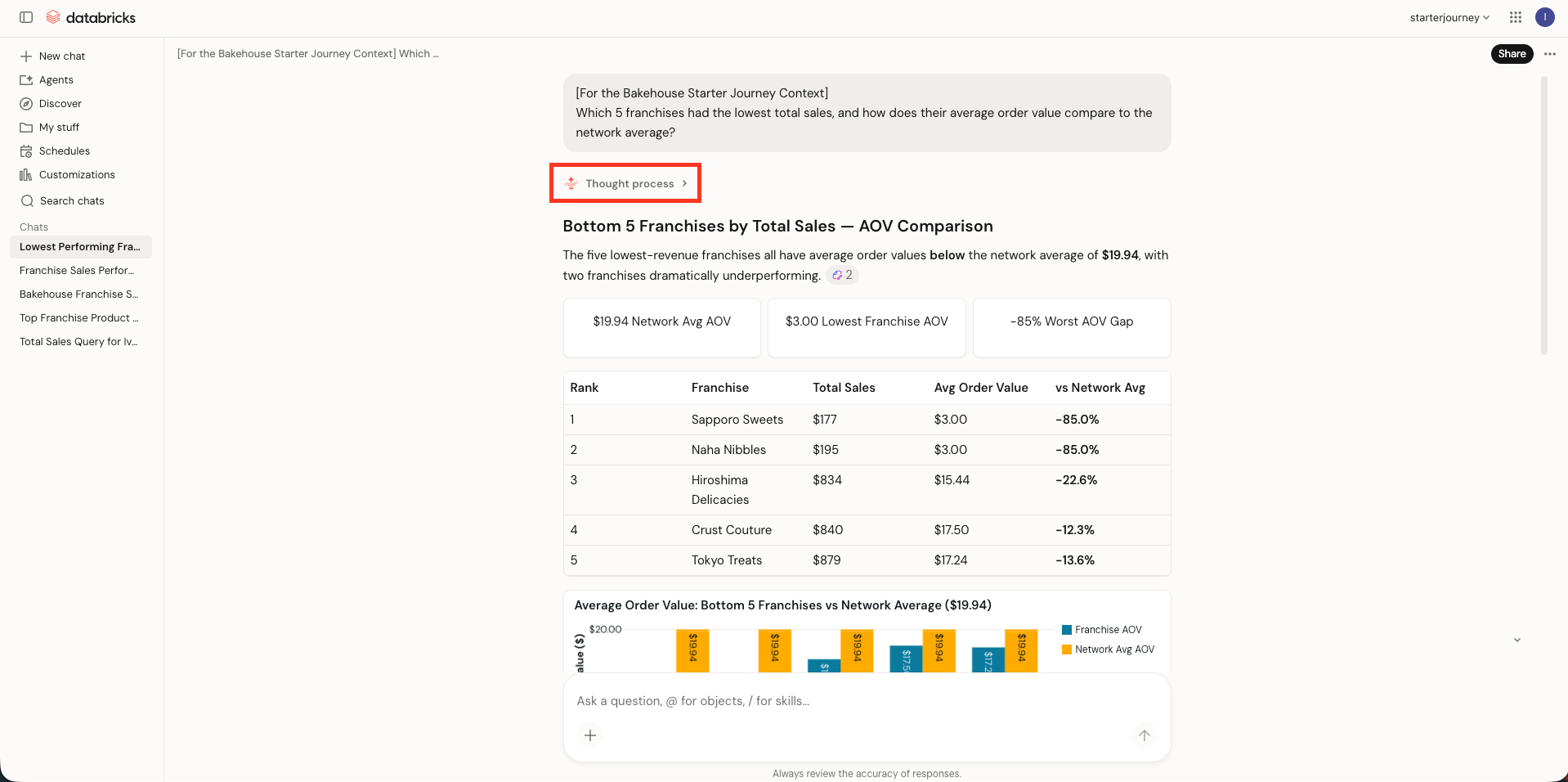
Review the five franchises and their average order values, then open Thought process at the top of the answer.
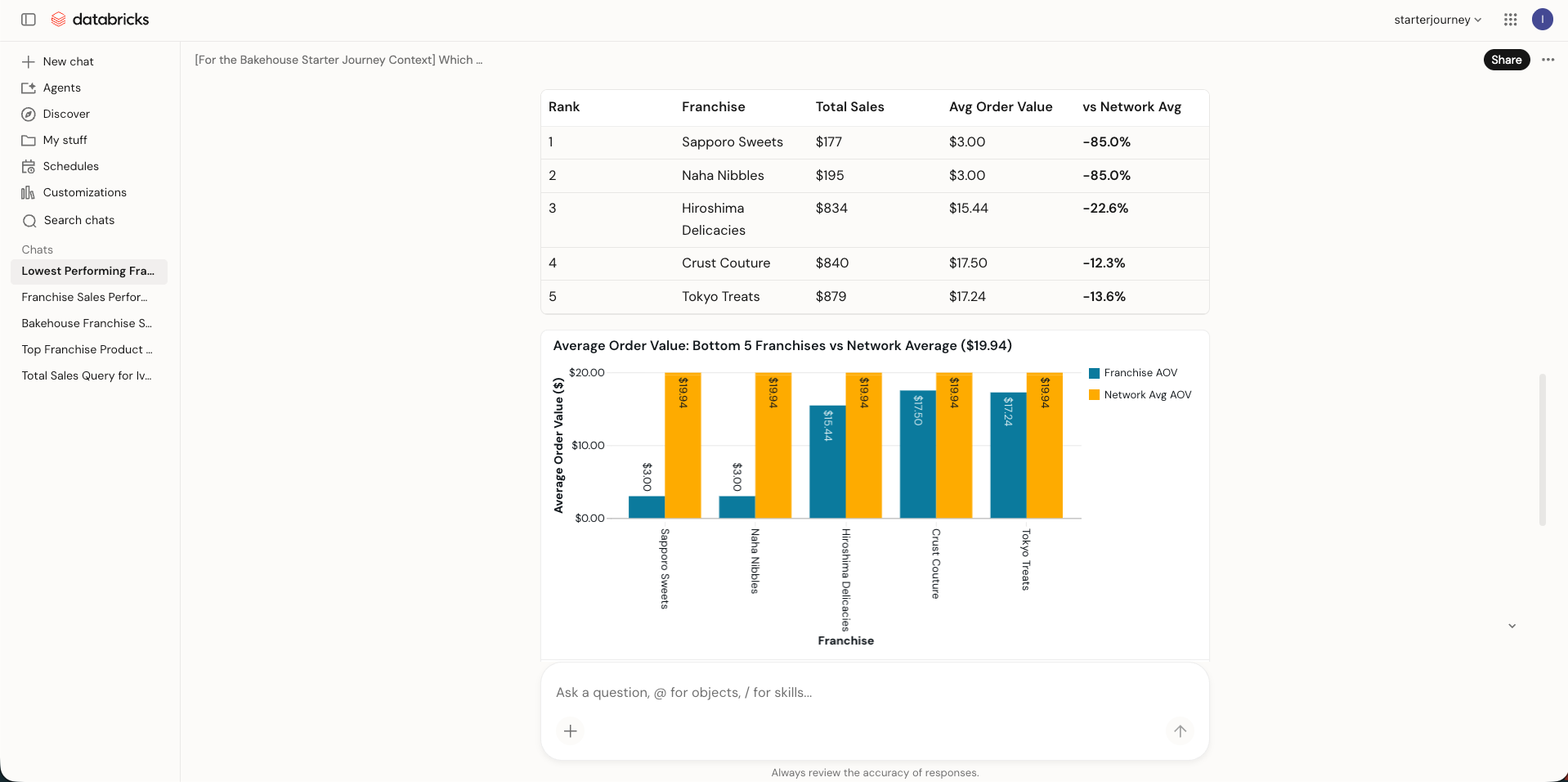
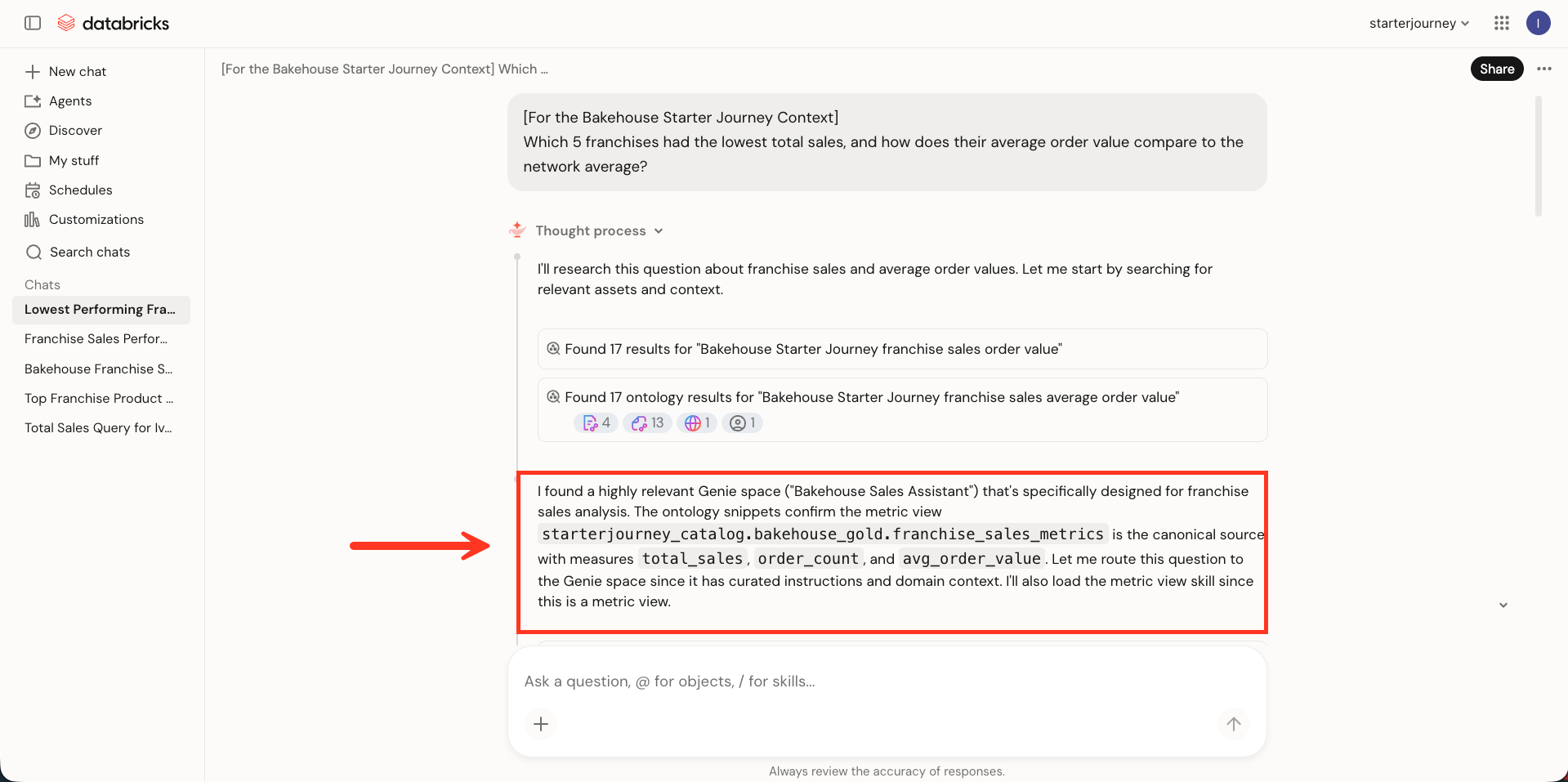
The expanded thought process identifies the Bakehouse Sales Assistant and franchise_sales_metrics before delegating the question to the agent.
Verify
Confirm the domain is discoverable from Genie One:
- Open Genie One.
- Go to Discover.
- Search for
Bakehouse Sales Operationsand confirm the domain appears in the results.
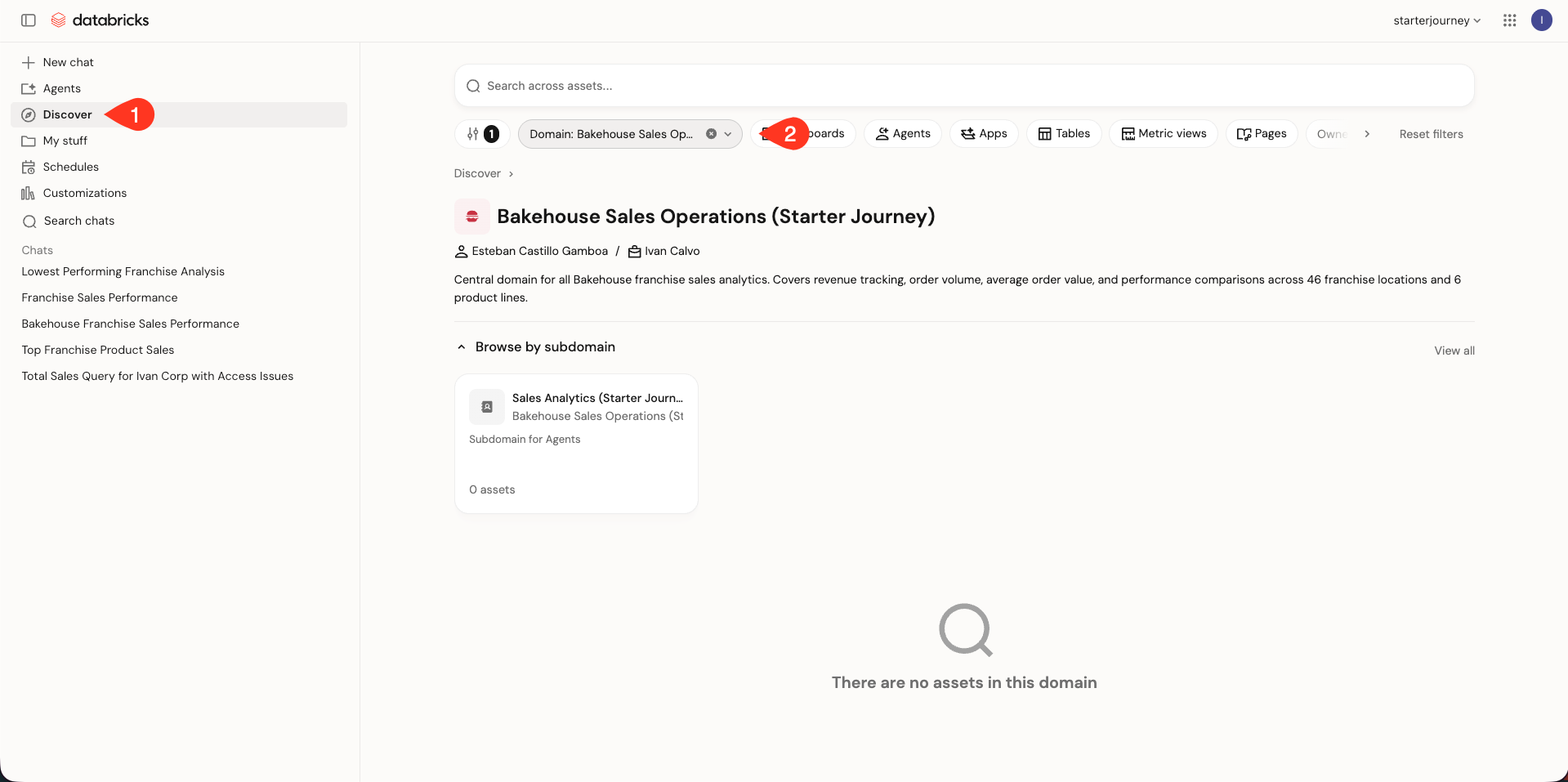
Also confirm:
- Bakehouse Sales Operations is published and contains the Franchise Performance at a Glance page plus the Sales Analytics subdomain.
- Sales Analytics contains the published Sales Q&A Assistant page.
- The overview prompt reads the dashboard and metric view.
- The ranking prompt delegates to the Genie Agent.
Where people trip
The domain does not appear in Genie One
Confirm that you published the two pages and the parent domain. A draft domain is not available for normal routing.
The subdomain stays in Draft
Publishing the domain does not publish the subdomain. Open Sales Analytics and click Publish so its page can route questions.
The overview question routes to the agent
Check the Franchise Performance at a Glance description and body for the words overview, snapshot, high-level summary, and visual comparison.
Those terms distinguish the dashboard page from detailed analysis.
The detailed question routes to the dashboard
Check that Sales Q&A Assistant describes rankings, comparisons, trends, and specific franchise or product analysis. Also confirm that the Bakehouse Sales Assistant is present in both Related Assets and Sources.
The two routes return different KPI values
Confirm that the dashboard and Genie Agent both use starterjourney_catalog.bakehouse_gold.franchise_sales_metrics.
The ontology chooses a surface, but the metric view keeps the definitions consistent.
Next
- Do next: Data science
- Learn why: Genie Ontology
- Reference: Discover data and AI assets