UC Assets Ownership
You'll transfer ownership of existing UC assets (external locations, credentials, connections, catalogs) to the admin group in ~10 min.
Prereqs: Set admin group
What you'll build
Every existing Unity Catalog asset owned by the metastore admin group rather than by individual users. That matches the governance model: the admin group owns infrastructure-level assets, and project teams own their own schemas.
Prerequisites
- Membership in the metastore admin group.
- Access to a workspace attached to the metastore.
Steps
1. Transfer external locations, credentials, and connections
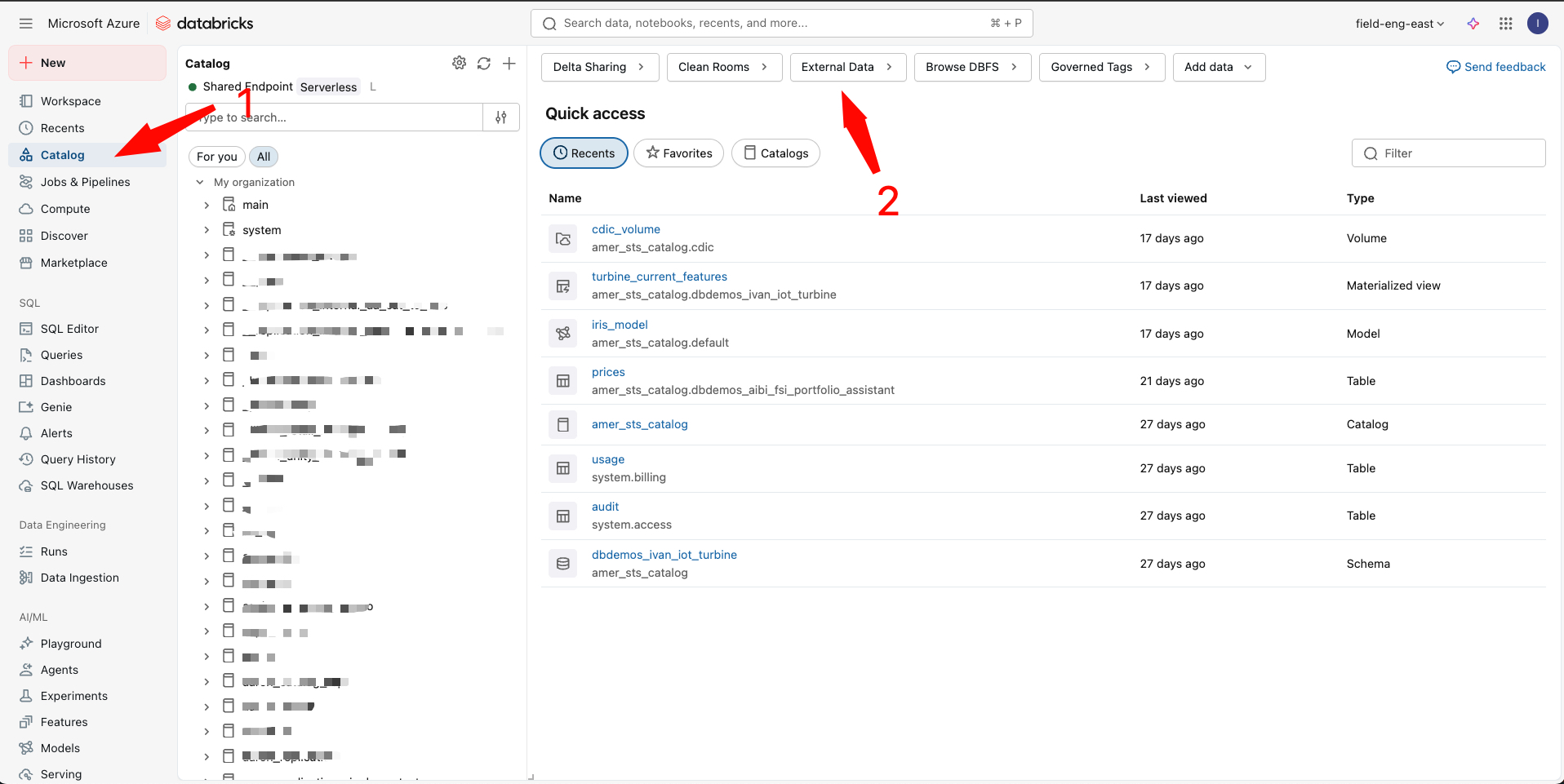
- In the workspace left panel, click Catalog.
- Click the gear icon (⚙️) to open External Locations.
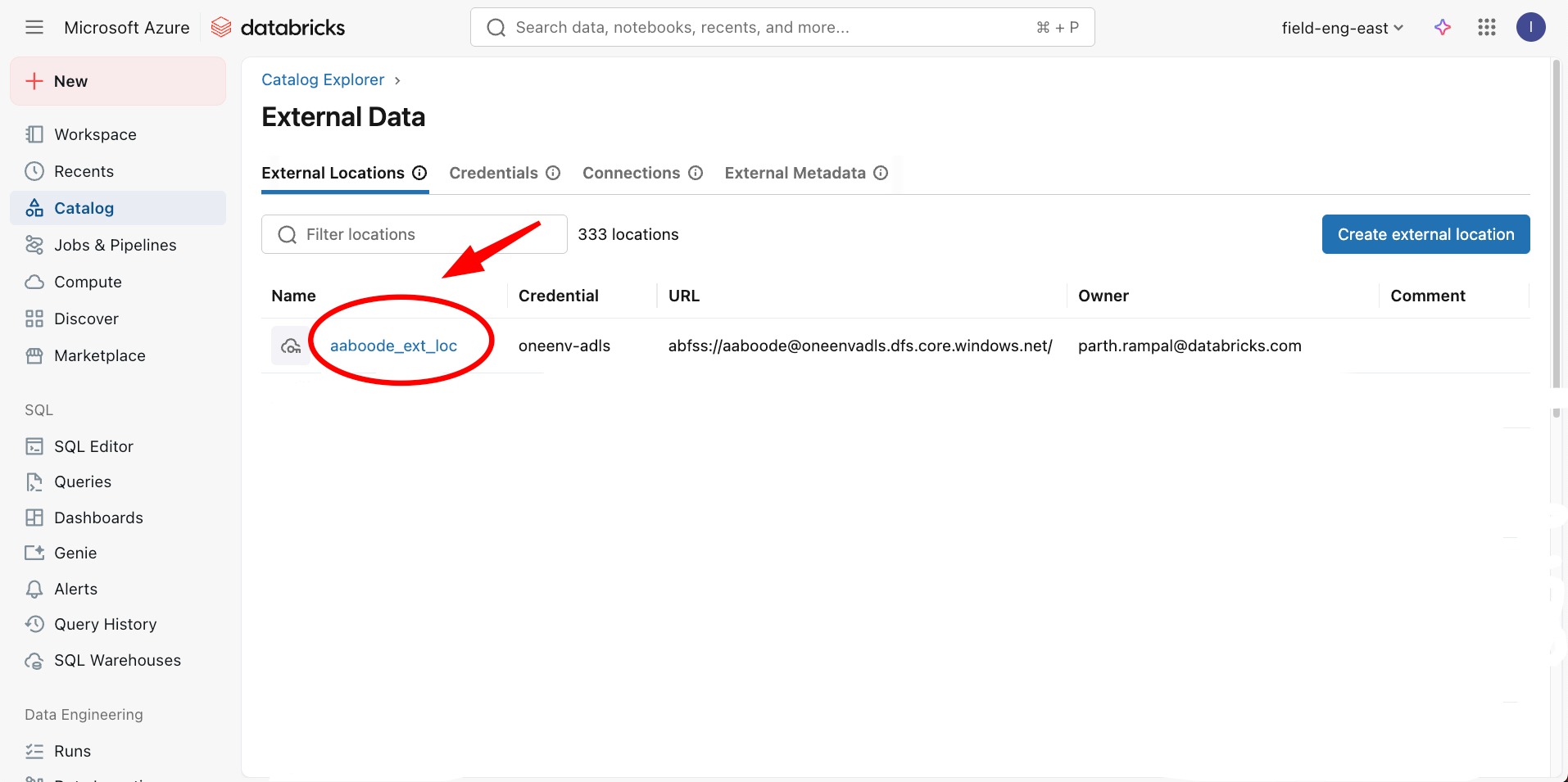
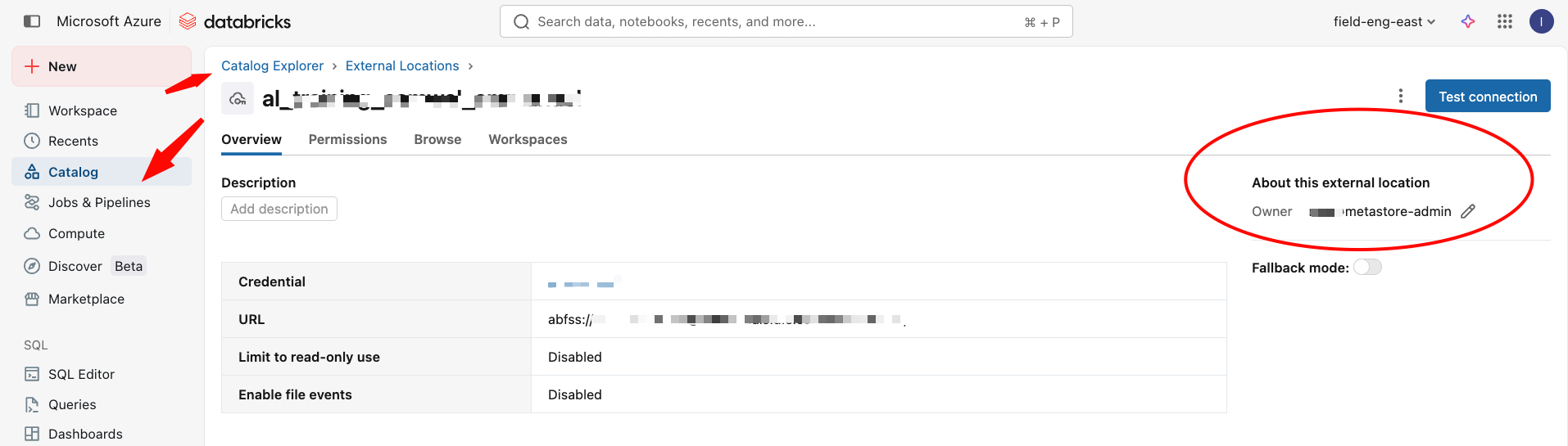
- Work through each tab in turn (External Locations, Credentials, Connections, External Metadata) and change the owner of every asset to the admin group:
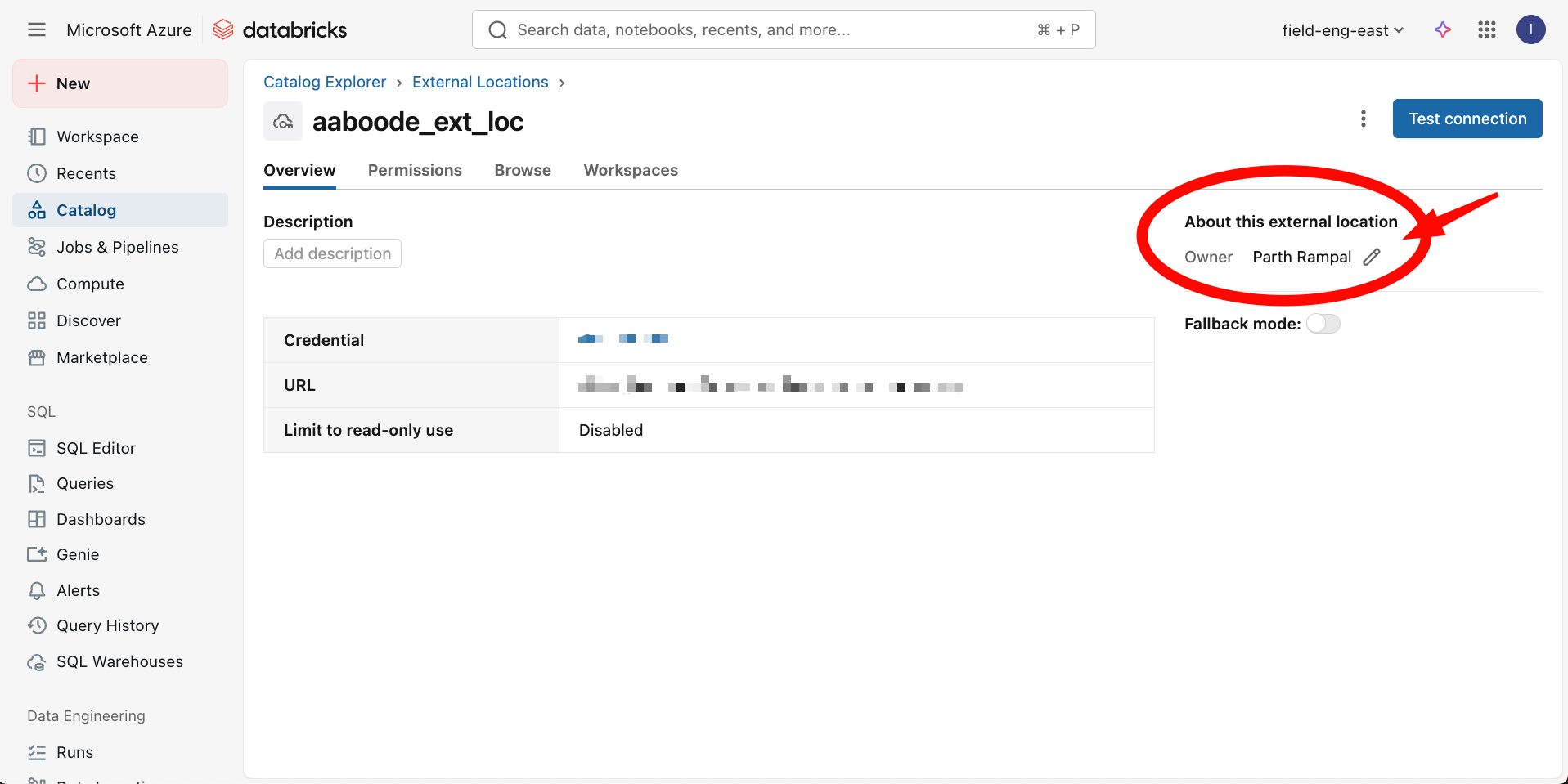
- Click the asset.
- On the far right, click the edit icon (✏️) next to the owner name.
- Set the owner to
Metastore AdminsorUnity Admins.
An empty External Locations or Credentials tab almost always means you are not a member of the metastore admin group. Check your group membership before going further.
2. Transfer catalog ownership
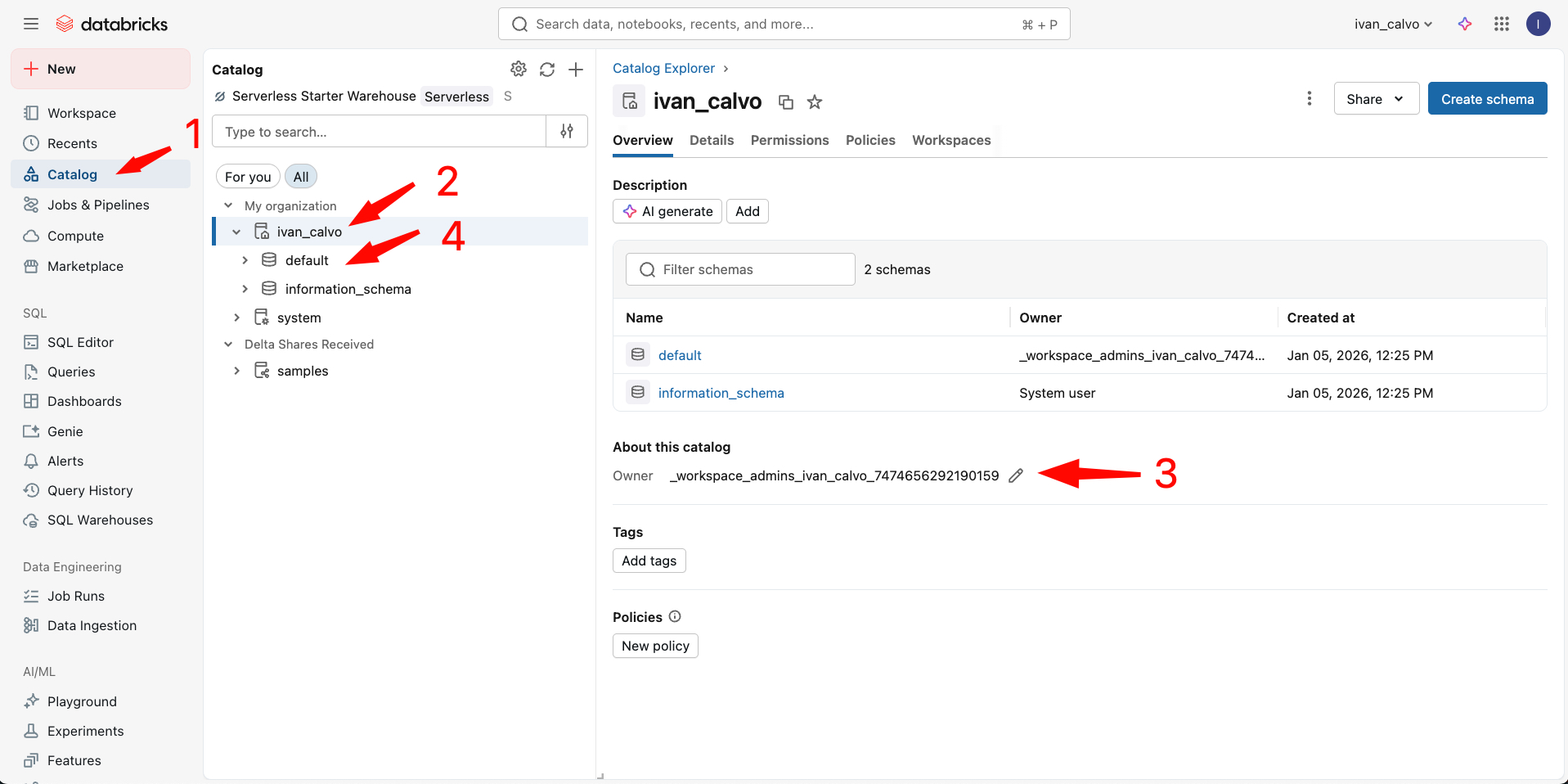
- In the workspace left panel, click Catalog.
- For each catalog except the
systemcatalog:- Click the catalog.
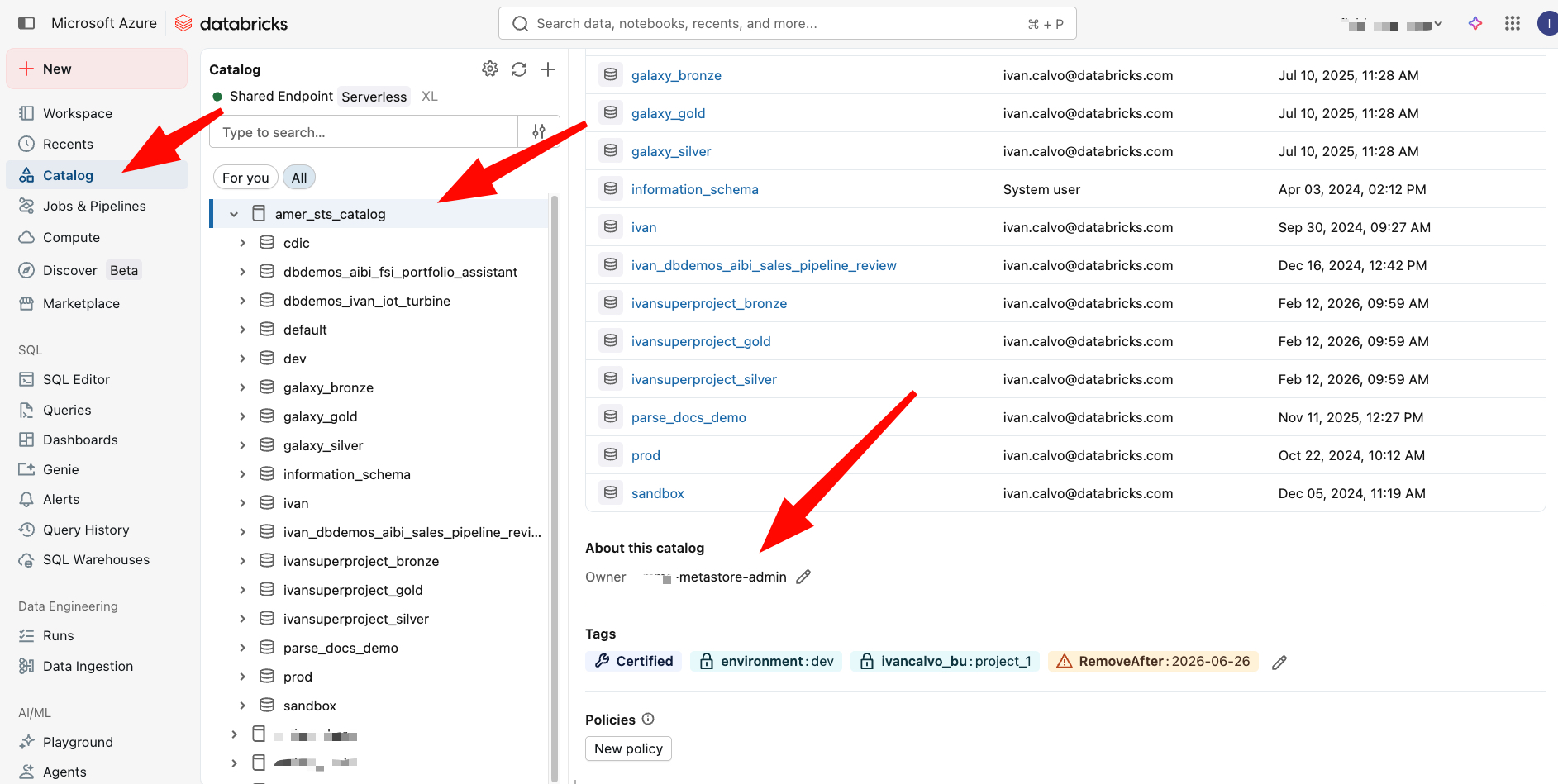
- In the About this catalog section, find the Owner field.
- Click the edit icon (✏️) and set the owner to the admin group.
3. Leave schema ownership to the project team
Schemas are the exception. Don't hand these to the admin group. The team that owns a project should own that project's schemas.
For example, if data-engineers owns the c360 project, they own the c360_bronze, c360_silver, and c360_gold schemas.
Data Governance Strategy covers schema-level ownership in full.
Verify
External locations, credentials, and connections
Confirm every asset shows the admin group as the owner:
Catalogs and schemas
Confirm each catalog shows the admin group as the owner:
Where people trip
Cannot see external locations or credentials
You have to be a member of the metastore admin group to see these assets. Ask a current metastore admin to add you, or check your membership in the account console.
Cannot change ownership of a catalog
Only the current owner or a metastore admin can transfer catalog ownership. If the current owner no longer has access, a metastore admin can reassign it from the account console.
Next
- Do next: Activate SSO
- Learn why: Unity Catalog foundations
- Reference: Manage privileges in Unity Catalog