Query-based ingestion
You'll ingest a database table incrementally with a cursor column in ~10 min.
Prereqs: Databases and SaaS ingestion, query-based connector requirements
The big picture
A query-based connector runs a source query on the schedule you choose. After a successful run, it stores the highest cursor value it saw. The next run normally requests rows above that high-water mark and writes them to a Unity Catalog streaming table. With a timestamp cursor, SCD type 1 and type 2 also re-read a short window below the mark to catch late-arriving rows.
There is no gateway or staging volume. That makes the setup shorter, but the cursor has to be trustworthy. The connector cannot find an update if the cursor value does not change with the row.
The screenshots show a SQL Server setup. Other supported databases follow the same overall workflow, but source preparation, authentication methods, and available settings vary by connector. Follow the connection and source setup documentation for your database.
Before you start
You need:
- A Unity Catalog-enabled workspace and a supported database reachable from serverless compute.
- Permission to create a Unity Catalog connection, or
USE CONNECTIONon an existing one. USE CATALOG,USE SCHEMA, andCREATE TABLEon the destination.- A monotonically increasing timestamp or integer cursor column. SCD type 1 and type 2 also require a primary key.
Choose an authentication method supported by your database. The screenshots use a username and password.
Create the query-based pipeline
Create the connection and pipeline, then configure incremental tracking for the source tables.
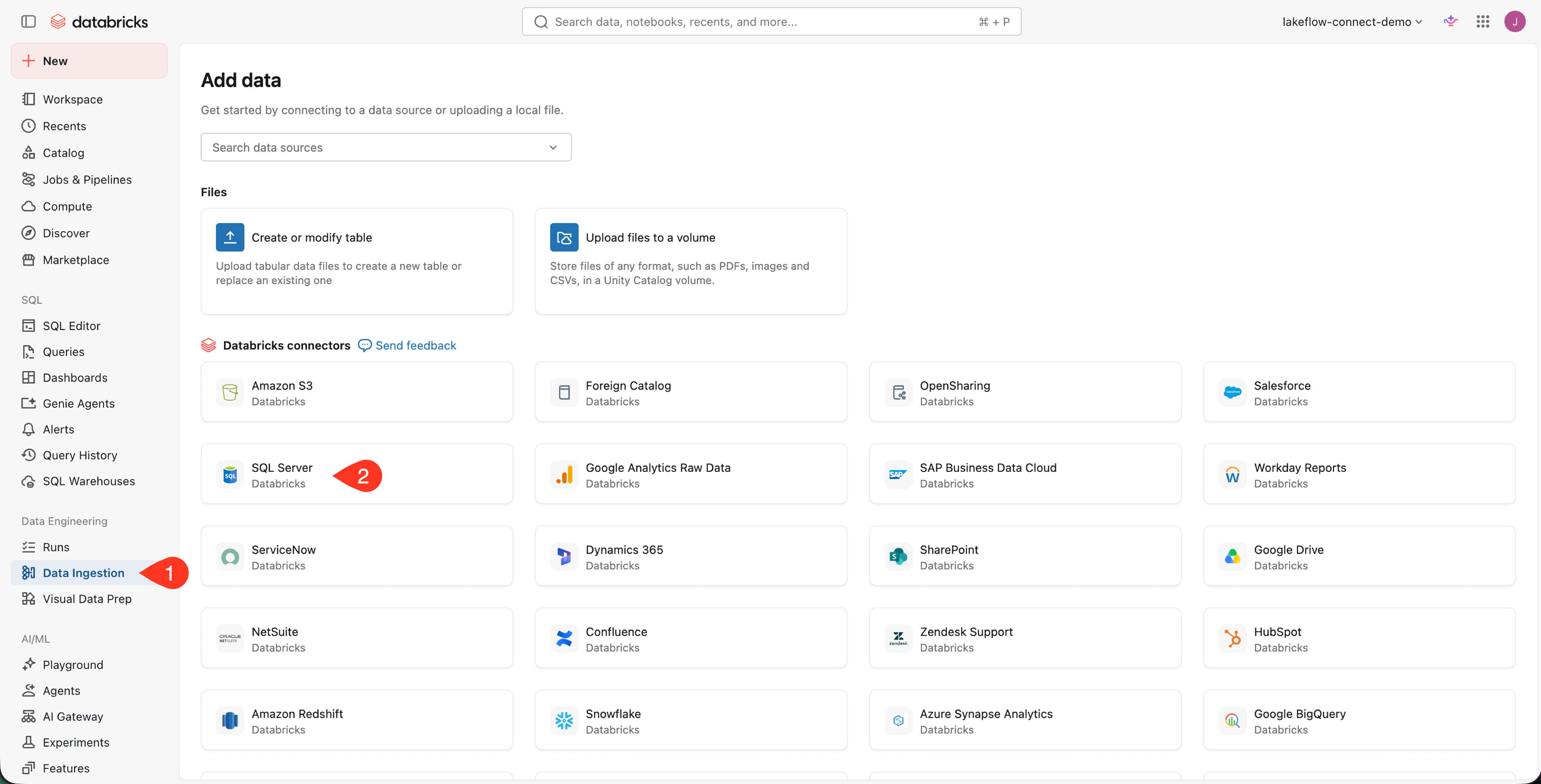
In the Databricks workspace, open Data Ingestion, then select your database source under Databricks connectors. This example selects SQL Server.
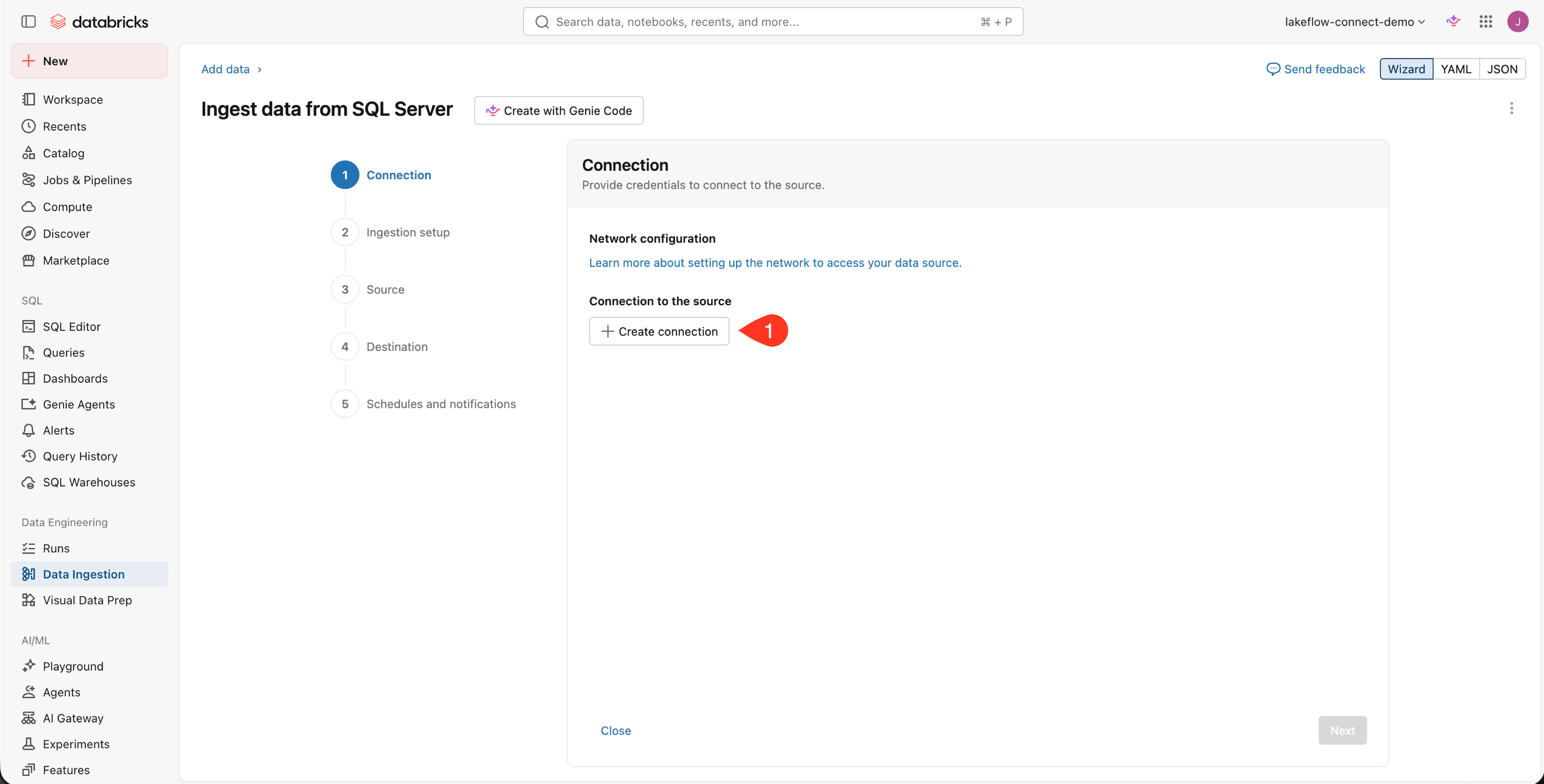
On the Connection page, click Create connection.
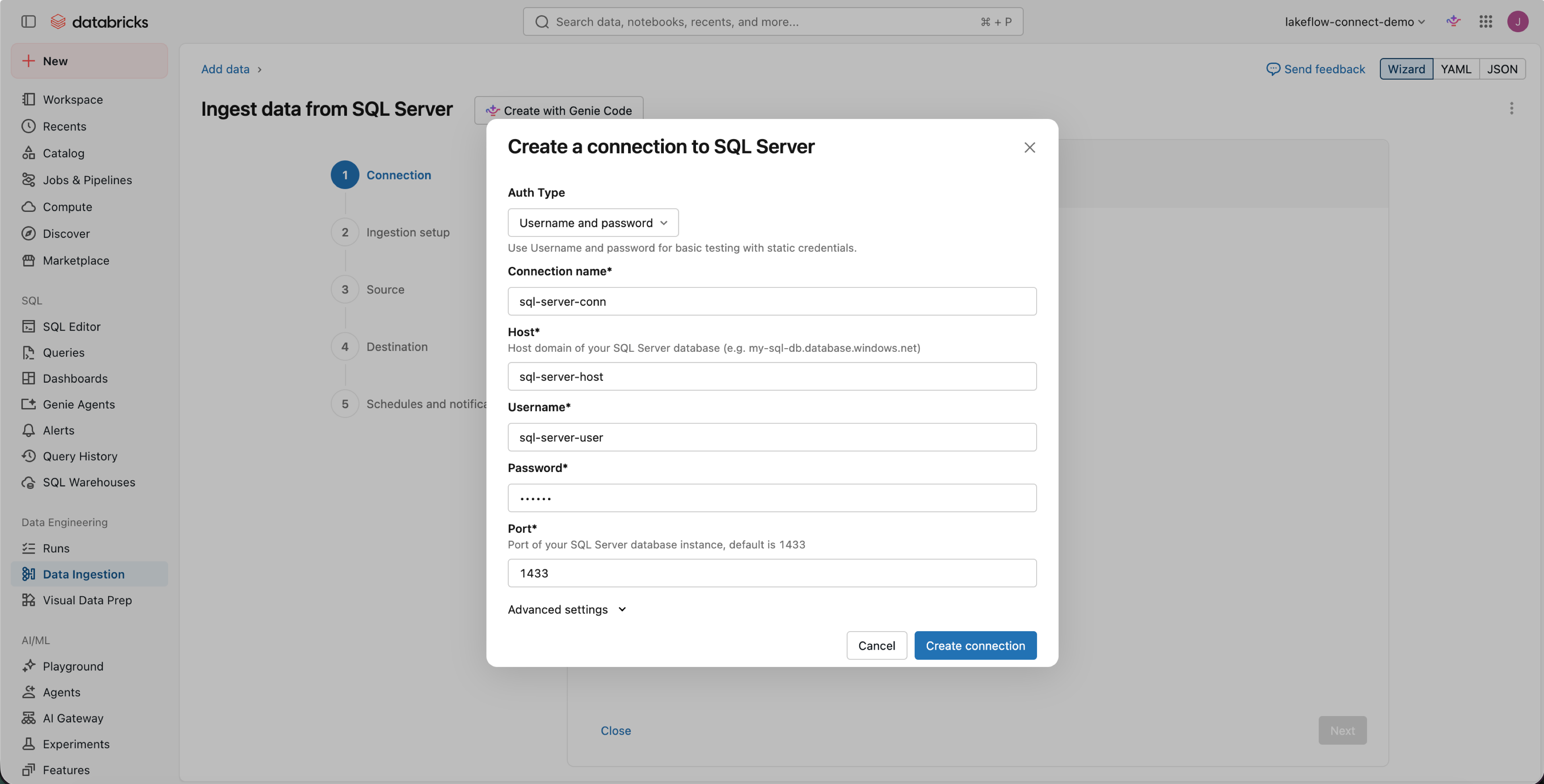
Choose an authentication method and enter the required connection details. This example uses Username and password for SQL Server. Click Create connection.
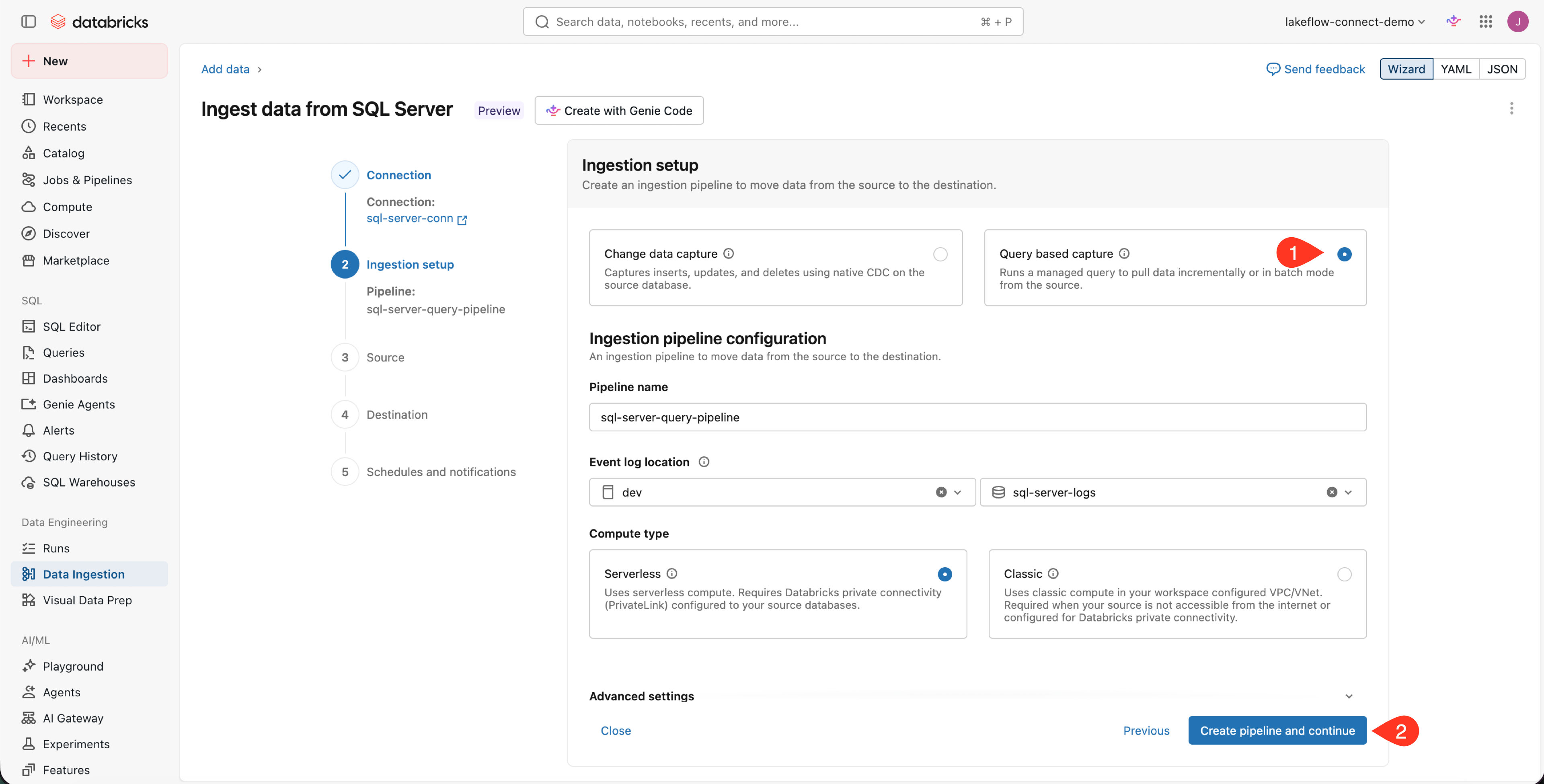
Select Query based capture. Name the pipeline and choose an event log catalog and schema. Select Serverless, then click Create pipeline and continue.
Enter the source database name and click the plus button.
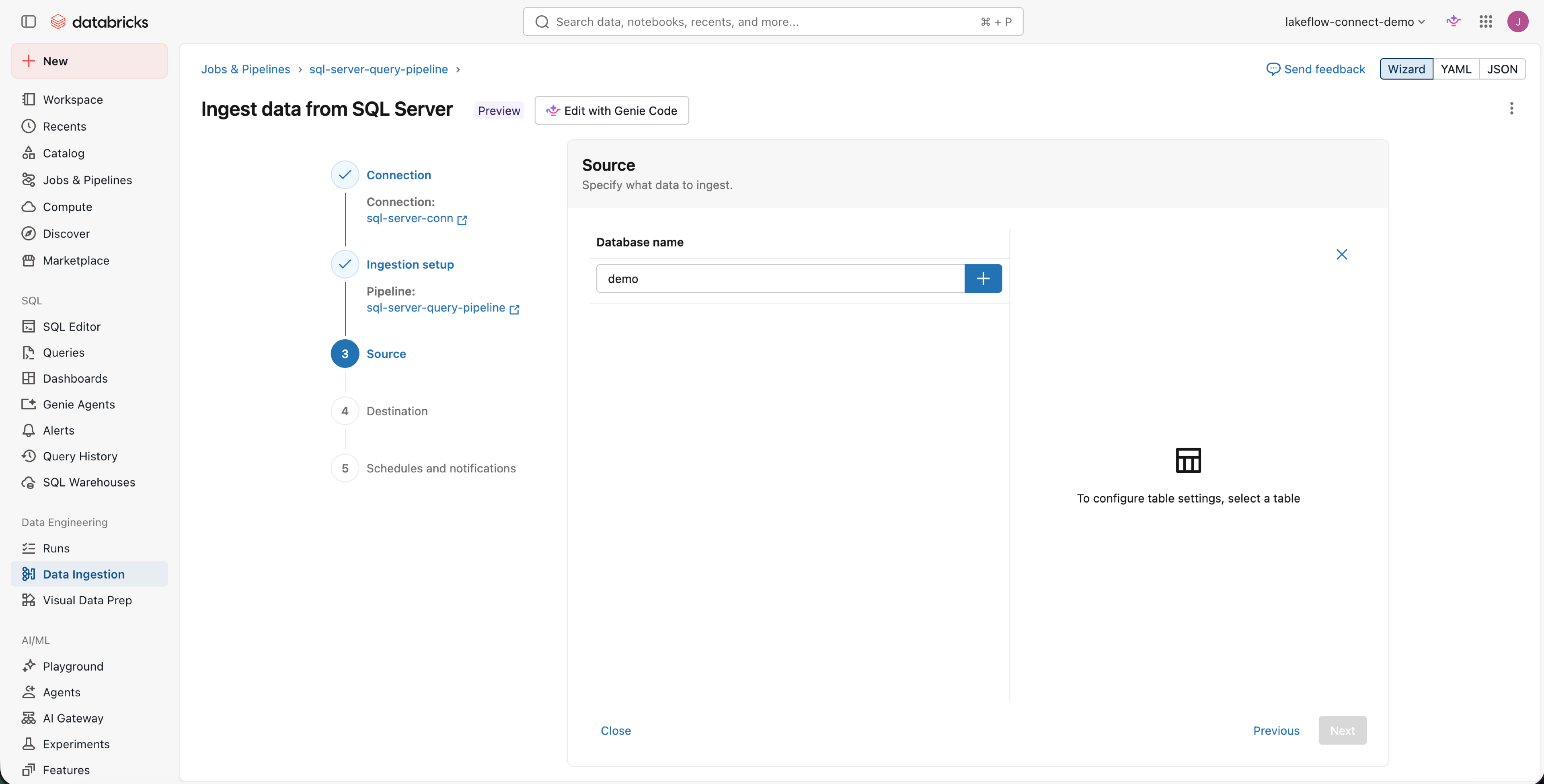
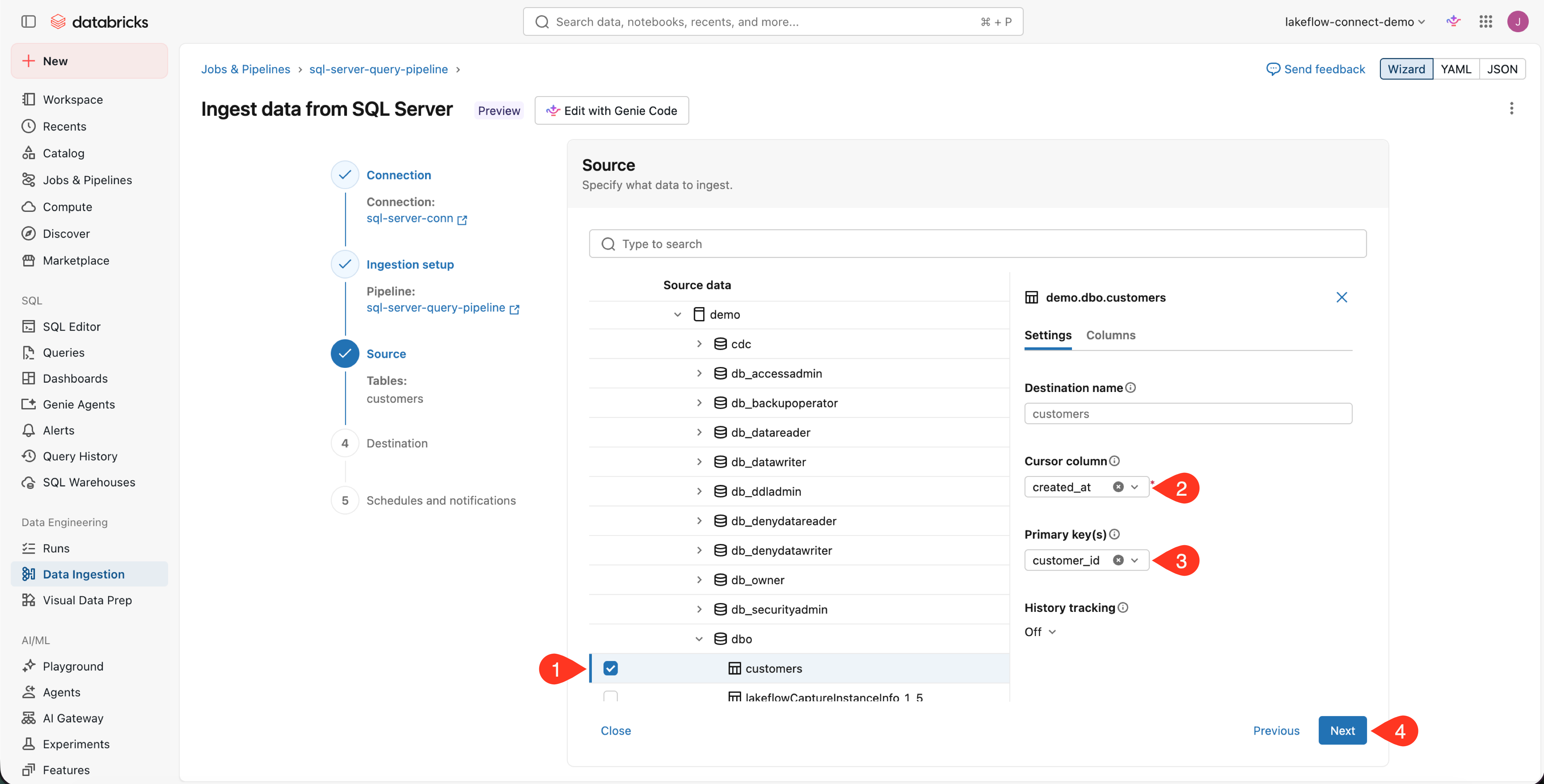
Expand the database and schema, then select the tables that you want to ingest. For each table, select one monotonically increasing timestamp or integer cursor column. If rows can change, the cursor must also change with each update. Configure a primary key and history tracking when required for the selected SCD mode, then click Next.
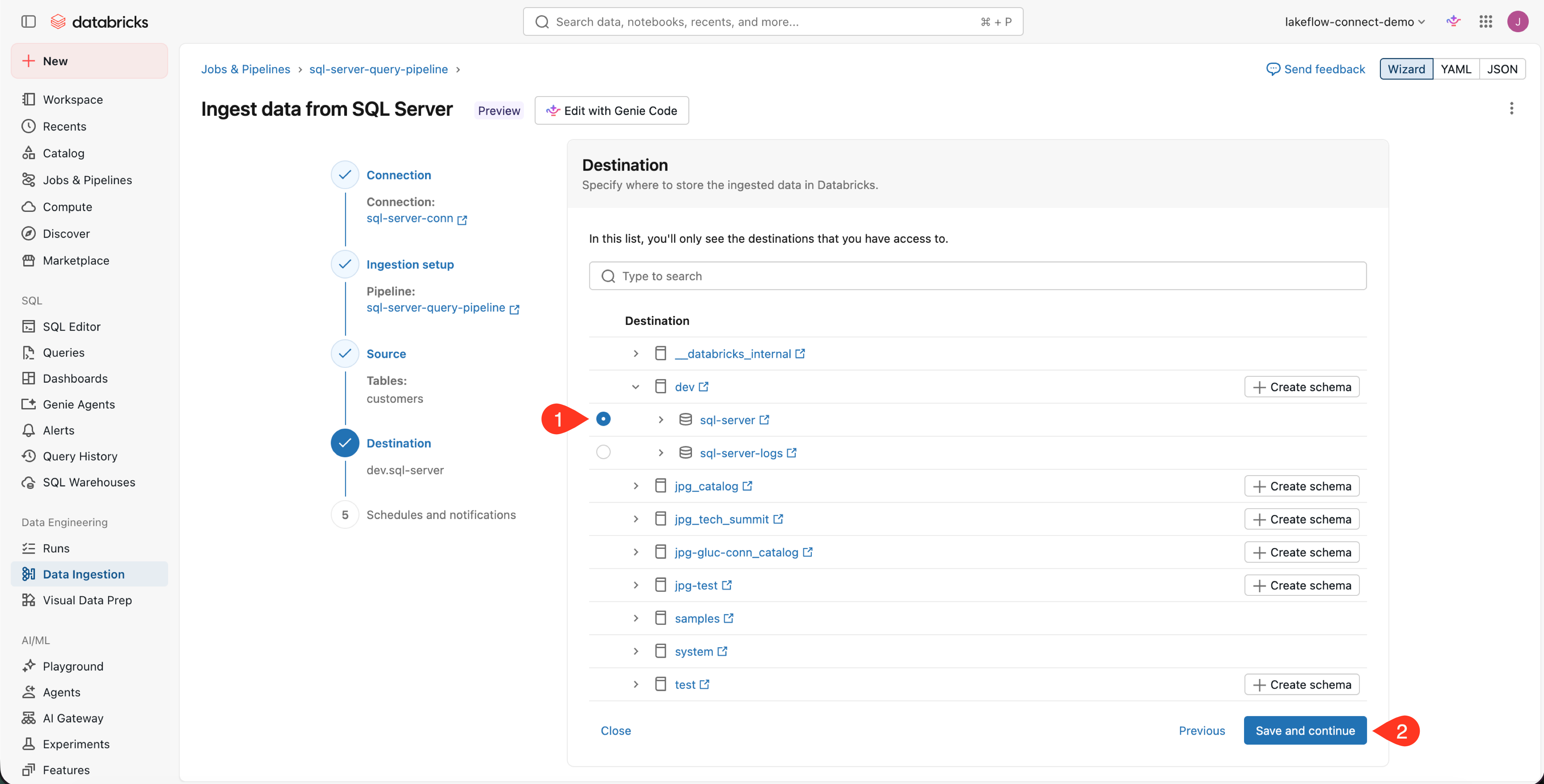
Select the destination catalog and schema, then click Save and continue.
On Schedules and notifications, create a refresh schedule and add notifications if needed. Click Save and run pipeline.
Reference: Create a query-based ingestion pipeline (Databricks docs)
Verify
Confirm the source query completed and wrote the destination streaming table.
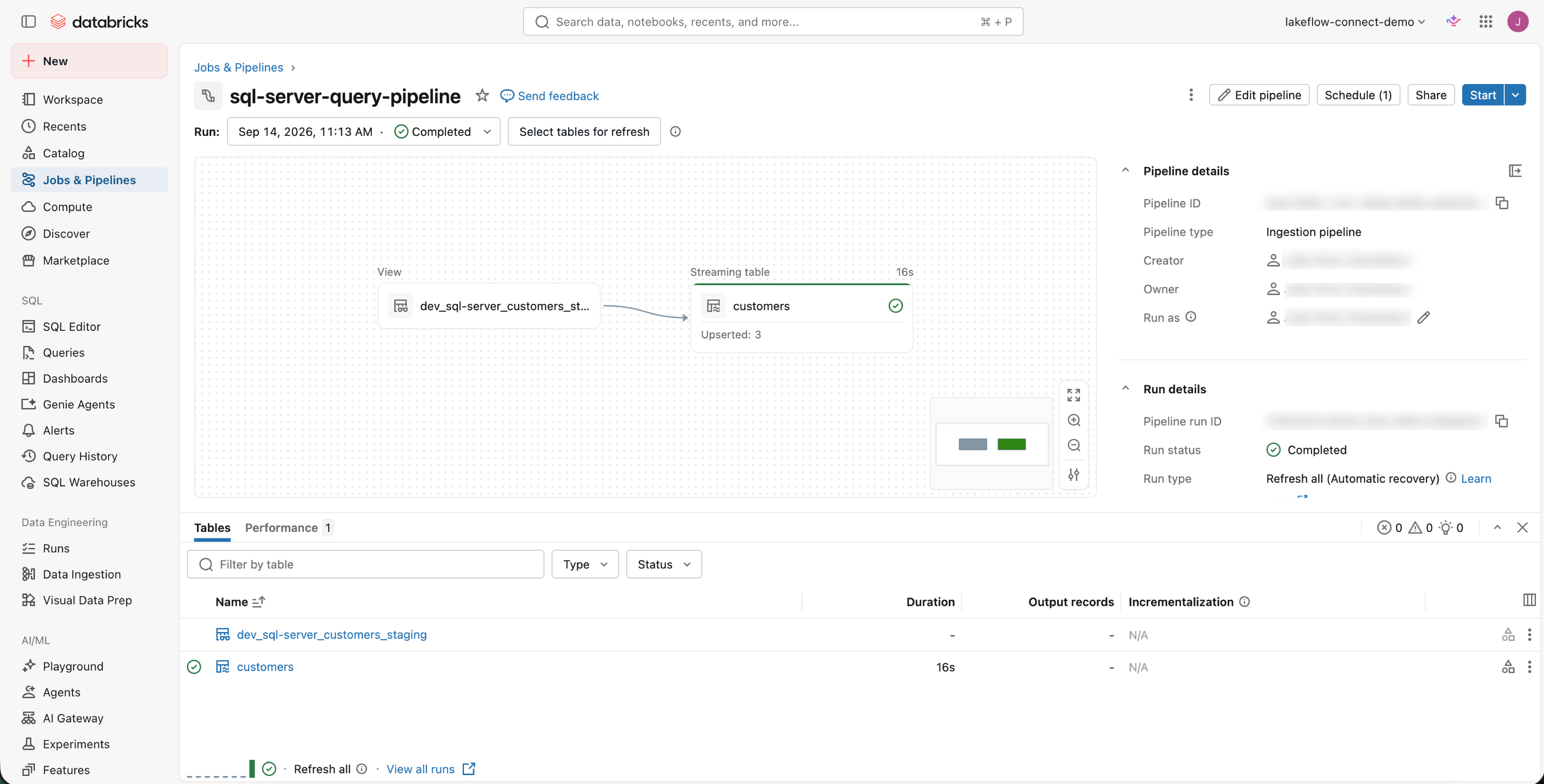
Open the pipeline in Jobs & Pipelines. Confirm the run is Completed and the selected streaming tables have green status indicators. The pipeline graph shows each source staging view feeding its destination table.
Where people trip
Updates never arrive
Check whether the cursor changes when a source row changes. A creation timestamp or auto-incrementing ID only tracks inserts unless the source also updates that value. Choose a cursor that advances whenever a source row changes.
Rows with a null cursor are missing
The connector does not ingest rows whose cursor value is NULL. Fix the source values or choose a cursor column that every row populates.
The pipeline cannot reach the source database
Query-based connectors require network connectivity from serverless compute to the database. Configure serverless network connectivity for the source hostname and port.
The source database is under unexpected load
Every pipeline update queries source tables directly. Check the schedule and add a B-tree index on the cursor column. If frequent queries put too much load on the source, consider a CDC connector.
Next
- Do next: DABs definition
- Learn why: Databases and SaaS ingestion
- Reference: Query-based connectors