Query and explore
You'll create a serverless SQL warehouse and save a daily franchise revenue query in ~15 min.
Prereqs: Build the first ETL pipeline
The big picture
The pipeline has written clean transaction and franchise tables. You need a query engine and a concrete question: how much revenue did each franchise make each day?
Create a small serverless SQL warehouse first. Use it to answer that question. Keep the warehouse after this walkthrough. Genie Ontology uses the same query gateway for business-facing analytics.
Create the query engine
Create dedicated SQL compute for this journey and confirm it is ready.
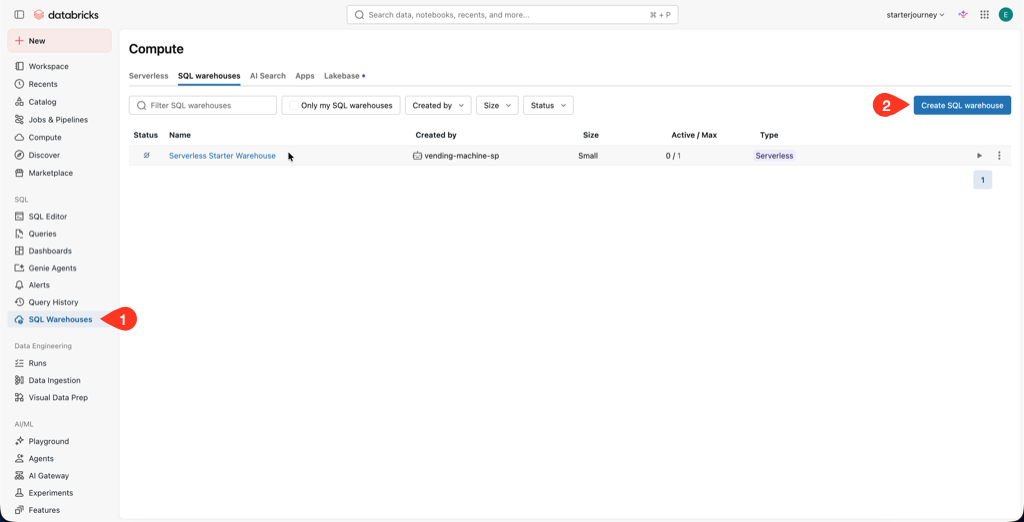
In the workspace sidebar, click SQL Warehouses under compute, then click Create SQL warehouse.
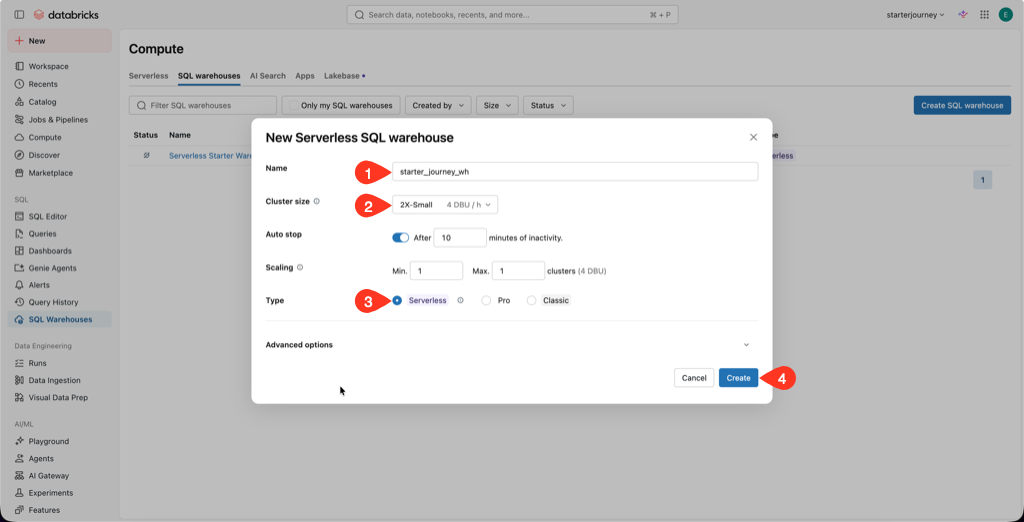
Name the warehouse starter_journey_wh, select Serverless, and choose size 2X-Small. Set Auto stop to 10 minutes and both the minimum and maximum cluster count to 1. That is enough for one reader. Click Create.
A running SQL warehouse consumes billable compute. Check the settings before you create it. The 10-minute auto-stop limits idle spend after you finish.
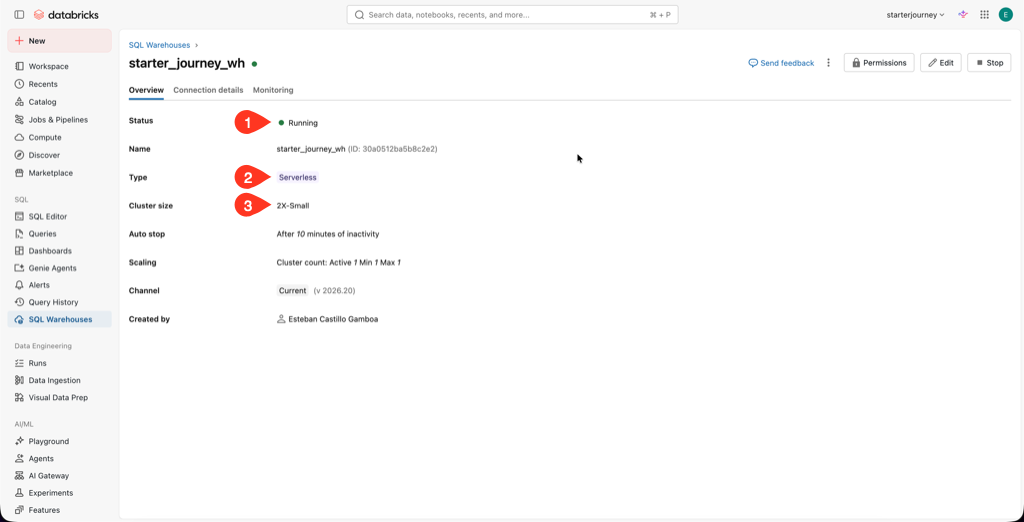
Wait for the status to show Running. Confirm the warehouse is named starter_journey_wh, uses Serverless compute, and is sized 2X-Small.
Reference: Create a SQL warehouse (Databricks docs)
Answer a business question
The silver tables are ready. Use them to answer: How much revenue did each franchise make each day?
Ask Genie Code for the join, check its work, run it, and save the query.
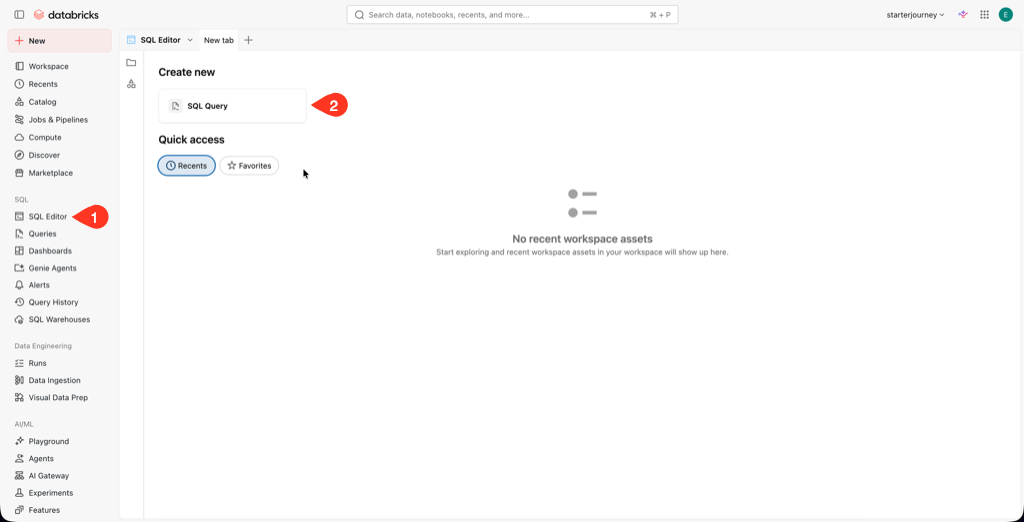
In the workspace sidebar, click SQL Editor, then under Create new select SQL Query.
Open the warehouse selector in the top right, then click More.
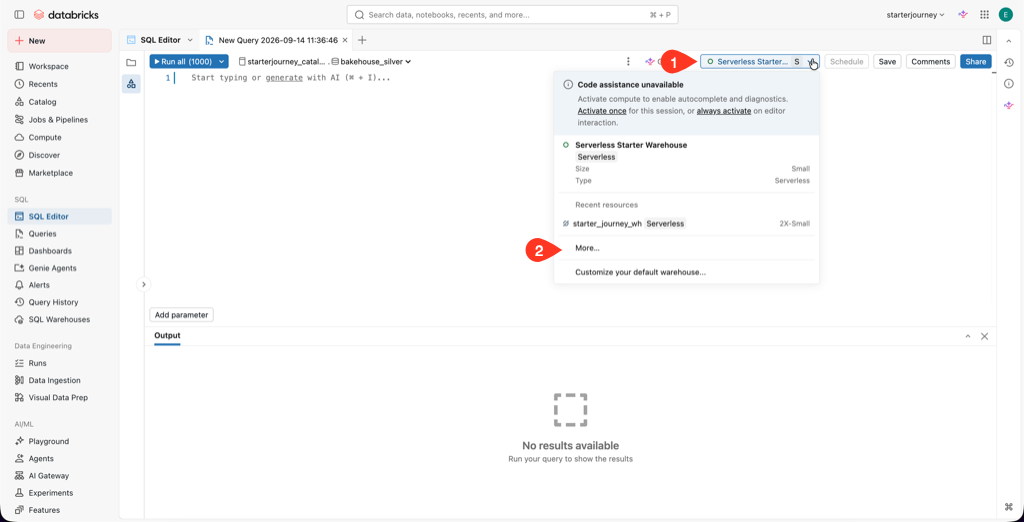
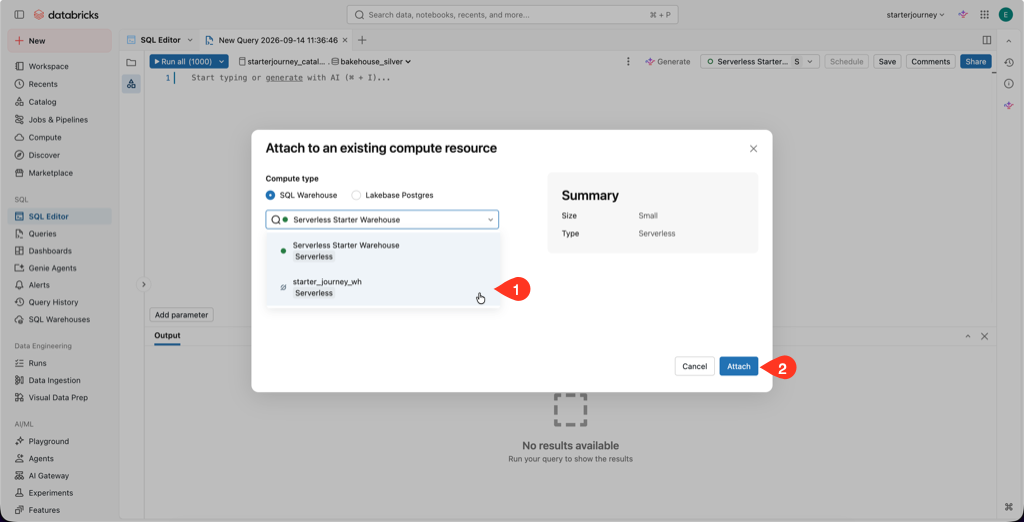
In Attach to an existing compute resource, select starter_journey_wh, then click Start and attach.
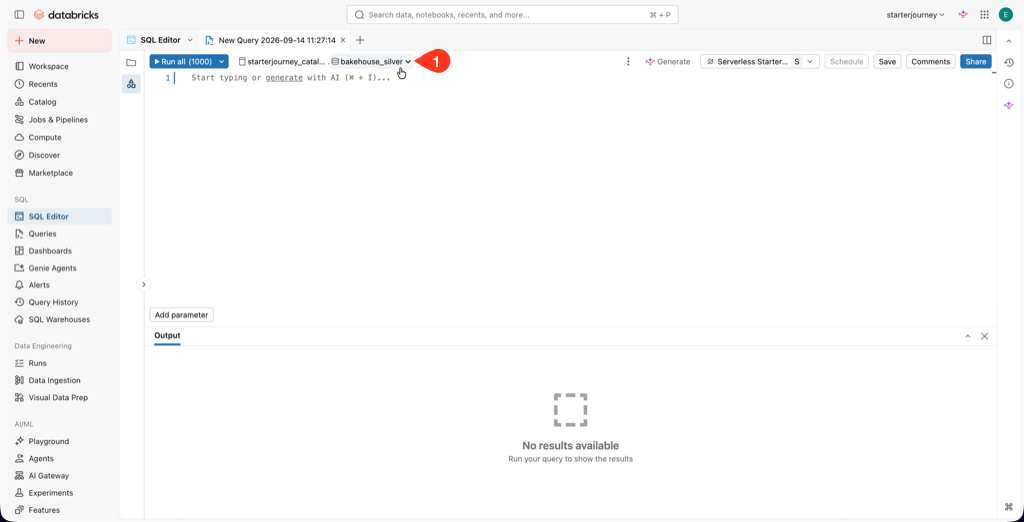
Set the catalog and schema to the ones from your pipeline (starterjourney_catalog and bakehouse_silver).
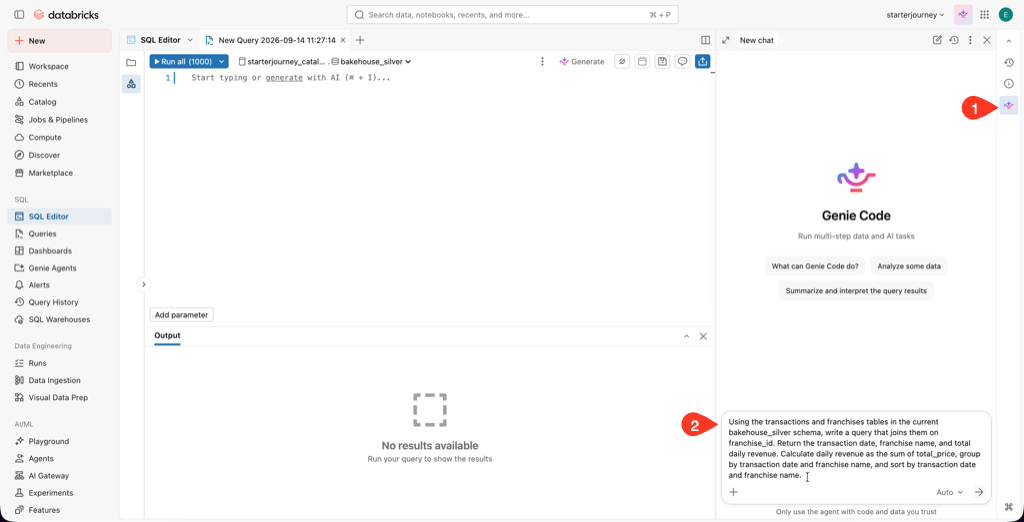
Open Genie Code and paste this prompt:
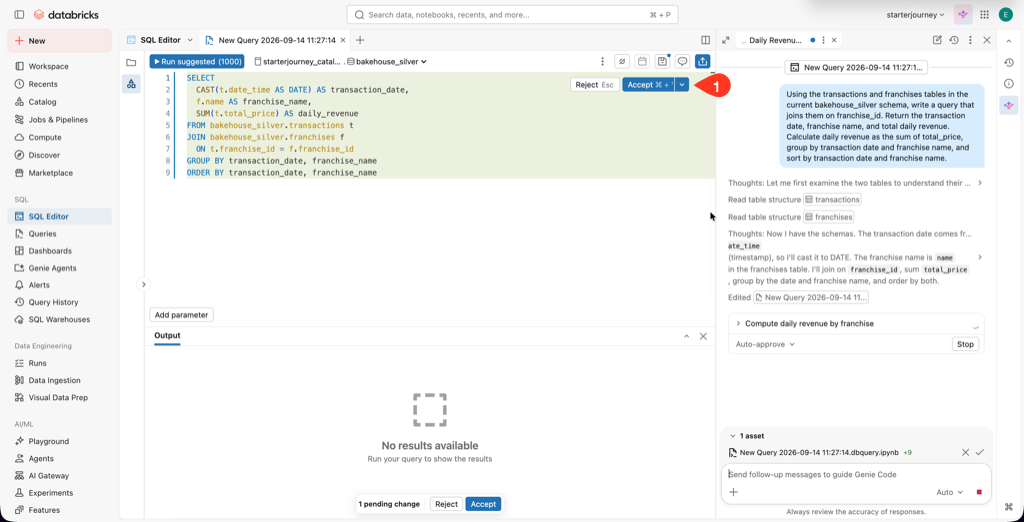
Using the transactions and franchises tables in the current bakehouse_silver schema, write a query that joins them on franchise_id. Return the transaction date, franchise name, and total daily revenue. Calculate daily revenue as the sum of total_price, group by transaction date and franchise name, and sort by transaction date and franchise name.
Review the generated SQL, then click Accept:
transactionsjoins tofranchisesonfranchise_id.transaction_timestampis converted or truncated to a calendar day.total_priceis summed.- The query groups by transaction day and franchise name.
Use the fallback SQL
Generated SQL can look different and still be correct. If it misses one of the checks, replace it with:
SELECT
  DATE(t.transaction_timestamp) AS transaction_date,
  f.franchise_name,
  SUM(t.total_price) AS daily_revenue
FROM transactions AS t
INNER JOIN franchises AS f
  ON t.franchise_id = f.franchise_id
GROUP BY
  DATE(t.transaction_timestamp),
  f.franchise_name
ORDER BY
  transaction_date,
  franchise_name;
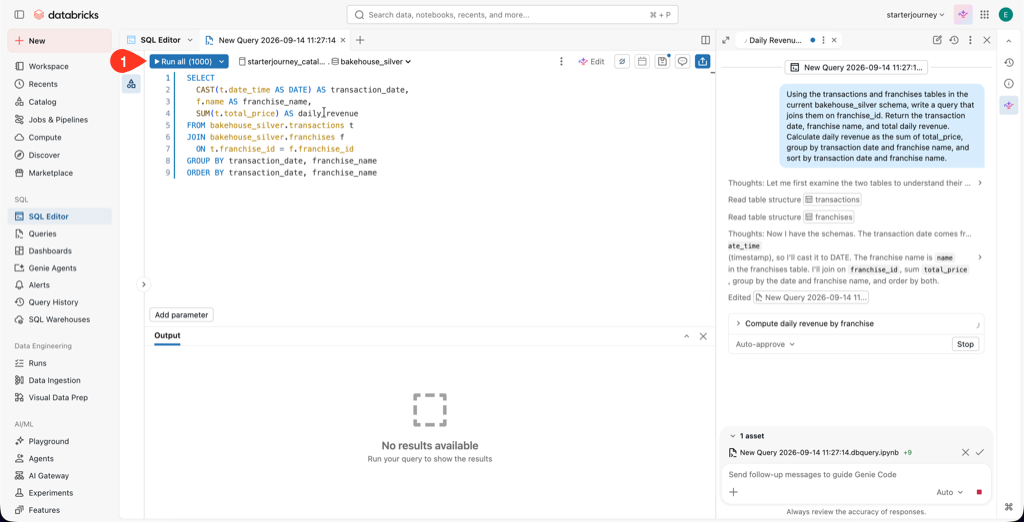
Click Run all, or press Cmd+Enter on macOS or Ctrl+Enter on Windows and Linux.
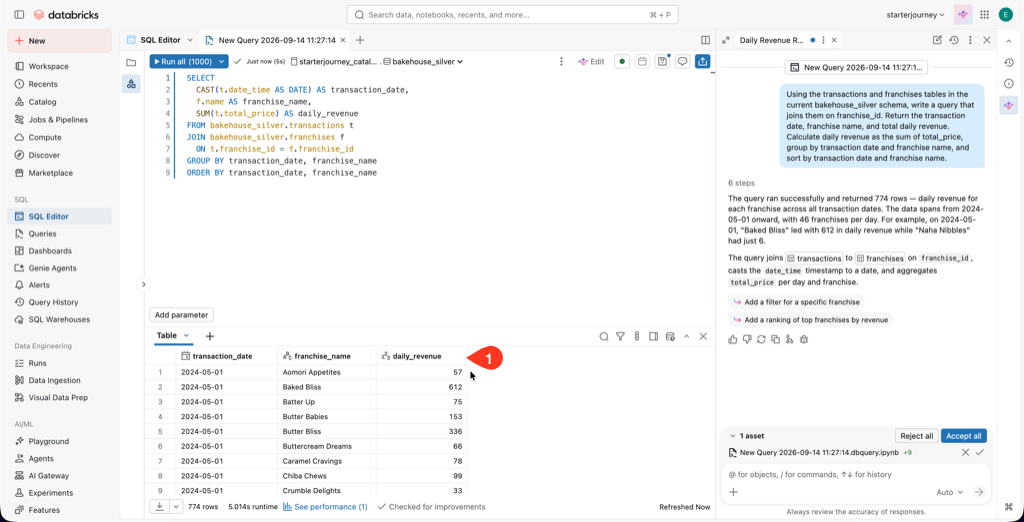
Check that the grid contains transaction_date, franchise_name, and daily_revenue. Franchise names should not be null, and the result should contain more than one date and franchise combination.
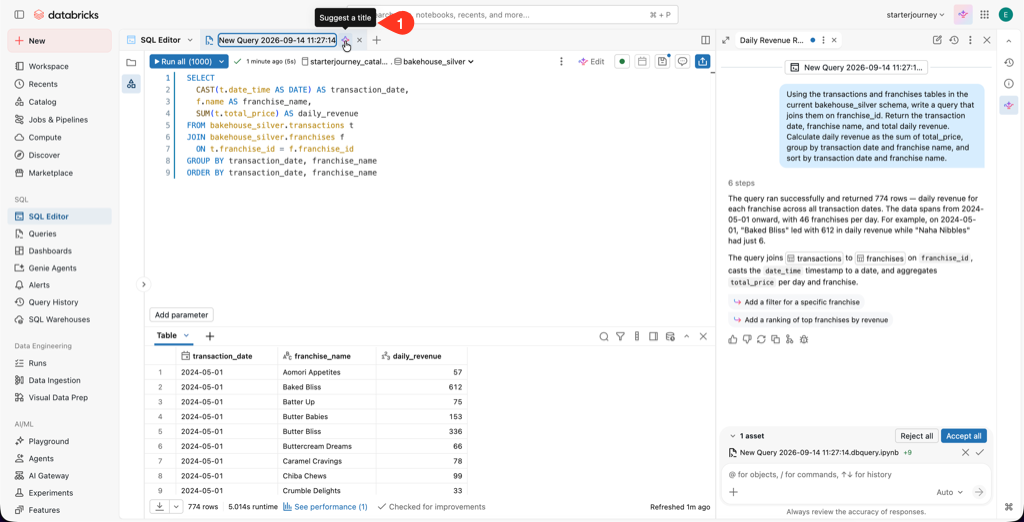
Save the query. Use Genie's Suggest a title to name it.
Reference: Write queries in the SQL Editor (Databricks docs)
Where people trip
The editor cannot find the silver tables
Selecting bakehouse_silver is not enough if the editor is using another catalog. Select starterjourney_catalog, then select bakehouse_silver again.
The SQL runs but answers a different question
Check the join on franchise_id, the day-level conversion of transaction_timestamp, and SUM(total_price). A valid query needs all three.
The warehouse does not reach Running
Confirm that Serverless SQL warehouses are available in the workspace. Do not switch warehouse types during the walkthrough because startup and cost behavior will differ.
Next
- Do next: Orchestration and Jobs
- Learn why: Metric Views
- Reference: Write queries in the SQL Editor (Databricks docs)