Build the first ETL pipeline
You'll build your first Spark Declarative Pipeline with Genie Code in ~10 min.
Prereqs: Data access and ETL
Build a pipeline with Genie Code
Follow along in the Workspace. Every step links to itself, so you can send someone straight to the one they are stuck on.
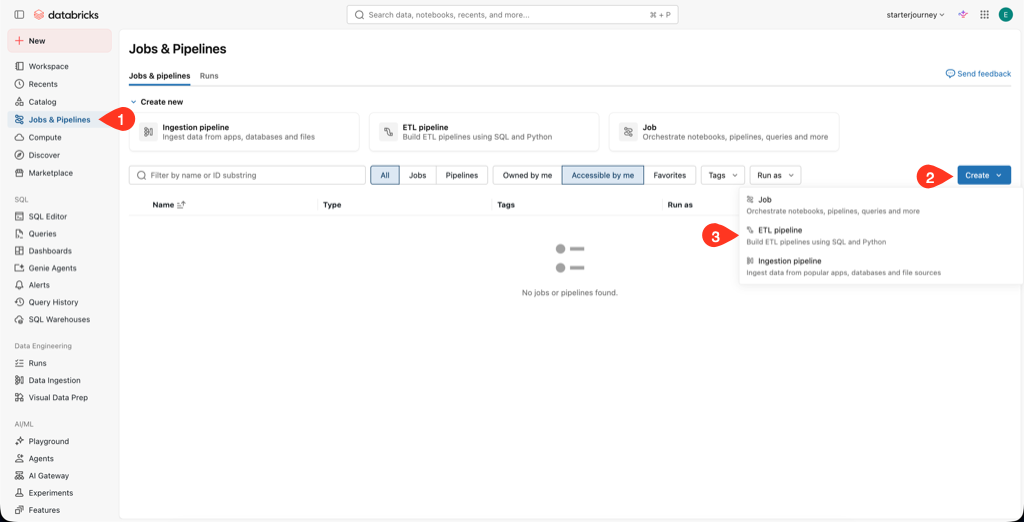
Go to Jobs & Pipelines > Create > ETL pipeline
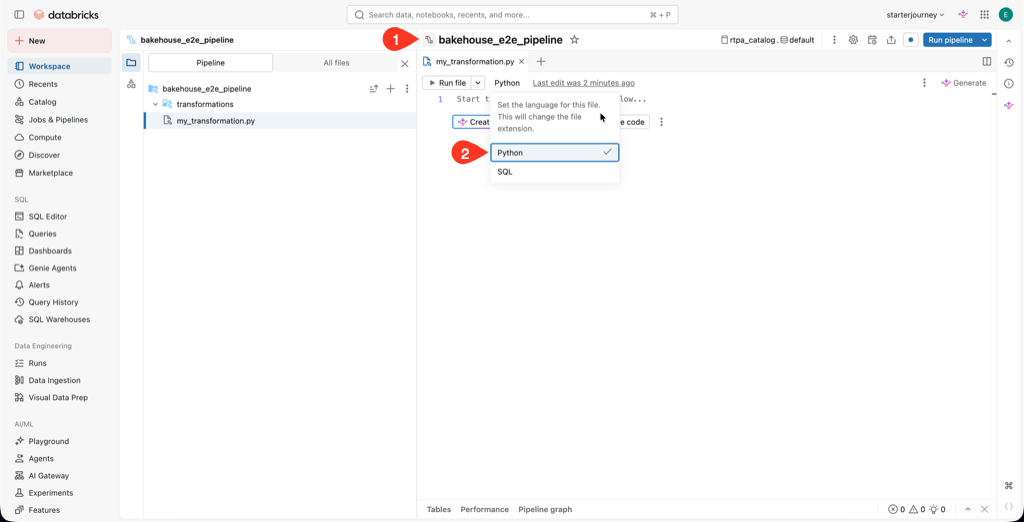
Name the pipeline bakehouse_e2e_pipeline and choose Python or SQL
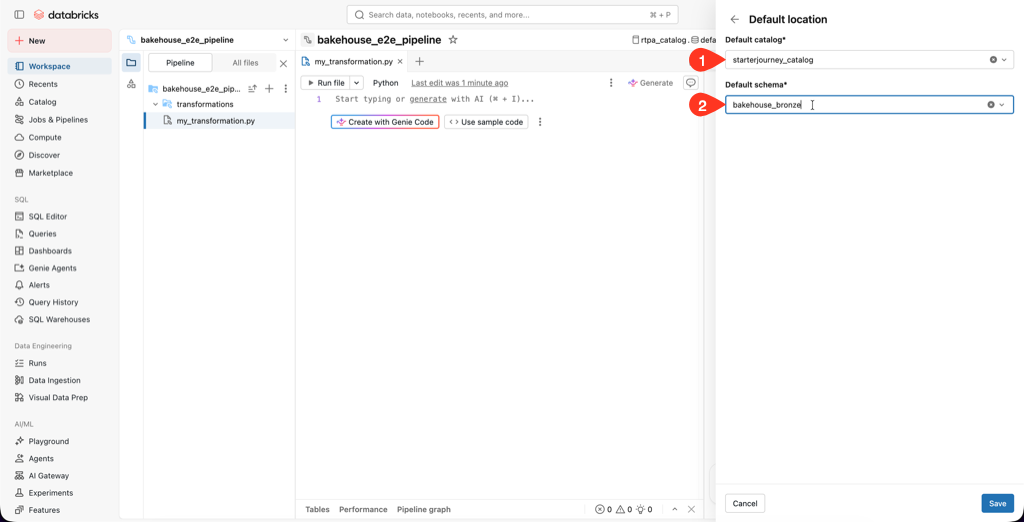
Set the destination catalog to starterjourney_catalog and the default schema to bakehouse_bronze
Open the Genie Code panel in the Pipelines Editor. Ask it to land the two Bakehouse source tables in the bronze schema, then publish cleaned silver tables into a separate silver schema.
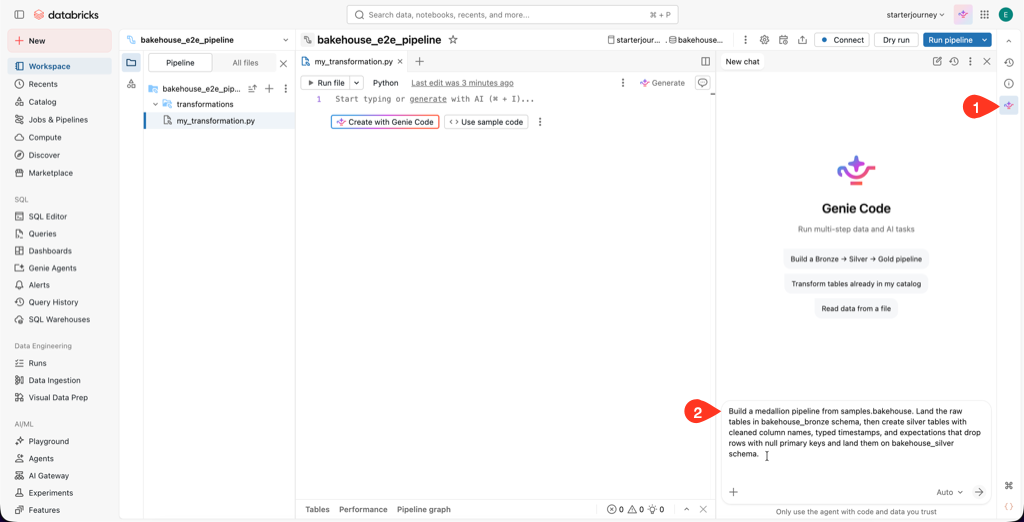
Build a medallion pipeline from samples.bakehouse. Land the raw tables in bakehouse_bronze schema, then create silver tables with cleaned column names, typed timestamps, and expectations that drop rows with null primary keys and land them on bakehouse_silver schema.
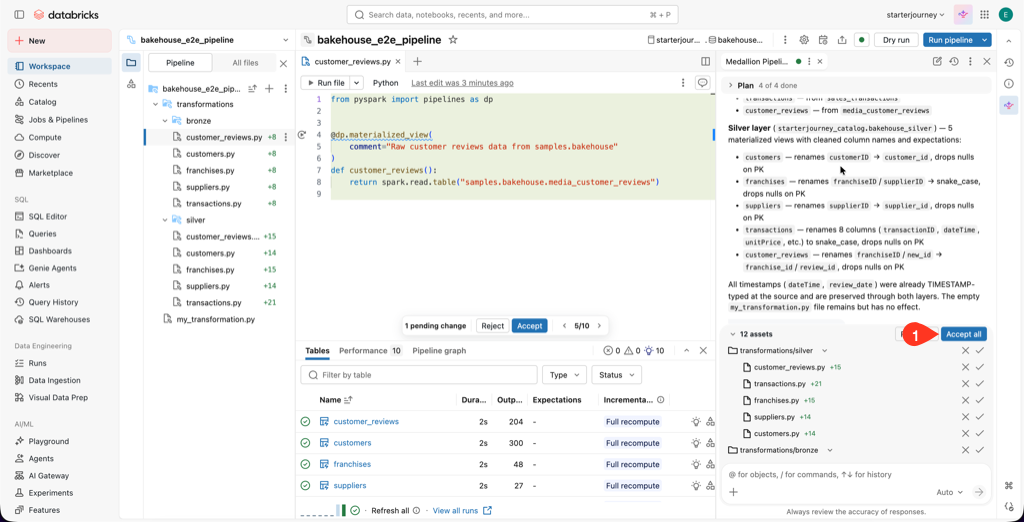
Review the plan and code diff Genie Code shows, then click Accept all
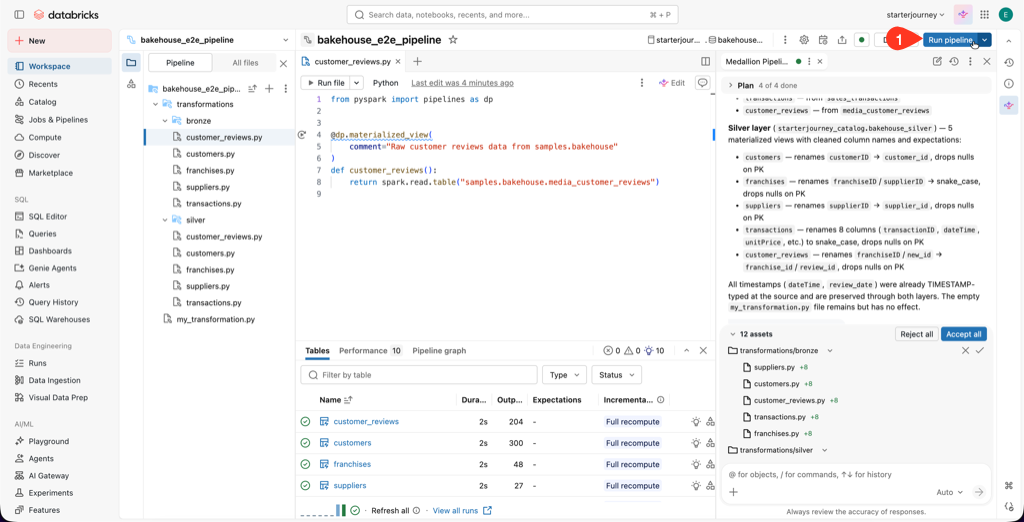
Click Start / Run pipeline to validate it end-to-end
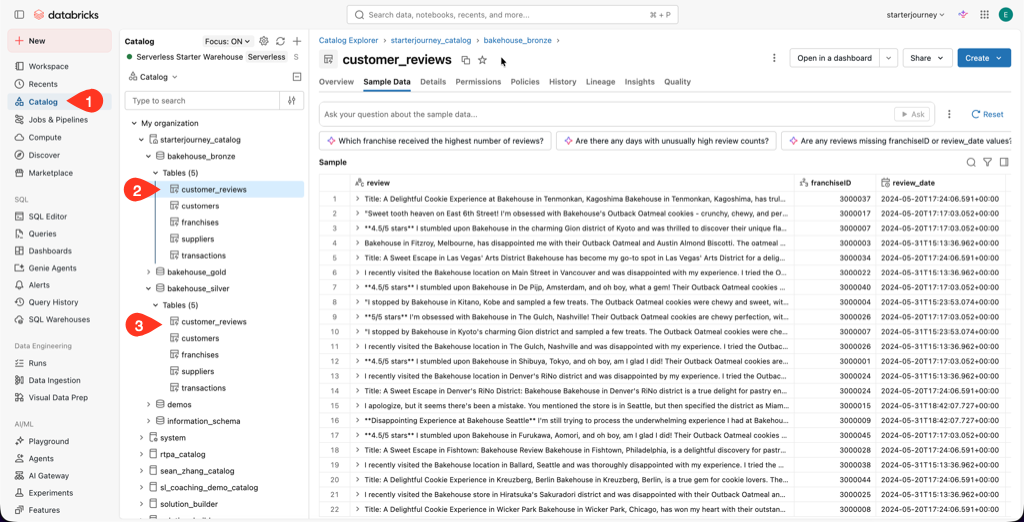
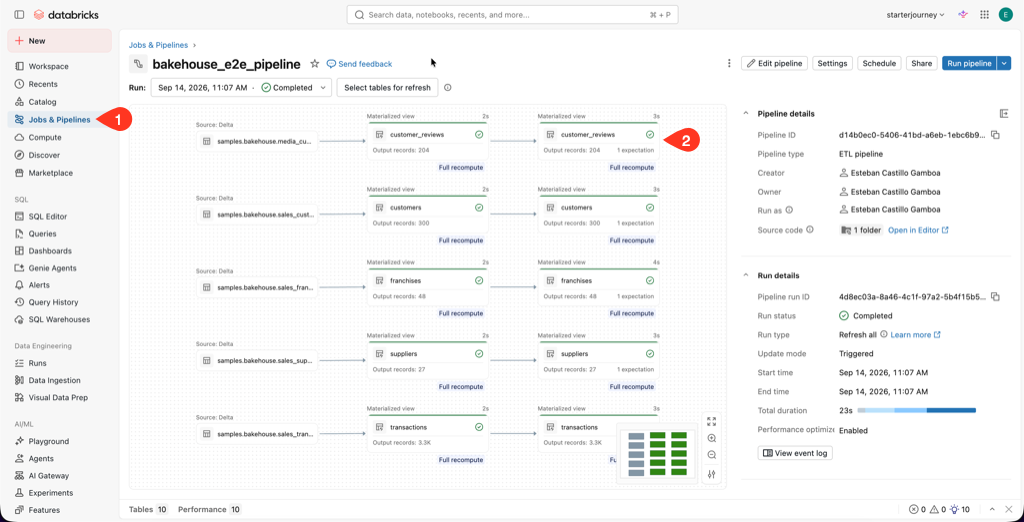
Confirm both the bronze and silver schemas were created with their tables, then inspect the pipeline DAG graph.
The Query and explore page and the Genie Ontology metric view read these silver columns by name: transaction_timestamp and total_price on transactions, and franchise_id plus franchise_name on franchises. If Genie Code named them differently, rename them now.
Reference: Create a pipeline (Databricks docs)
SDP reference material
Awesome pages to have open while you build:
- Load data in pipelines, which covers AutoLoader for incremental ingestion from cloud object storage.
- Transform data with pipelines: when to reach for views, materialized views, or streaming tables.
- Manage data quality with expectations for constraints and business rules.
- Python: Python language reference | Develop SDP with Python
- SQL: SQL language reference | Develop SDP with SQL
Next
- Do next: Query and explore
- Learn why: Governance
- Reference: Spark Declarative Pipelines (Databricks docs)