Budget alerts
You'll configure account-level budgets that email stakeholders when spend crosses list-price thresholds.
Prereqs: Account Console foundations
The big picture
Monthly USD budgets driven by list prices, platform add-ons included. When spend crosses a threshold, the budget emails the recipients you name. It never throttles a workload.
Prerequisites
- Account admin role.
- Optional: live custom tags if you want to filter budgets per team (Tags and attribution).
Only account admins create budgets. A budget only watches. Usage keeps accruing after you cross a threshold.
Budgets are in Public Preview, so the limits may change before GA.
Steps
Create an account budget for a development workspace and add two email thresholds.
Sign in as an account admin:
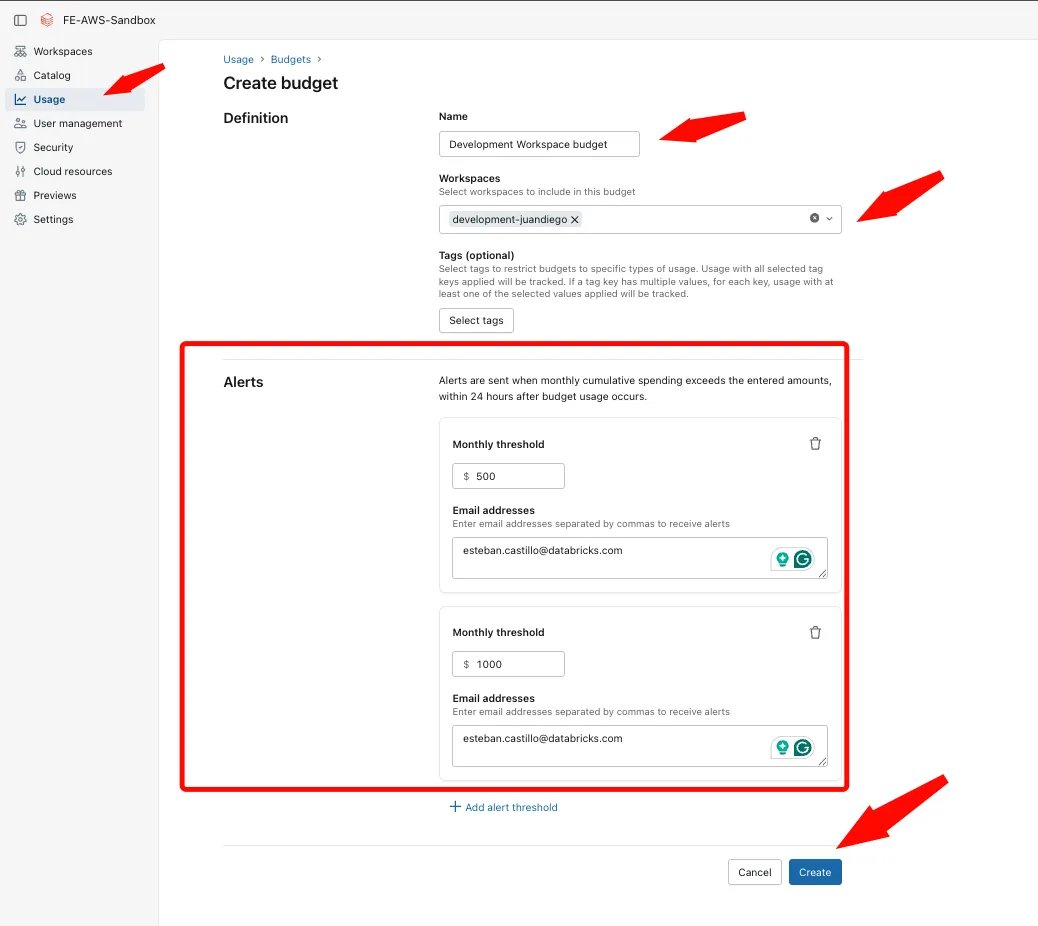
Open Usage > Budgets, then click Add budget.
Set Budget name to Development Workspace budget.
Under Definitions, restrict the budget to your non-production workspace.
Add tag filters if you configured them on Tags and attribution.
Add $500 and $1000 as separate monthly alert thresholds. Enter the distribution list that should receive each alert, then save the budget.
Reference: Create and monitor budgets (Databricks docs)
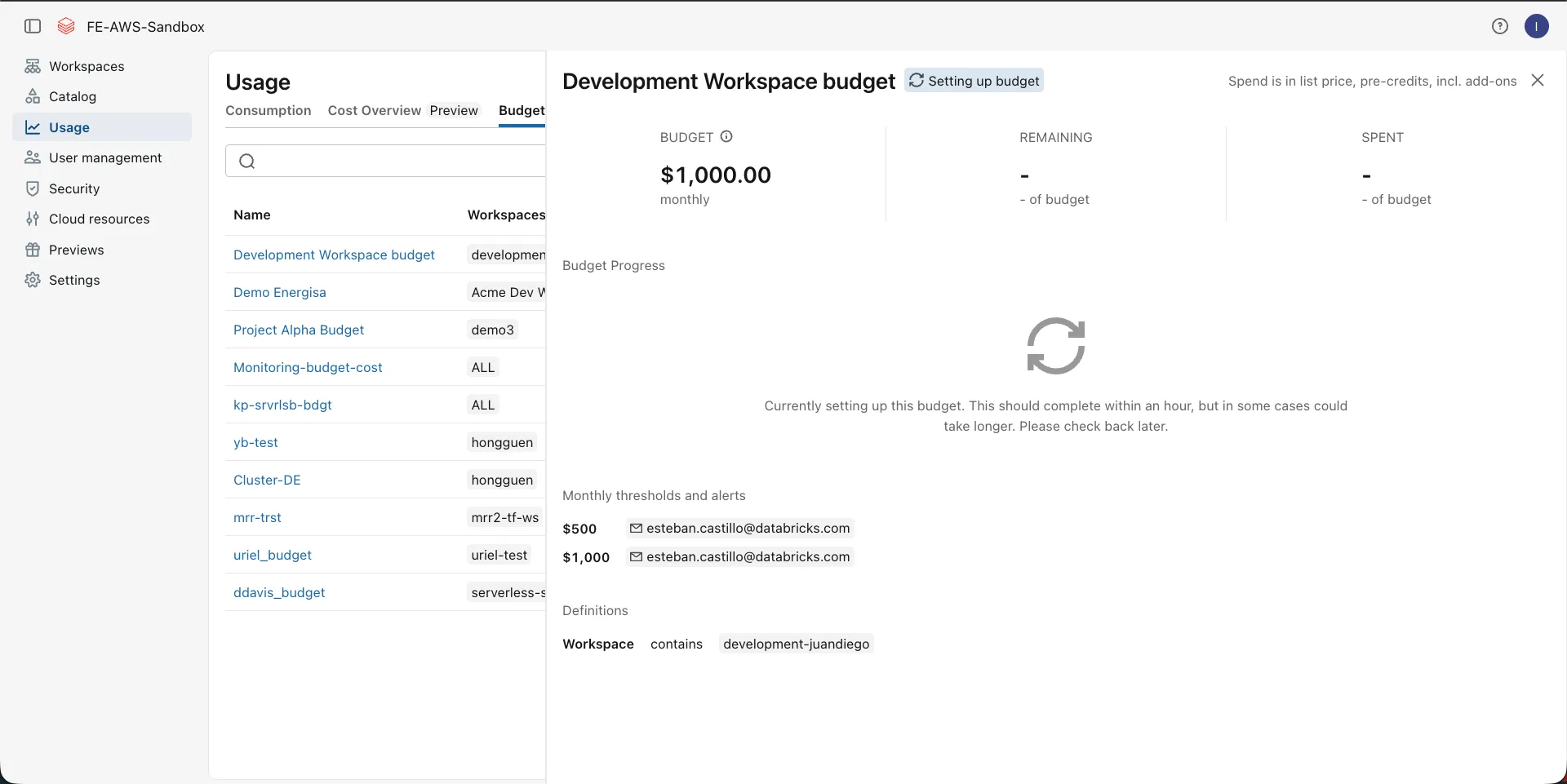
Expect some lag. Alerts can trail actual usage by up to 24 hours, and a brand-new budget may show $0 for a while as telemetry catches up.
Verify
- Usage → Budgets lists the new budget.
- Open it. Cumulative spend plots against the dotted threshold lines.
- To force a dry-run email, set a threshold below month-to-date spend and wait. Check spam.
Where people trip
Budget stuck at zero
Wait up to a day for telemetry, and confirm the account actually generated usage this month.
No email
Check the addresses and the spam folders, and confirm spend crossed the threshold once you account for the latency.
Totals mismatch invoices
Budgets ignore credits and discounts on purpose. Model your contract in SQL or an external tool if you need invoice-accurate thresholds.
Cannot create budgets
Only account admins manage budgets.
Tag filters empty
Confirm the resources emitted that tag before the budget month (Tags and attribution).
Next
- Do next: Data access and ETL
- Learn why: Account Console foundations
- Reference: Create and monitor budgets