Budget alerts
You'll configure account-level budgets that email stakeholders when spend crosses list-price thresholds.
Prereqs: Account Console foundations
What you'll build
Monthly USD budgets driven by list prices (including platform add-ons). Alerts email external recipients; budgets never throttle workloads.
Prerequisites
- Account admin role.
- Optional: live custom tags if you filter budgets per team (Tags and attribution).
Only account admins create budgets. Budgets monitor only — usage keeps accruing after you cross a threshold.
Public Preview — budgets: Limits may change before GA.
Open the account console
Sign in as an account admin:
- AWS: accounts.cloud.databricks.com
- Azure: accounts.azuredatabricks.net
- GCP: accounts.gcp.databricks.com
Steps
Follow the official guide end to end: Create and monitor budgets.
That guide covers Usage → Budgets → Add budget, definitions, thresholds, and email recipients.
Example: Development Workspace budget
Use this pattern when you want a development slice of the account with two early-warning thresholds:
- Budget name:
Development Workspace budget - Definitions: restrict to your non-production workspace (and optional tag filters if you use them on Tags and attribution).
- Alert thresholds: add $500 and $1000 as two separate monthly lines with the right distribution lists.
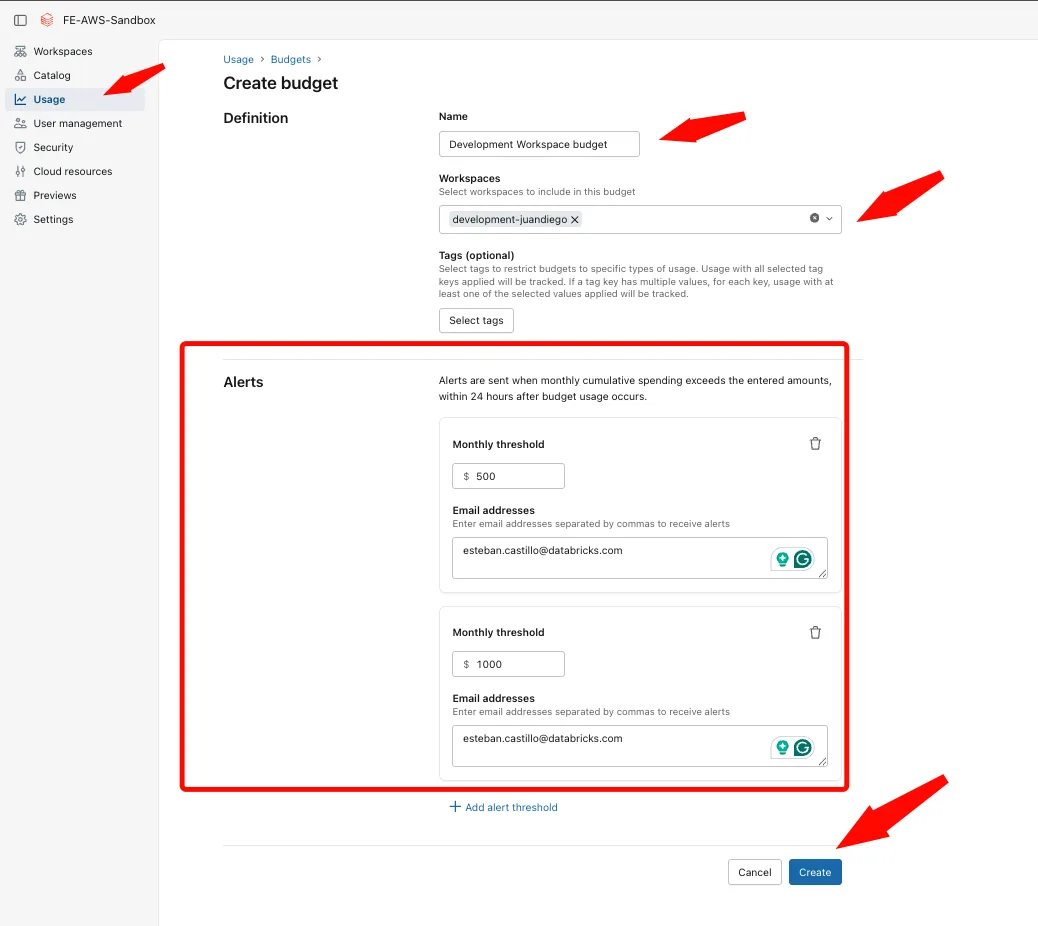
Expect latency
Alerts may lag usage by up to 24 hours. New budgets can show $0 briefly while telemetry catches up.
Verify
- Usage → Budgets lists the new budget.
- Open it — cumulative spend plots against dotted threshold lines.
- For a dry-run email, set a threshold below month-to-date spend and wait (check spam).
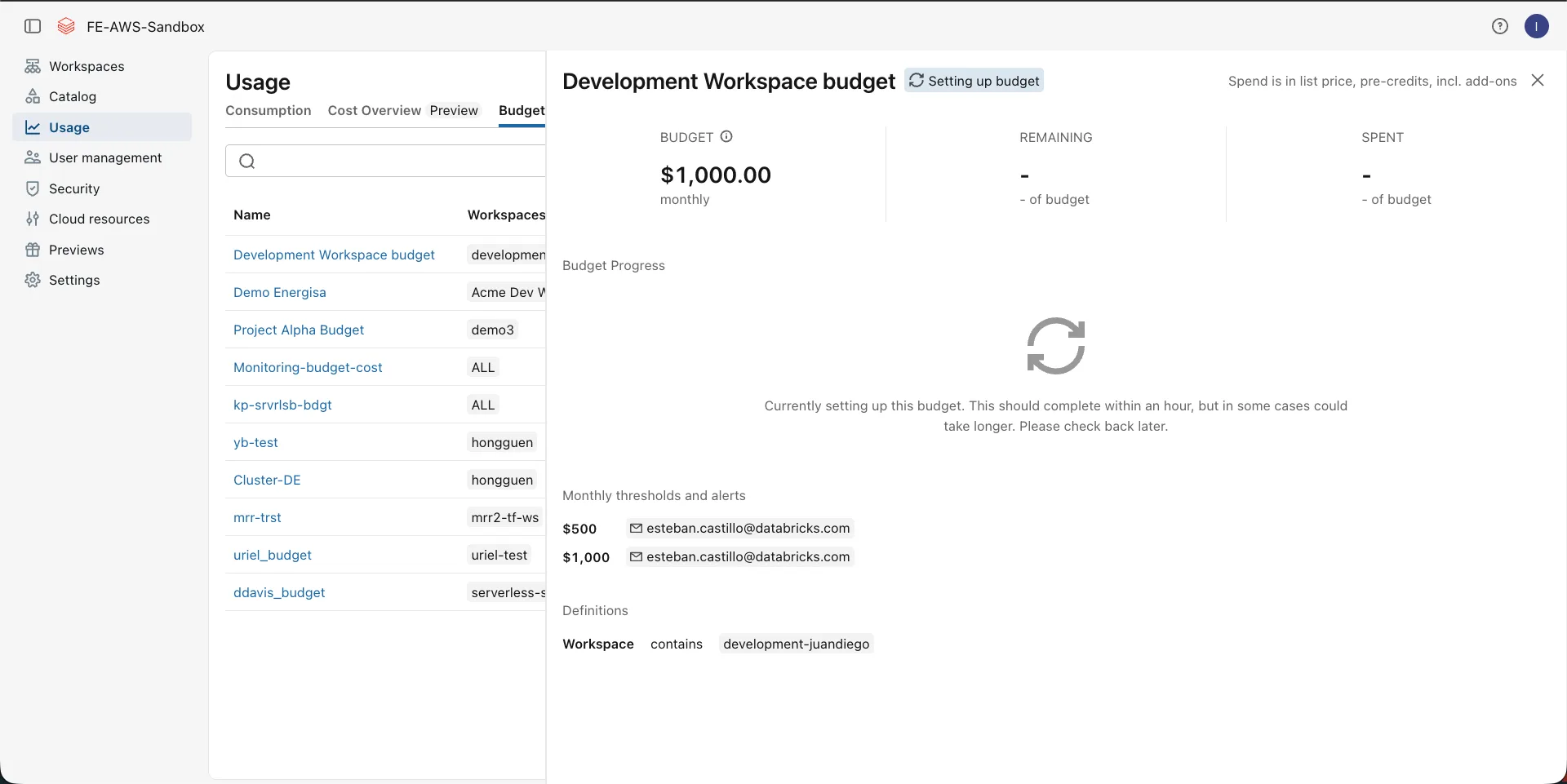
Troubleshoot
Budget stuck at zero
Wait up to a day for telemetry; confirm the account generated usage this month.
No email
Verify addresses, spam folders, and that spend crossed the configured threshold after latency.
Totals mismatch invoices
Budgets intentionally ignore credits and discounts. Model contracts in SQL or external tools if you need invoice-accurate thresholds.
Cannot create budgets
Only account admins manage budgets.
Tag filters empty
Confirm resources emitted that tag before the budget month (Tags and attribution).
Next
- Do next: Data governance strategy
- Learn why: Account Console foundations
- Reference: Create and monitor budgets