Cloud Object Storage
info
Access data in cloud object storage (S3, ADLS, GCS).
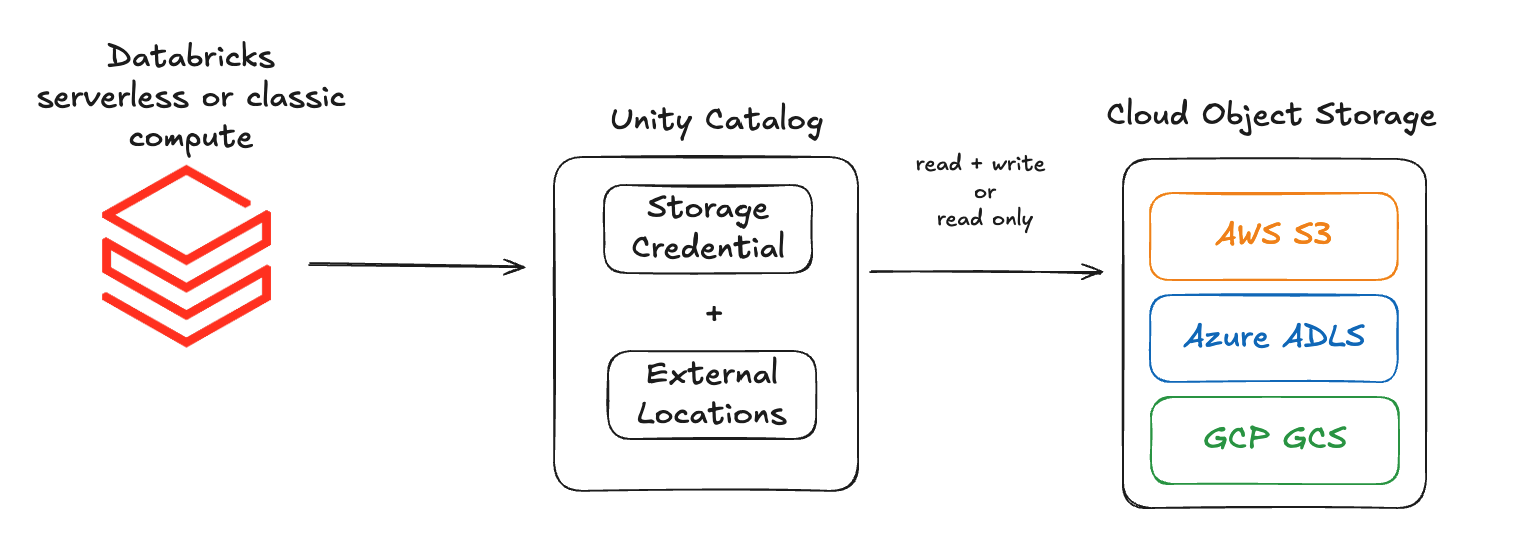
To access your data stored on your cloud object storage data you need two Unity Catalog objects:
-
Storage Credential:
- Authenticates your Databricks compute to your cloud object storage.
- Depending on your cloud provider, it encapsulates a:
- IAM Role (AWS and GCP).
- Managed Identity (Azure).
-
External Location: Defines the path to your data.
- AWS:
s3://mybucket/mydepartment/mydataset/ - Azure:
abfss://mydepartmentcontainer@mystorageaccount.dfs.core.windows.net/mydataset/ - GCP:
gs://mybucket/mydepartment/mydataset/
- AWS:
More detailed information can be found in the official Databricks documentation: