Single-tenant setup
You'll understand the single-tenant deployment model and when it fits your organization in ~3 min.
Prereqs: Cloud Tenant ready
The call
If your organization runs in one cloud account, start here. Pick multi-tenant when you don't need it and you pay for infrastructure overhead you'll never use. Pick single-tenant when you should have split and you face a painful migration later. The tradeoff cuts both ways, so be honest about whether you actually need an account-level boundary.
Mental model
One cloud account. Every Databricks workspace (dev, staging, production) deploys into that account along with its backing resources: IAM roles, storage buckets, networking. Unity Catalog governs data access across those workspaces. Same building, separate rooms.
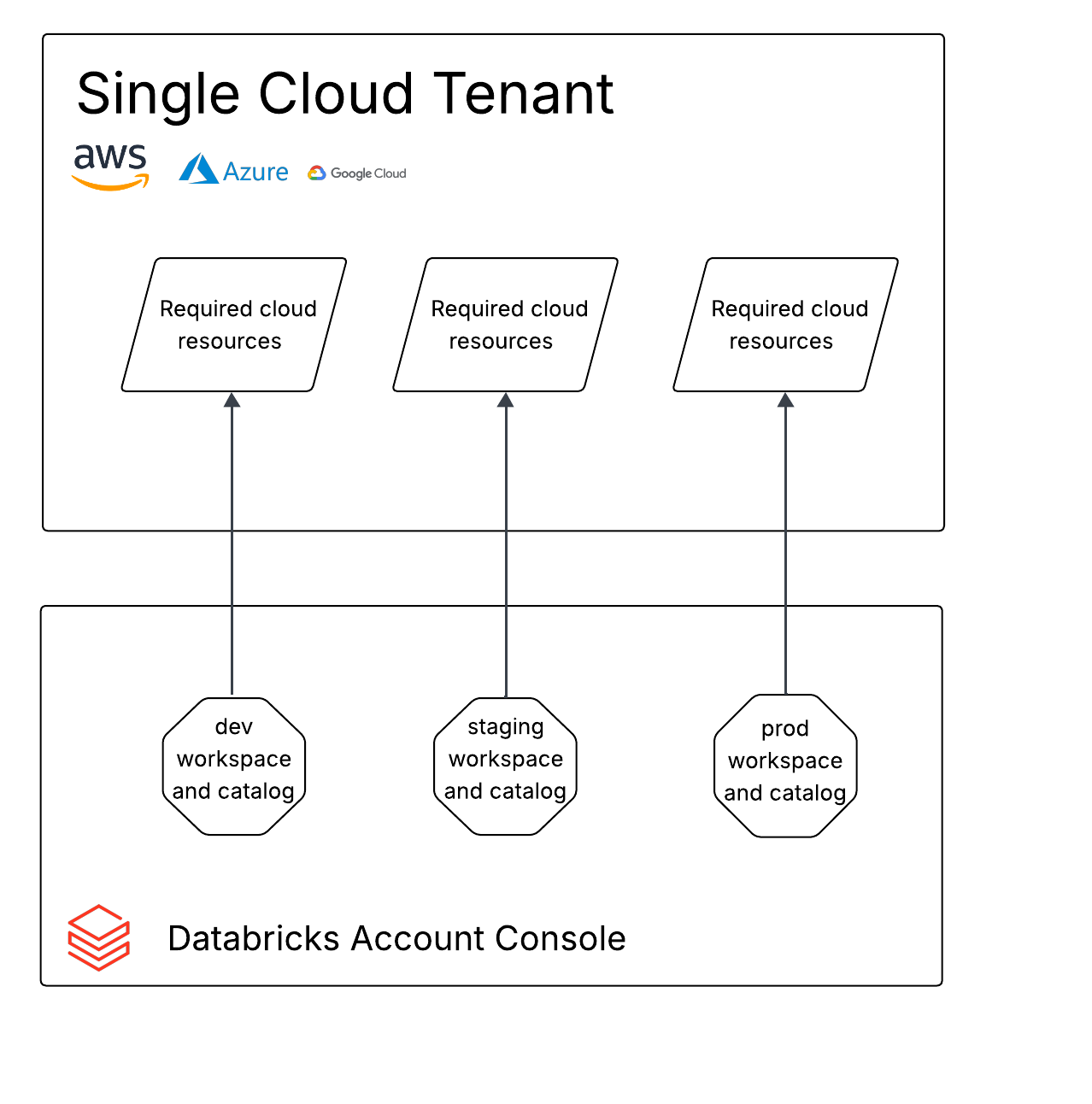
How it works
When this model fits
This layout applies when your organization uses a single cloud account (one AWS account, for example), when there is no plan to create more, and when all Databricks-related cloud resources must live in that one account.
Deployment layout
All three recommended workspaces (development, staging, production) and their cloud resources are created inside the same account. Environment isolation comes from workspace boundaries and Unity Catalog grants, not from separating cloud accounts.
When to use which
Use single-tenant when you have one cloud account with no plans to add more, when compliance does not require account-level isolation between environments, and when you want the simplest setup to operate.
Consider multi-tenant instead when your organization already has separate cloud accounts for different environments or business units, or when compliance or security policy requires hard IAM and network boundaries between production and non-production.
Common pitfalls
Assuming single-tenant means no isolation
Workspaces still separate your environments, and Unity Catalog grants still control data access. Single-tenant does not flatten everything into one shared space. It just means the cloud account is shared.
Outgrowing the model without a plan
Teams that start single-tenant sometimes have to split later when compliance requirements change. Write down the decision and the conditions that would trigger a move to multi-tenant, so the eventual switch is a planned project and not a fire drill.
Next
- Do next: Multi-tenant setup
- Learn why: Workspace foundations
- Reference: Databricks account architecture