Multi-tenant setup
You'll understand the multi-tenant deployment model and when it fits your organization in ~3 min.
Prereqs: Cloud Tenant ready
The call
Use multi-tenant when your organization already runs separate cloud accounts by environment, by business unit, or because a regulator demands it. Databricks then deploys into each account on its own. Get the layout wrong and you inherit cross-account networking headaches, duplicated config, and audit gaps that are slow to fix.
Mental model
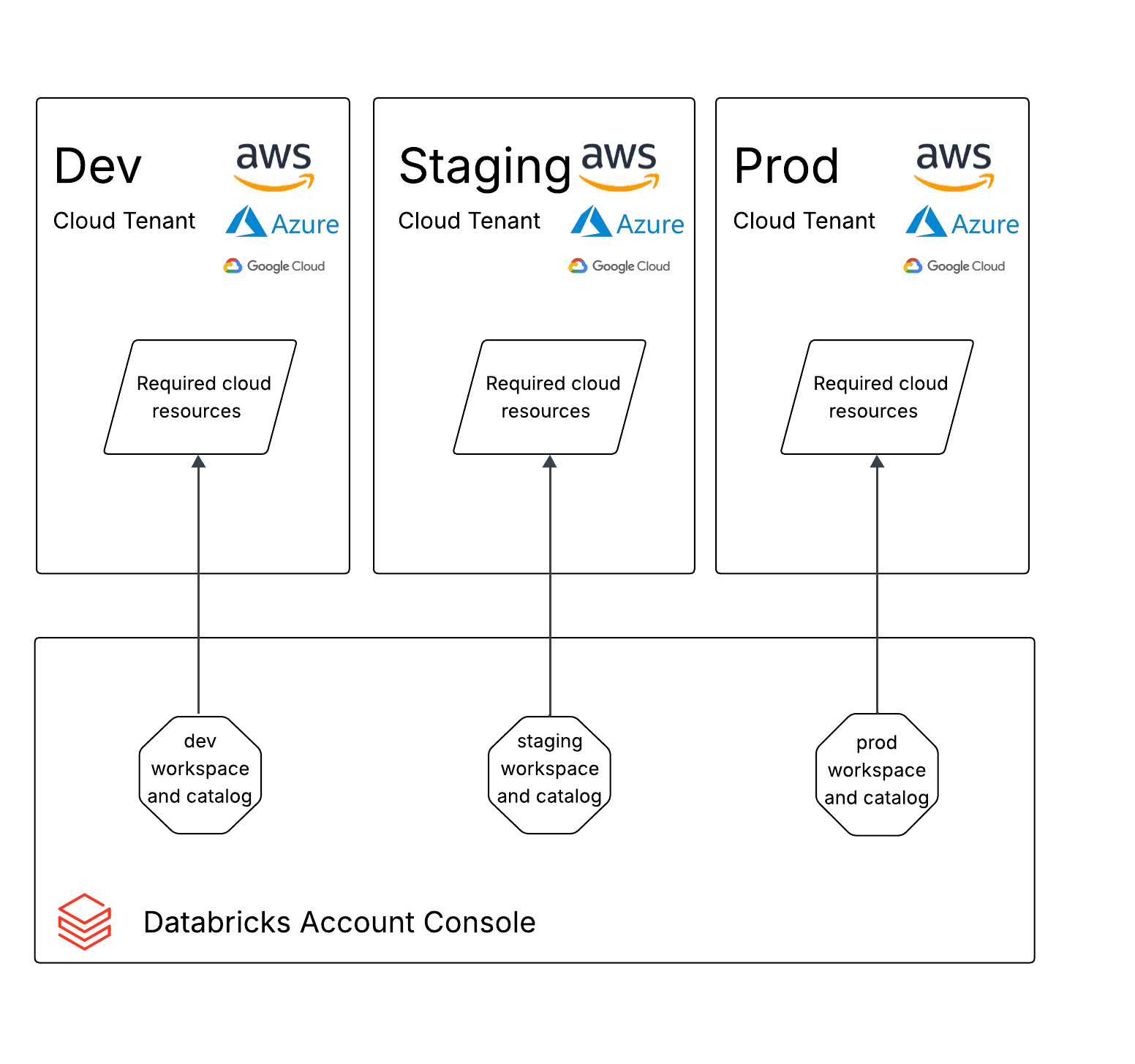
Several cloud accounts, each holding its own Databricks workspace and backing resources, each with an independent IAM boundary, storage, and network. Governance does not have to follow the split: Unity Catalog can still reach across accounts, so you keep one permission model even though the infrastructure is fully separated.
How it works
When this model fits
This layout applies when your organization already has multiple cloud accounts (say, separate Azure subscriptions for dev, staging, and prod), when you need hard isolation of Databricks and cloud resources between environments, and when each environment's data must live in its own storage location.
Deployment layout
For each cloud account, create a Databricks workspace and its required cloud resources (IAM roles, storage, networking) independently. A typical setup:
| Cloud account | Workspace | Purpose |
|---|---|---|
| Dev account | Development workspace | Engineering iteration and testing |
| Staging account | Staging workspace | Integration testing and UAT |
| Prod account | Production workspace | Stable workloads serving the business |
Each workspace lives inside the IAM and network boundary of its cloud account. Unity Catalog metastores can span accounts within the same Databricks account, so governance stays centralized even when the infrastructure is split.
When to use which
Use multi-tenant when your organization already maintains separate cloud accounts per environment or division, when compliance or security policy requires account-level IAM and network isolation, when billing has to be separated per environment, or when blast-radius control is a hard requirement and a failure in one account must never touch another.
Stay single-tenant instead when you have one cloud account with no plans to split, and when workspace boundaries plus Unity Catalog grants already meet your isolation needs.
Common pitfalls
Forgetting centralized governance
Splitting cloud accounts is not the same as splitting Databricks governance. Connect every workspace to the same Databricks account and govern through Unity Catalog. Skip this and each account turns into its own governance silo.
Duplicating configuration without automation
Set up three or more cloud accounts by hand and they drift fast. Use Terraform or another IaC tool from day one. Drift between environments is one of the most common reasons something works in dev and breaks in prod.
Over-splitting by team
Multi-tenant means splitting by environment or by a hard compliance boundary, not by team. A separate cloud account per team piles on overhead for a problem Unity Catalog grants already solve.
Next
- Do next: Create workspaces
- Learn why: Unity Catalog
- Reference: Databricks account architecture