Hands-on lab
You'll install the pipeline-bike dbdemo so you can explore a working Spark Declarative Pipeline with data quality checks and dashboards in ~10 min.
What you'll build
A complete Spark Declarative Pipeline ("dbdemos_build_pipeline_bike") with streaming tables, materialized views, data quality expectations, and two AI/BI dashboards: one for data quality monitoring and one for bike-rental business metrics.
Official source (Demo Center): Demo Center: Data Engineering
Steps
1. Install the demo from the dbdemos library.
Run these cells in a new Python notebook.
%pip install dbdemos
dbutils.library.restartPython()
import dbdemos

catalog = 'MY_CATALOG'
schema = 'MY_SCHEMA'

demo_to_install = 'pipeline-bike'

dbdemos.install(demo_to_install, catalog=catalog, schema=schema)
Swap MY_CATALOG and MY_SCHEMA for any UC catalog and schema where your user has CREATE privileges.
2. Wait for the installer to finish.
When it's done, the notebook lists what it created: a pipeline, notebooks, dashboards, and sample data tables. Open the pipeline from the link the installer prints.
Verify
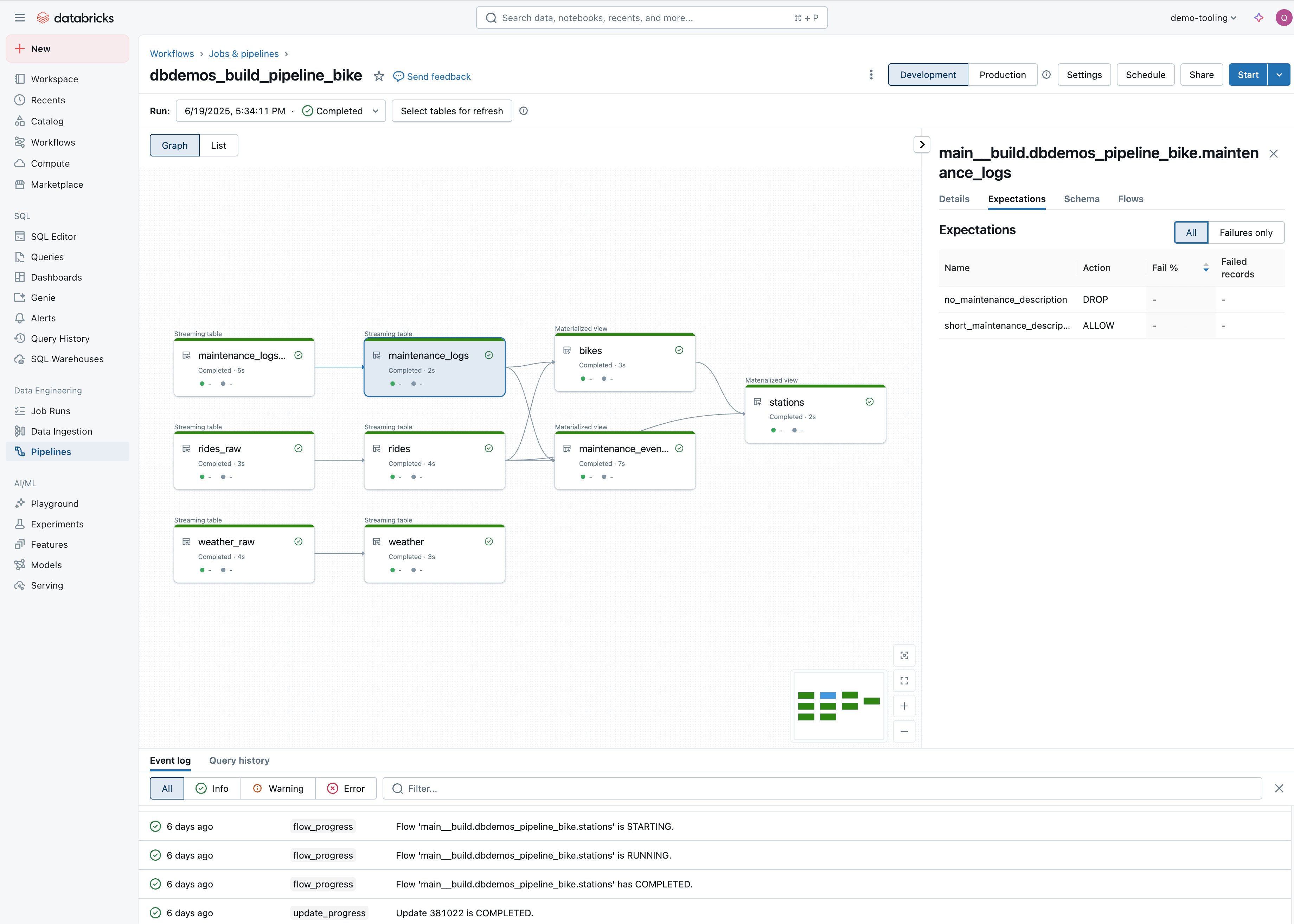
Open Workflows > Jobs & pipelines in the workspace nav and check that dbdemos_build_pipeline_bike is there. The pipeline graph shows streaming tables and materialized views connected through bronze, silver, and gold layers with data quality expectations attached.
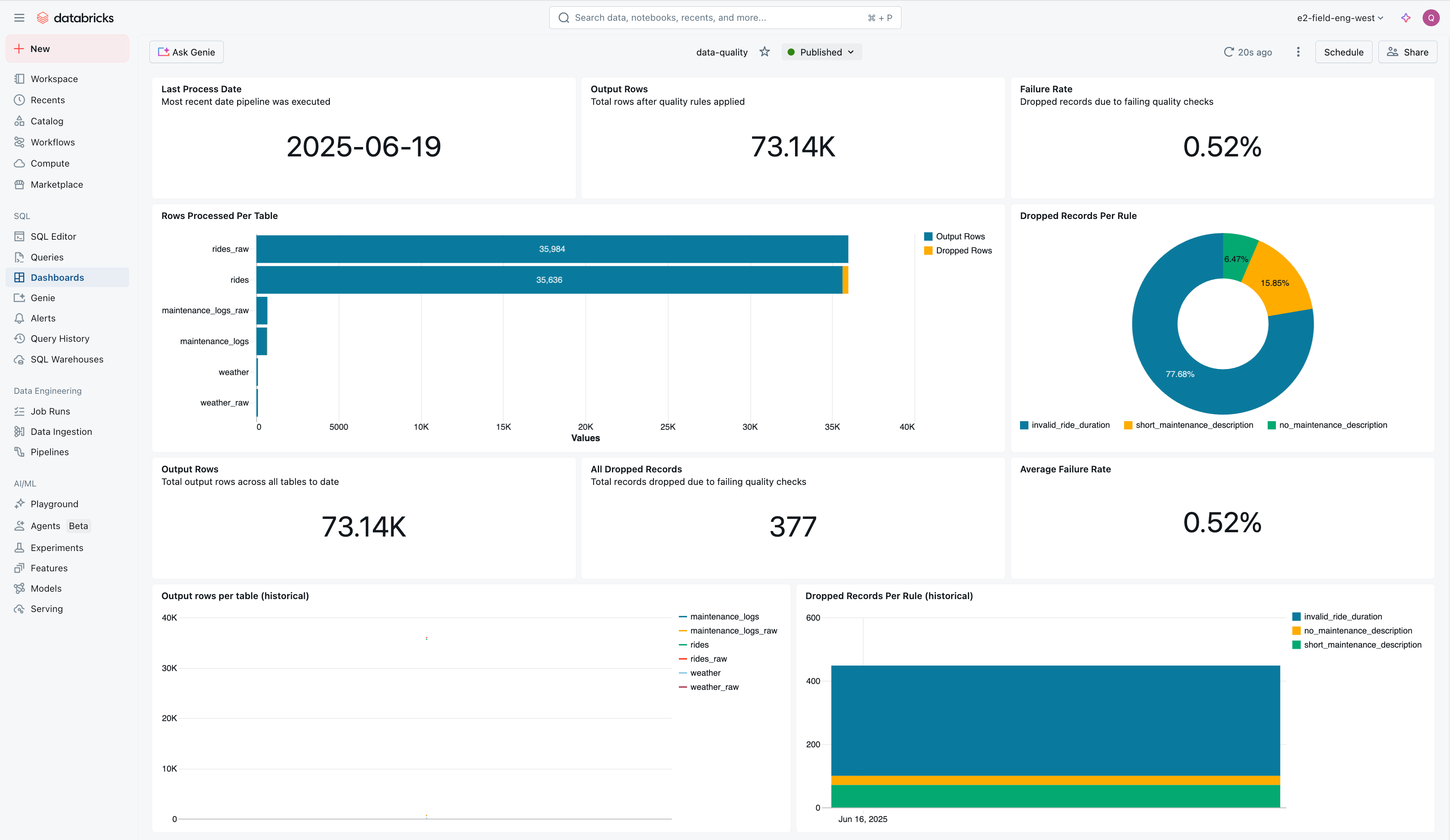
Open the data-quality dashboard to confirm that quality rules are tracking dropped records and failure rates across tables.
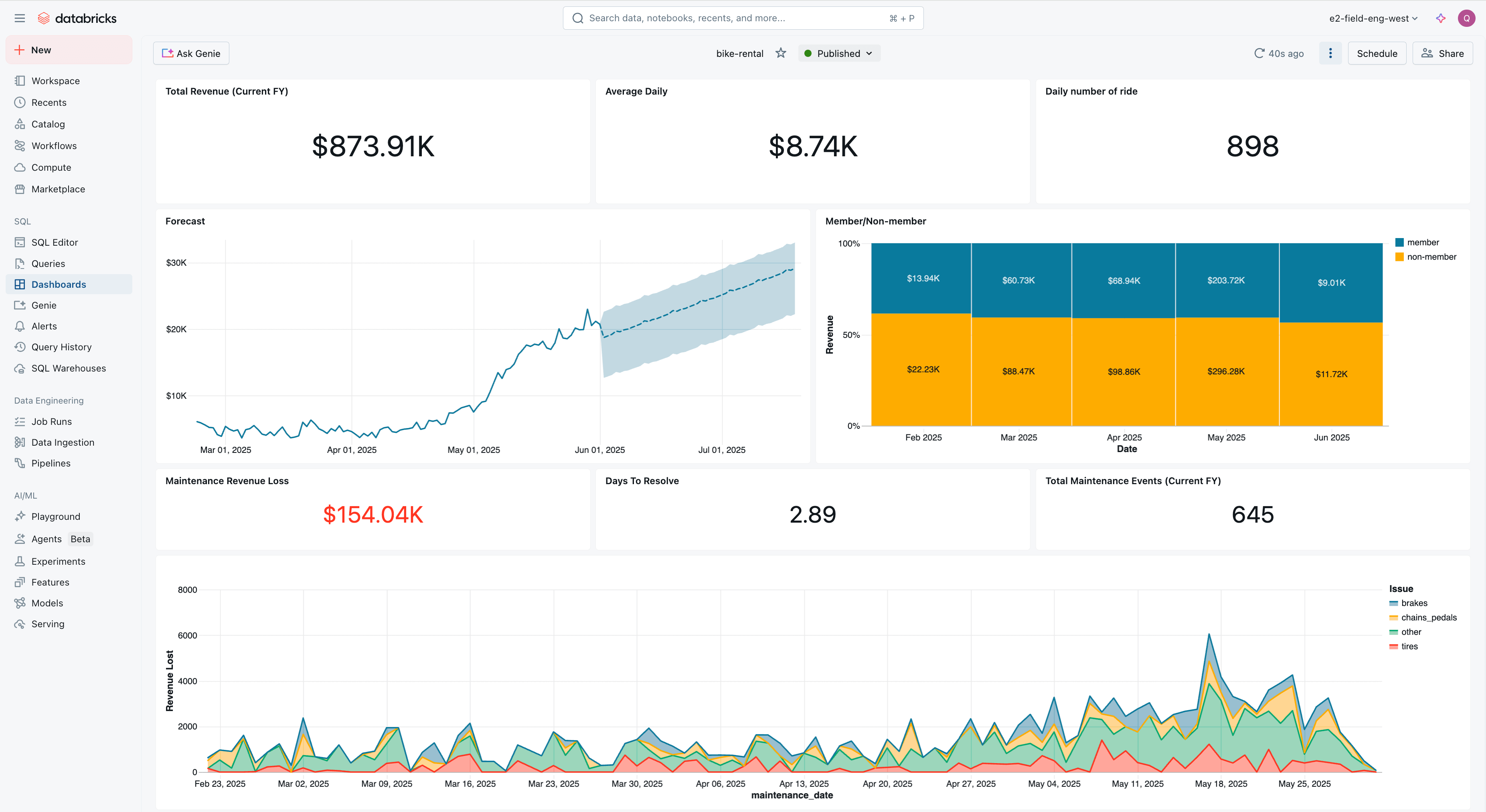
Open the bike-rental dashboard to see the business metrics: revenue, daily rides, member vs. non-member splits, and maintenance events.
Where people trip
ModuleNotFoundError: dbdemos
You imported before installing. Run %pip install dbdemos, then dbutils.library.restartPython(), and only then import.
Permission denied writing catalog or schema
Your user can't create tables there. Pick a catalog and schema where you can, or ask a metastore admin to grant CREATE.
Pipeline fails on first run
The cluster can't reach PyPI or is out of resources. Confirm it has internet egress and enough capacity. Also check that the catalog and schema exist and your user owns them.
Next
- Do next: Genie Code
- Learn why: Spark Declarative Pipelines overview
- Reference: Spark Declarative Pipelines (Databricks docs)