Additional dashboards
You'll install the community
system-tablesdemo so optional AI/BI dashboards run against your real billing data in ~15 min.
What you'll walk away with
A set of AI/BI dashboards and notebooks running on your own billing data: consumption tracking, a DBU forecast, model-endpoint cost attribution, warehouse attribution, and UC/volume analysis. The intermediate tables land in a Unity Catalog catalog and schema you pick, which does not have to be main.
Official source (Demo Center): System Tables: Billing Forecast, Usage Analytics, and Access Auditing with Unity Catalog
Confirm the demo slug is still system-tables on PyPI or GitHub before you standardize this in enablement.
Steps
1. Install the dashboards from the dbdemos library
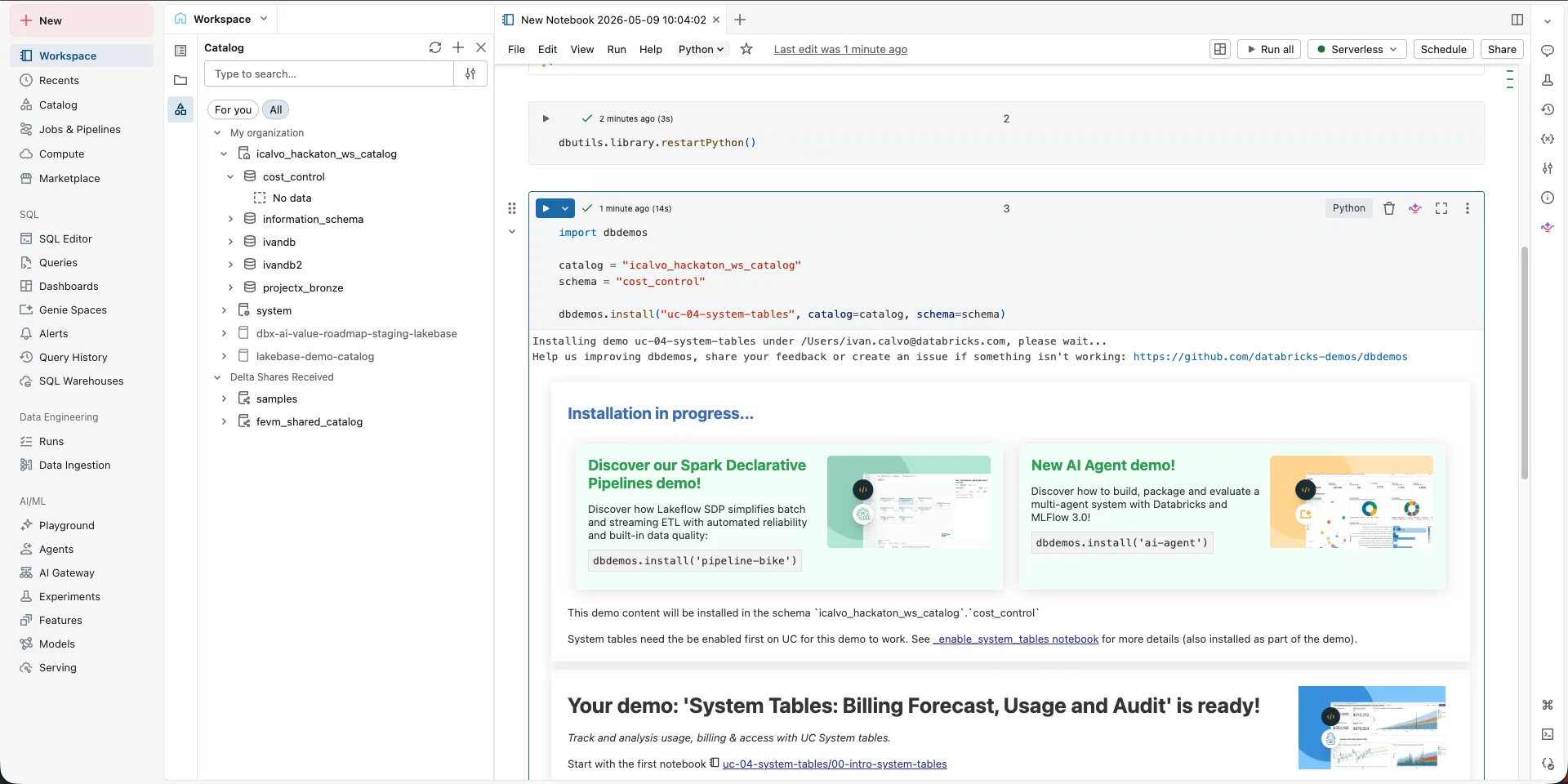
Run these cells in a new Python notebook.
%pip install dbdemos
dbutils.library.restartPython()
import dbdemos

catalog = "mycatalog"
schema = "myschema"

dbdemos.install("uc-04-system-tables", catalog=catalog, schema=schema)
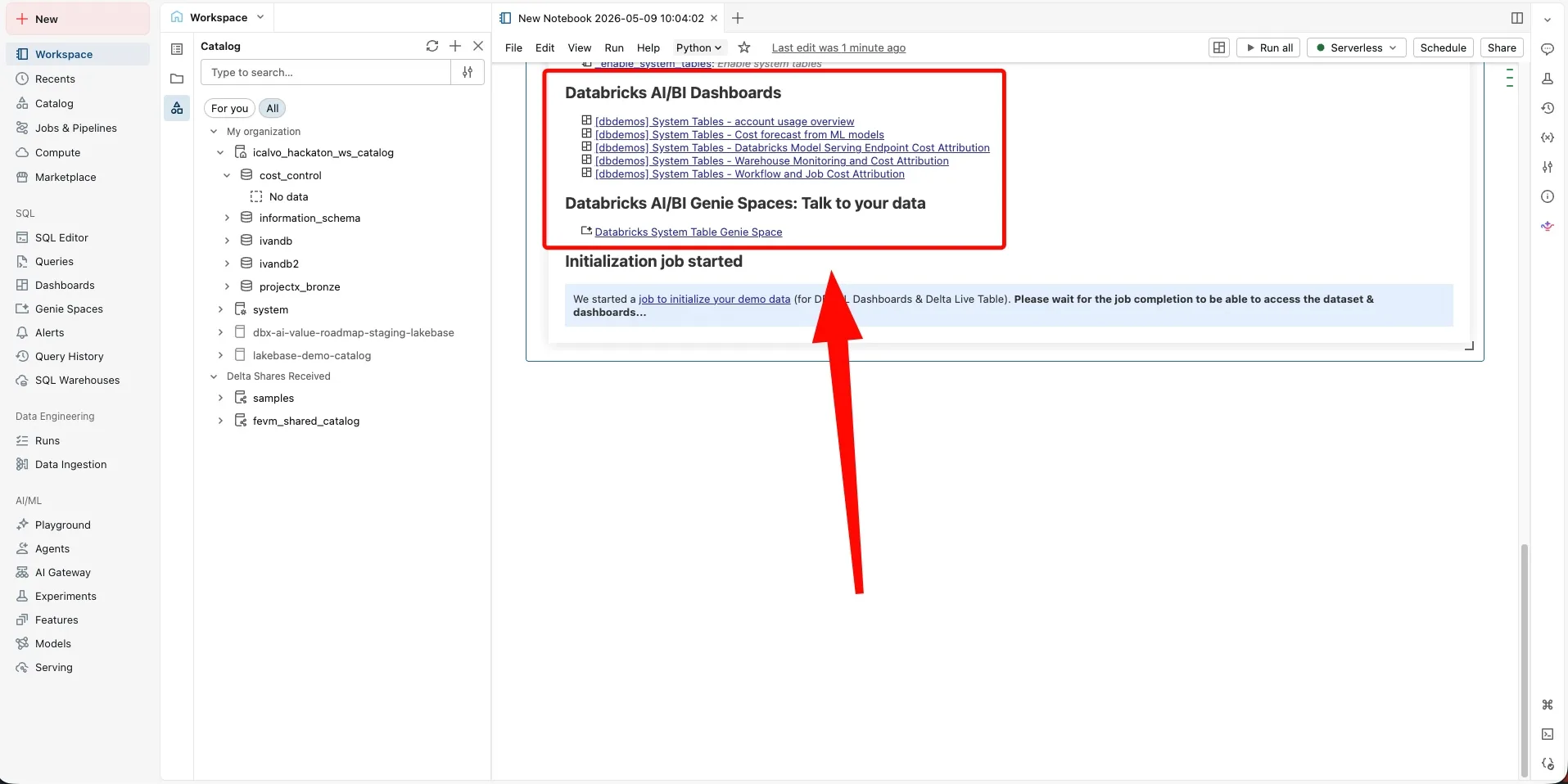
Set catalog and schema to UC assets you already have. Then wait until the notebook finishes and prints status for the notebooks and dashboards it created.
Verify
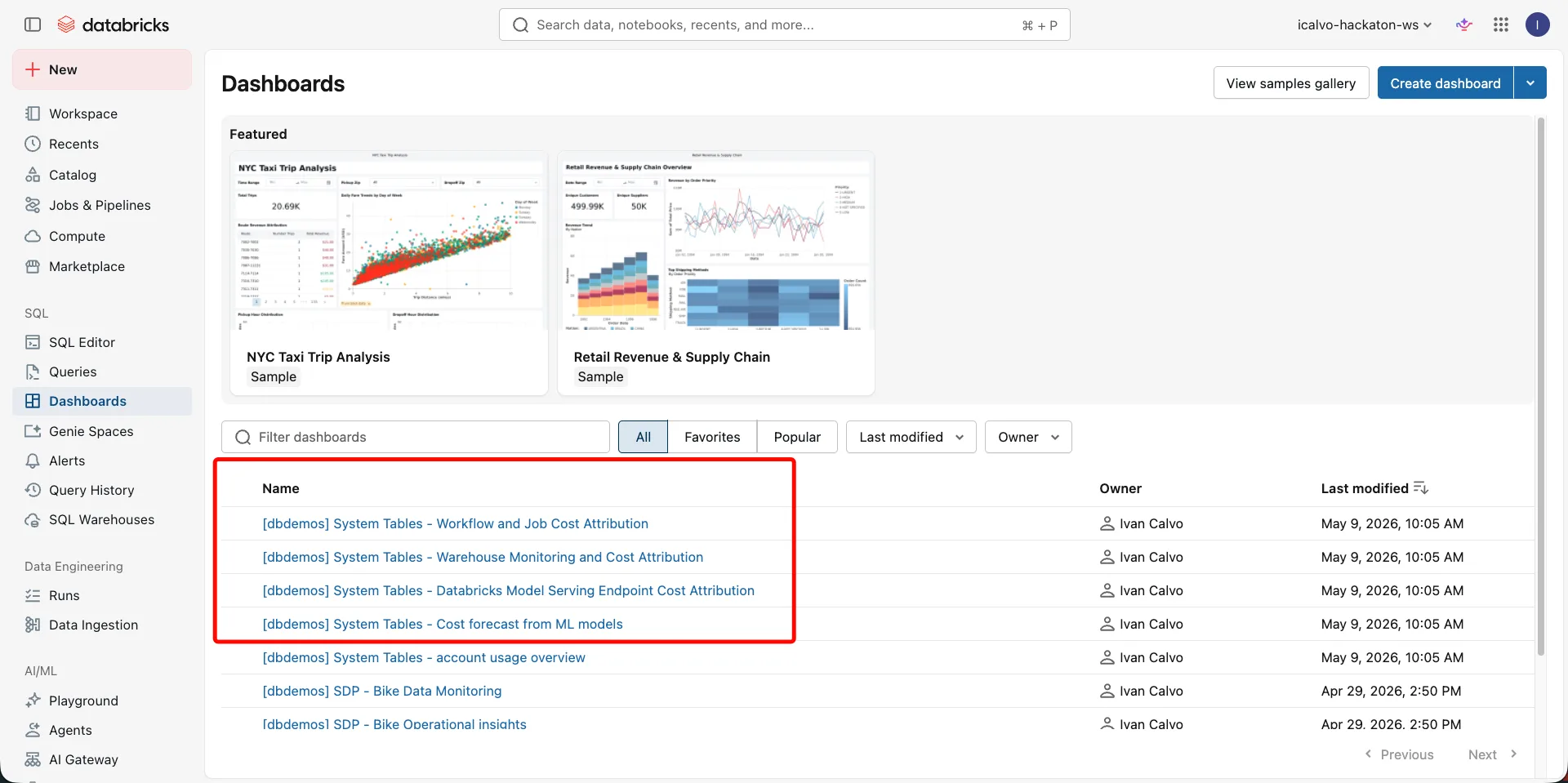
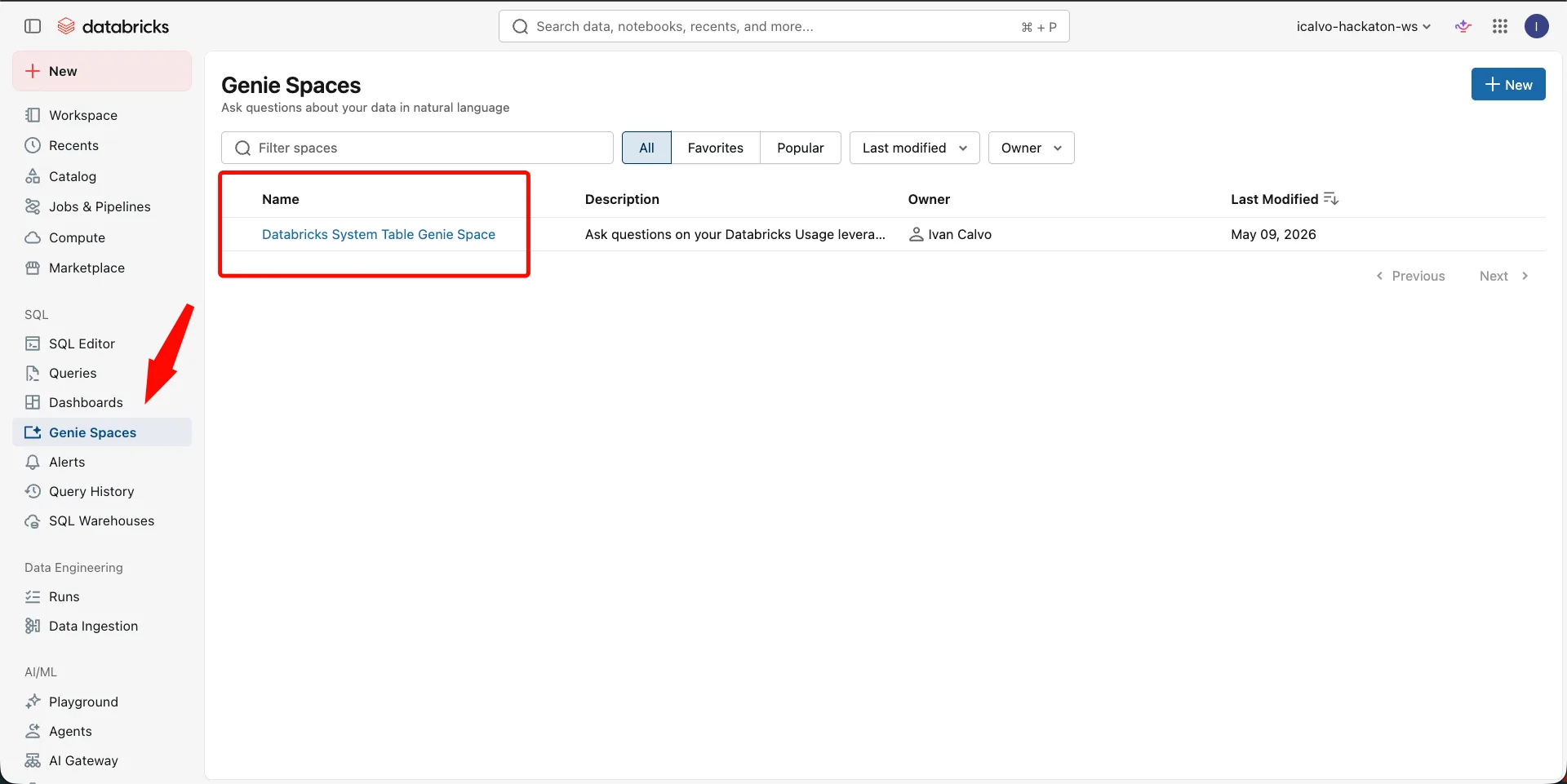
Open the Dashboards and Genie Spaces sections and confirm the new assets are there.
Where people trip
ModuleNotFoundError: dbdemos
Run %pip install dbdemos, then dbutils.library.restartPython(), before you import.
Permission denied writing catalog or schema
Pick a catalog and schema where your user can create tables, or ask a metastore admin to grant CREATE.
Permission denied on system tables
An admin has to grant SELECT on system.billing (and system.access for the audit-backed tiles).
Empty charts
New accounts have no history yet. Forecast tiles stay thin until enough daily usage accumulates.
Install hangs
Confirm the cluster has internet egress to PyPI and enough resources.
Next
- Do next: Tags and attribution
- Learn why: Unity Catalog foundations
- Reference: System Tables demo (Demo Center)