Public user guide
Turn architecture evidence into owned improvement work
The Databricks WAF assessment combines automated workspace evidence with accountable human review. It gives teams an indicative posture immediately, shows what was and was not measured, and turns unmet requirements into actions with an owner and a verification condition.
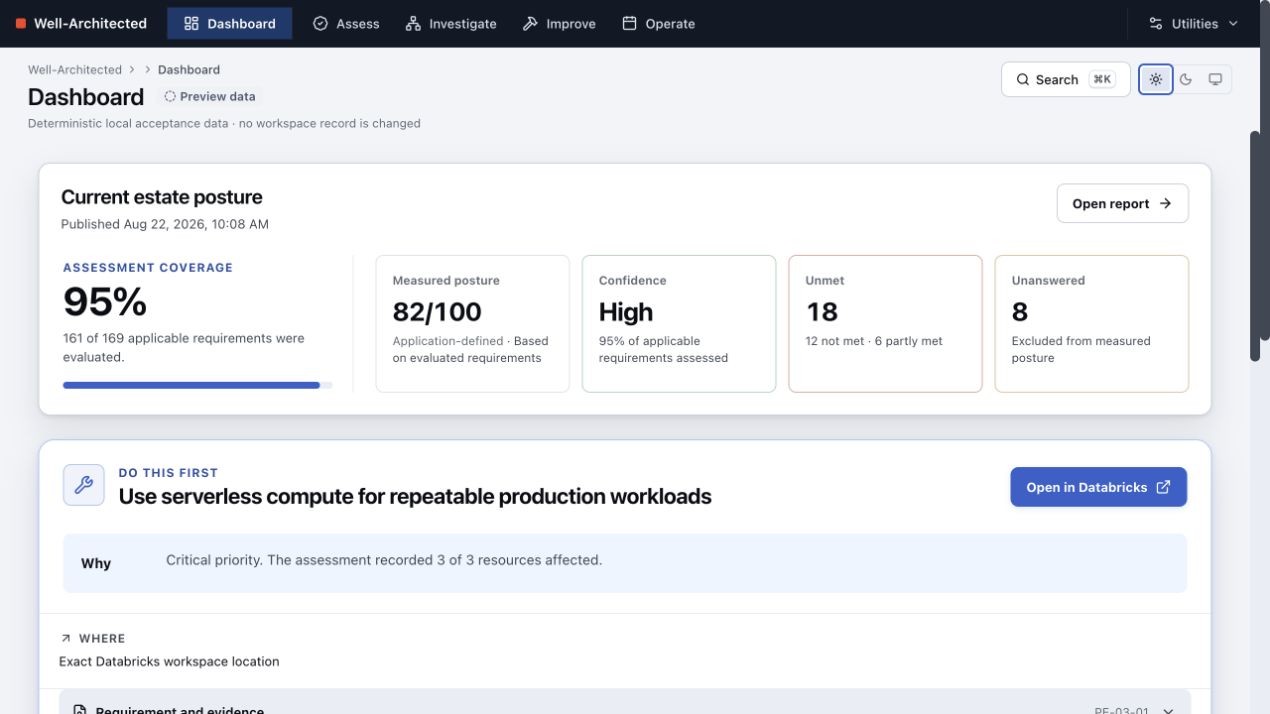
The screenshots in this guide use deterministic example data. They show the production layouts without exposing a customer workspace, user identity or record.
Start with your role
Workspace installer
Begin with Install, then use the configuration and operating guides.
Assessment owner
Follow the customer journey from preparation through publication.
Platform or workload owner
Use Investigate to find the requirement and affected resources, then work from the improvement plan.
Contributor
Read Issues and pull requests before proposing a change.
The customer journey
- Install the App through the supported Databricks Asset Bundle (DAB) lifecycle.
- Prepare an assessment: purpose, owners, workspaces, lookback window, pillars and targets.
- Collect automated evidence for the selected scope.
- Review the requirements that need human evidence and make a decision for each selected pillar.
- Publish an immutable report.
- Investigate an unmet requirement, its evidence and the resources it names.
- Improve by recording owned, dated actions and checking them against a later run.
- Operate the recurring cycle, schedule, exceptions, retention, backup and recovery.
The posture displayed by the App is application-defined from published Databricks guidance. It is not a Databricks certification.
What is stored where
Lakebase stores the durable application record: definitions, runs, evidence outcomes, human answers, reviews, reports, decisions, exceptions, plans, actions, notes, monthly publications and the audit trail. The App-owned schema is waf.
The SQL warehouse executes evidence queries. Databricks system tables and APIs remain the sources of evidence; the App does not copy the estate into Lakebase. No credential is stored. Interactive reads use the signed-in user's on-behalf-of identity, while an optional schedule uses a dedicated service principal.
Supported experience
- Current desktop and laptop Chrome.
- One workspace or every workspace visible to the scanning identity.
- Any single pillar, any subset, or all seven pillars.
- Interactive assessments by default; optional scheduled assessments.
- DAB deployment only. Marketplace installation is not a supported path.
- Tablet and mobile layouts are not supported.