UI Integration
Applies To: |
Pipeline Bundle |
Configuration Scope: |
VS Code Settings |
Databricks Docs: |
NA |
Overview
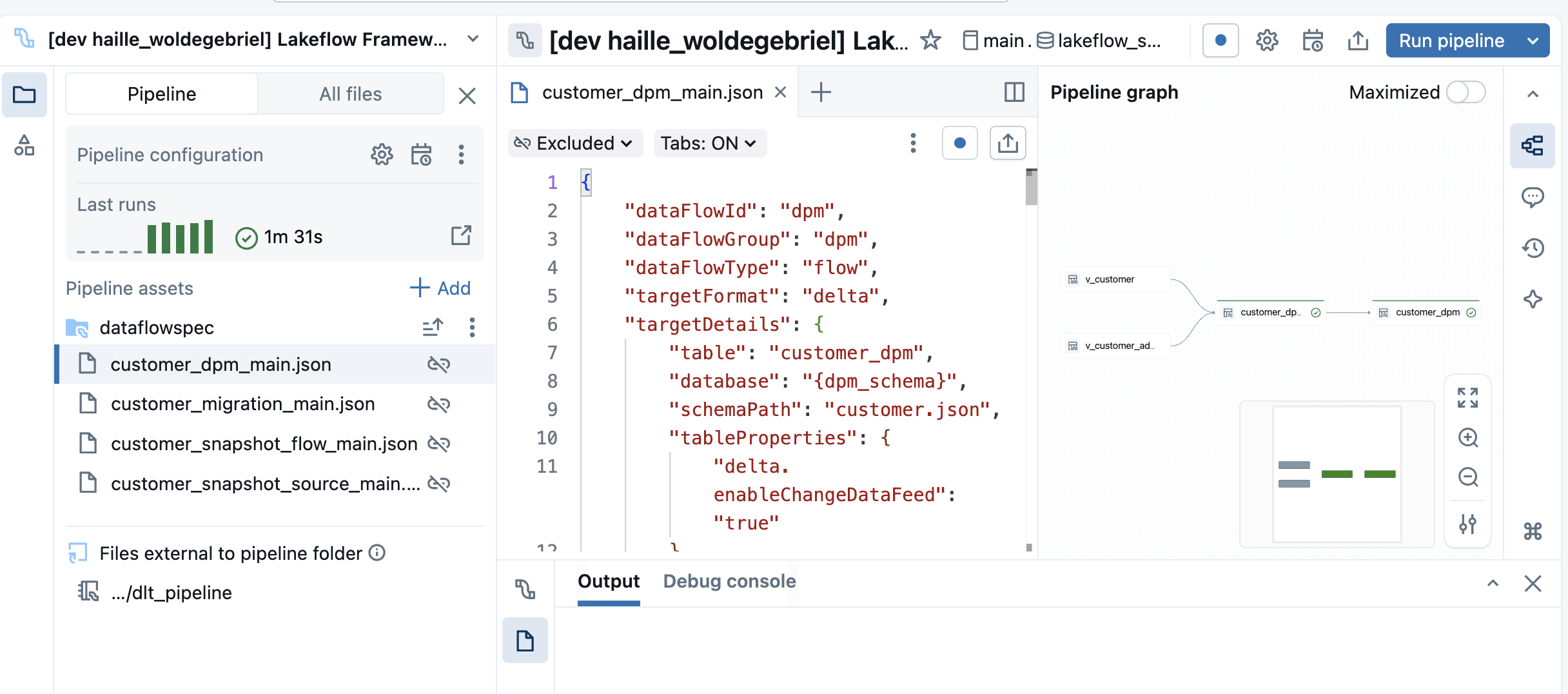
The framework integrates with the Databricks Pipeline Editor UI to provide a seamless experience when creating or editing Data Flow specifications. This allows for live validation and editing of a Data Flow spec while having the ability to debug directly in the Pipeline Editor.
Configuration to enable Pipeline Editor UI Integration
To enable UI Integration, you need to add a root_path configuration to your Pipeline resource file that points to the root directory of the Data Flow specifications for that pipeline as shown below.
1 2 3 4 5 6 7 8 9 10 11 12 13 14 15 16 17 18 19 20 21 | resources: pipelines: lakeflow_pattern_bronze_base_samples_pipeline: name: Lakeflow Framework - Pattern - Bronze Base Samples Pipeline (${var.logical_env}) channel: CURRENT serverless: true catalog: ${var.catalog} schema: ${var.schema} libraries: - notebook: path: ${var.framework_source_path}/dlt_pipeline configuration: bundle.sourcePath: ${workspace.file_path}/src bundle.target: ${bundle.target} framework.sourcePath: ${var.framework_source_path} workspace.host: ${var.workspace_host} pipeline.layer: ${var.layer} logicalEnv: ${var.logical_env} pipeline.dataFlowGroupFilter: base_bronze **root_path**: ${workspace.file_path}/src/ |
Below is an example of the Pipeline Editor UI integration.