Auto Complete / IntelliSense
Applies To: |
Pipeline Bundle |
Configuration Scope: |
VS Code Settings |
Databricks Docs: |
NA |
Overview
The framework uses JSON Schema-based IntelliSense when creating or editing Data Flow specifications, which includes:
Auto-completion (suggesting keys/values)
Validation (checking for errors based on the schema)
Quick Fixes (where applicable)
The *_main.json mapping covers all Data Flow Spec types — standard,
flow, materialized view, and nodespec.
main.json inspects the data_flow_type / dataFlowType field and routes
to the matching schema automatically, so a single mapping enables IntelliSense
for every spec type. Nodespec specs are authored in snake_case and the schema
validates them as written.
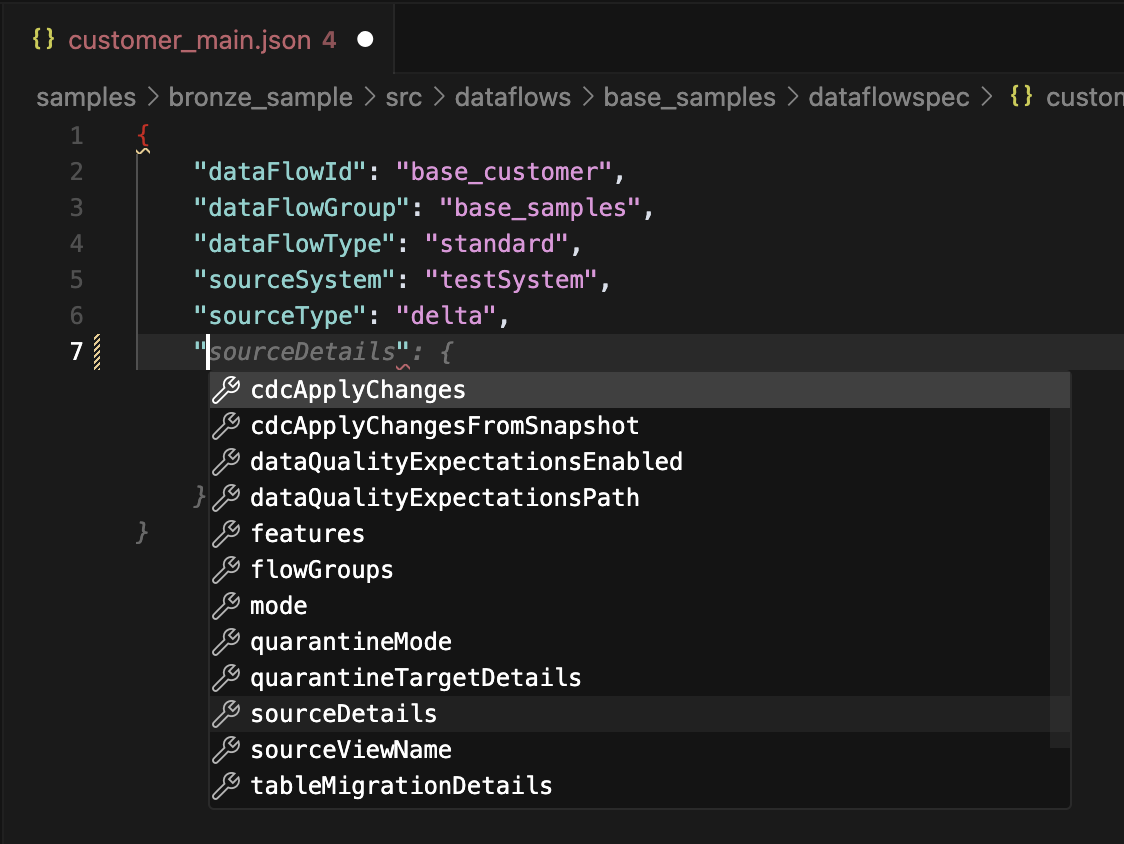
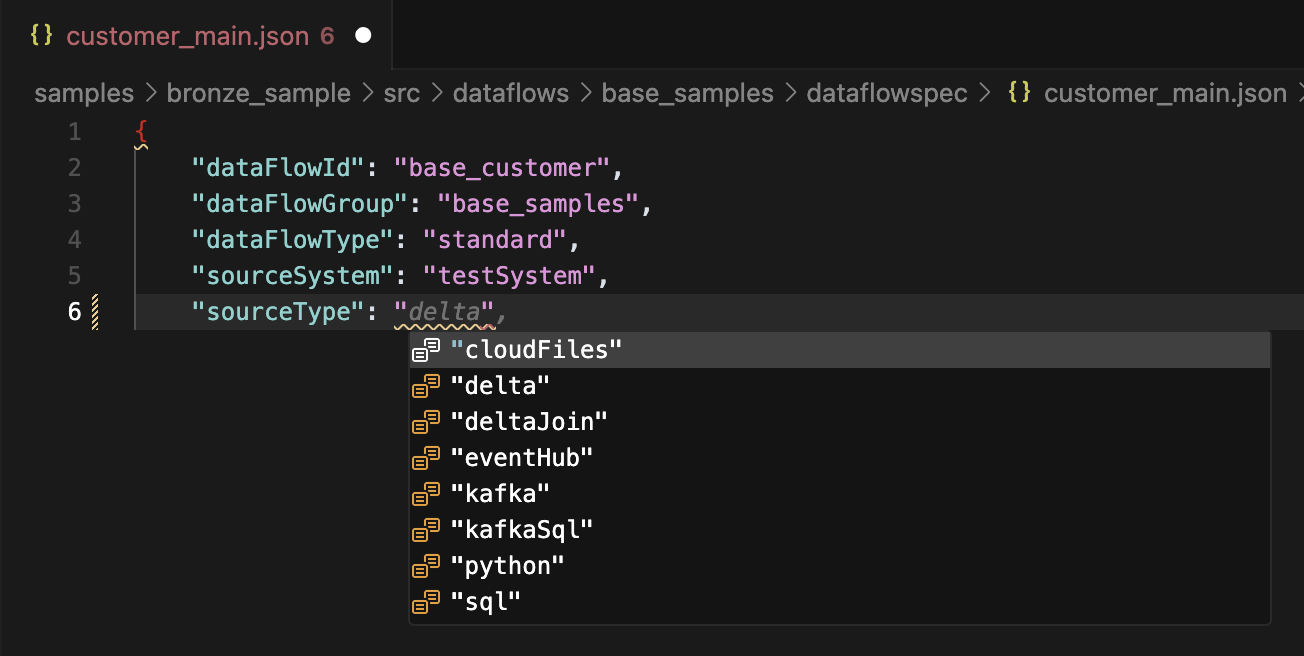
Autocomplete Example
Suggesting keys
Suggesting values
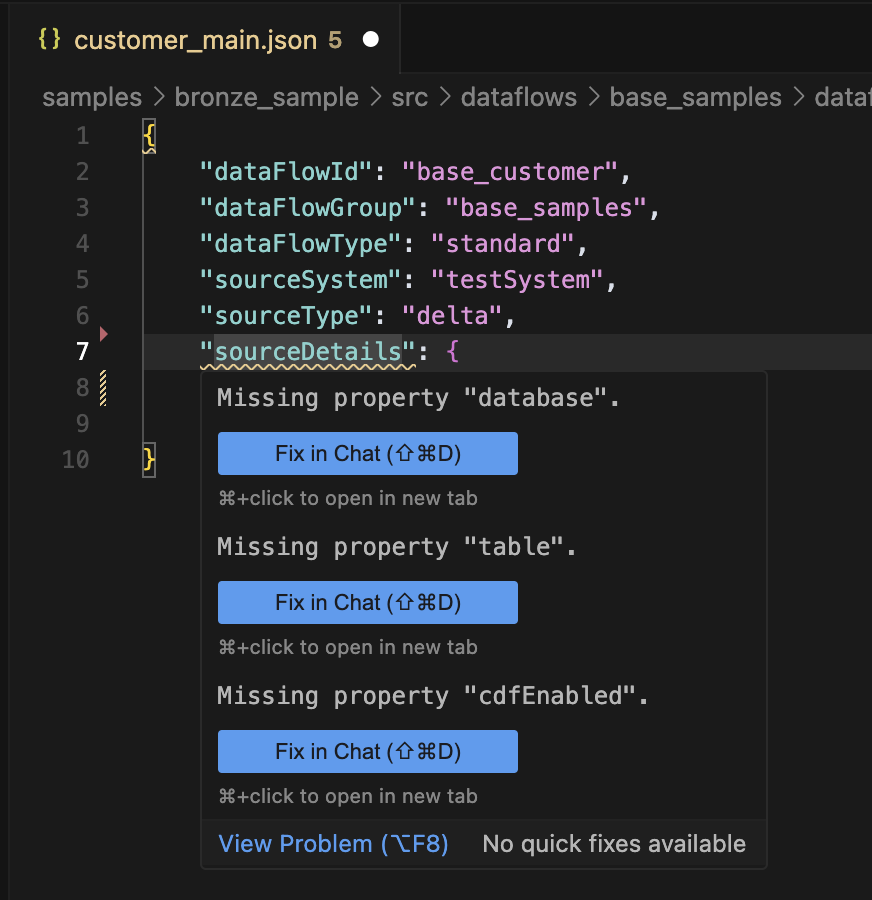
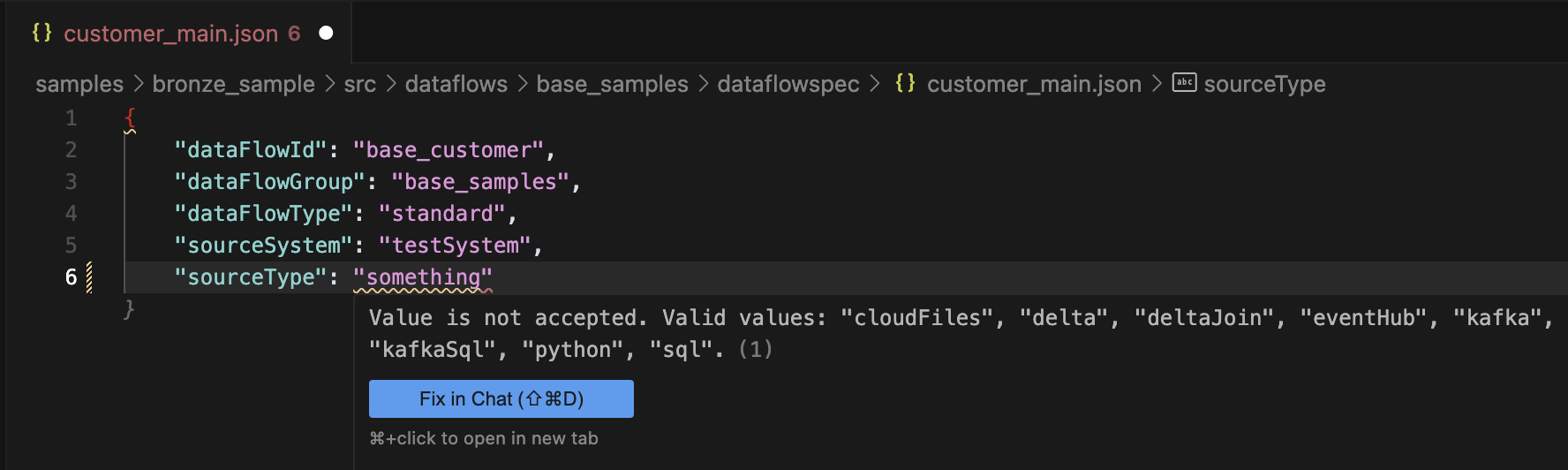
Validation Example
Schema Validation
Value Validation
Configuration for VS Code
To enable Auto Complete / IntelliSense in VS Code, you need to add the JSON schemas to your workspace or user settings.json file.
Detailed instructions are available in the VS Code - JSON schema and Settings documentation.
To open the settings.json file, you can use the command palette (Ctrl+Shift+P or Cmd+Shift+P on Mac) and search for “JSON Schema”.
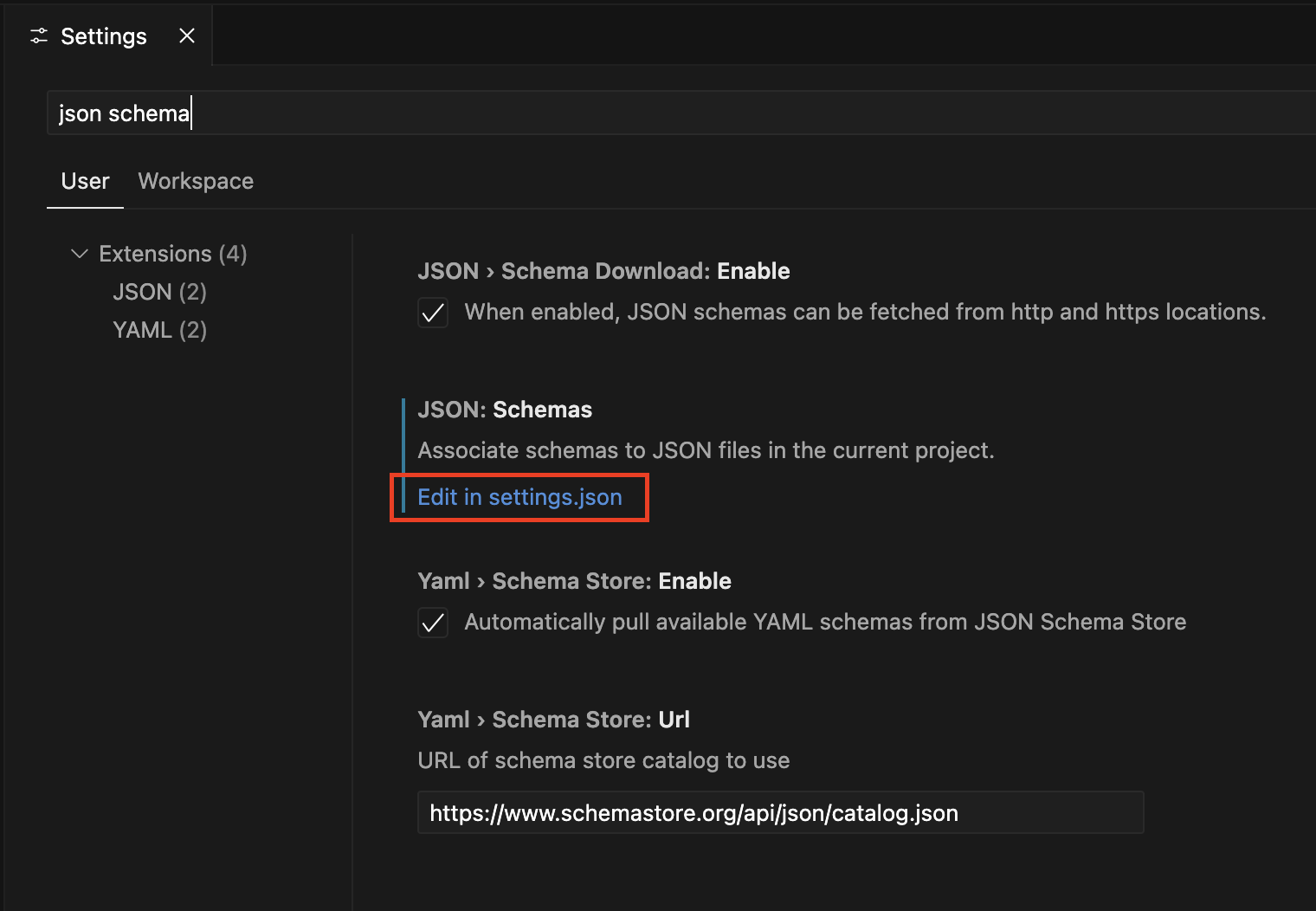
Add the following code into your settings.json replacing <path to framework folder> with the path to the Lakeflow Framework project on your local machine unless you are adding this object directly to the settings.json in your .vscode directory in the Lakeflow Framework project in which case you should remove <path to framework folder>.:
1 2 3 4 5 6 7 8 9 10 11 12 13 14 15 16 17 18 19 20 21 22 23 24 25 26 27 28 | { "json.schemas": [ { "fileMatch": [ "*_flow.json" ], "url": "<path to framework folder>/src/lakeflow_framework/schemas/flow_group.json" }, { "fileMatch": [ "*_main.json" ], "url": "<path to framework folder>/src/lakeflow_framework/schemas/main.json" }, { "fileMatch": [ "*_dqe.json" ], "url": "<path to framework folder>/src/lakeflow_framework/schemas/expectations.json" }, { "fileMatch": [ "*_secrets.json" ], "url": "<path to framework folder>/src/lakeflow_framework/schemas/secrets.json" } ] } |
Example settings.json file:
1 2 3 4 5 6 7 8 9 10 11 12 13 14 15 16 17 18 19 20 21 22 23 24 25 26 27 28 29 30 31 | { "python.analysis.extraPaths": [ "src" ], "json.schemas": [ { "fileMatch": [ "*flow.json" ], "url": "/Users/erik.seefeld/Documents/dev_work/dlt_framework/src/lakeflow_framework/schemas/flow_group.json" }, { "fileMatch": [ "*main.json" ], "url": "/Users/erik.seefeld/Documents/dev_work/dlt_framework/src/lakeflow_framework/schemas/main.json" }, { "fileMatch": [ "*_dqe.json" ], "url": "/Users/erik.seefeld/Documents/dev_work/dlt_framework/src/lakeflow_framework/schemas/expectations.json" }, { "fileMatch": [ "*_secrets.json" ], "url": "/Users/erik.seefeld/Documents/dev_work/dlt_framework/src/lakeflow_framework/schemas/secrets.json" } ] } |